[ Ready Stock ] APP Control SMART FEEDER Automatic Pet Cat Dog Food Feeder Dispenser 2.5L Stainless Steel Bowl 宠物智能喂食器
[ APP Remote Control & Flexible Timed Feeding】For Both IOS and Android System: Search 'Smart Life' to download. You can set up a feeding plan which can help you to feed your pet from anywhere or at any time with your phone. It also allows you to change the time and amount of food.【Suitable Capacity & Moisture-Proof ] It comes with a 2.5L capacity hopper which can be consumed by an adult cat of 11 lb for about 2 weeks. 【Anti-Clog Design】Innovative three-cell structure, with soft rubber brush head, baffle and impeller. One portion of food is about 10g, you can set up the amount per meal according to your pet’s feeding need, stop pets from overeating, help them develop a good eating habit and giving them a healthy life.(Suitable for dry food with pellet size within about 0.4 inches in diameter)【Dual Power Supply】Dual combination of external power supply and battery to prevent accidental power outages. Even if power outage and WIFI goes out, the feeder can still continue to feed your pet according to the program set on the phone APP, make sure your cats never go hungry.【Humanized Design & Pet Safe Material】When food is insufficient in the hopper, you will see a notification on the APP which will remind you to replenish food in time. Also, The top lock is designed with a knob to prevent pets from opening the lid. With removable 304 stainless steel food tray, ensure food hygiene, easy to clean and easy to storage.How to connect:(1) Put 4 AA batteries into the battery compartment as a backup power source or just plug in the USB cable(1) Open the app, register and log in to the account(2) There are two connection methods:--Bluetooth Mode1.Connect the power supply, the machine is powered on, and the indicator light starts to flash evenly2. Turn on the Bluetooth of the mobile phone, open the APP, click the "+" or "Add Device" in the upper right corner3. Click the device that jumps out to add4. Follow the instructions of the app and enter the wifi password, please make sure that the phone is connected to 2.4G wifi, not 5G wifi5. Connection start, please wait for a while6. The connection is successful--AP Mode1. Turn on the machine, wait for a while, the indicator light starts to flash evenly, press and hold the button for about 5 seconds, release it after a beeping sound, the indicator light transforms into an irregular flashing mode (we call “breathing flashing”)2. Turn off the cellphone’s Bluetooth, open the APP, and click on the "+" or "Add Device" in the upper right corner3. Click "Paring Mode" in the upper right corner, select AP Mode, and click confirm4. Enter the wifi password as prompted by the app, please make sure that the phone is connected to 2.4G wifi, not 5G wifi5. Follow the app prompt to connect to the hotspot "SmartLife-XXXX"6. Return to the app and start connecting, please wait for a while7. The connection is successful.

MeowMeowNet
![[ Ready Stock ] APP Control SMART FEEDER Automatic Pet Cat Dog Food Feeder Dispenser 2.5L Stainless Steel Bowl 宠物智能喂食器](https://img.lazcdn.com/g/p/559266ba55d1d69564399adb4f06871a.png_300x300q80.png)
Review

You May Also Like
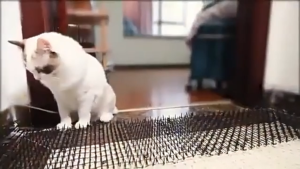
【READY STOCK】Animal Repel Spike Mat/Anti Cat Dog Bird Repellent/Safe Humane Pet Deterrent/Prevent Scratching Digging Pad

Pet Dog Ball Molar Teeth Chew Wear-resistant & Bite-resistant Elasticity Funny Playing Interactive Toy
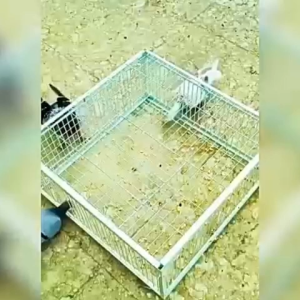
Pigeon Trap 90*60*26cm/60*40*26cm Bird Cage Trap Iron Bar Design Can Only Enter But Not Exit Durable
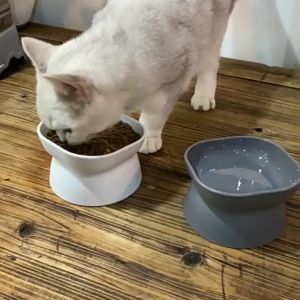
Pet Bowl Elevated High Raise Pet Bowl Feeder 10° Tilted Cat Bowl Bekas Makanan Kucing Cat Feeder Bekas Air Kucing

BESSN | 3-in-1 Wall-mounted Aquarium Filter with Oxygenation and Water Circulation

Red Umbrella Mushroom Cat Climbing Frame Sisal Vertical Scratching Post Tree Toy
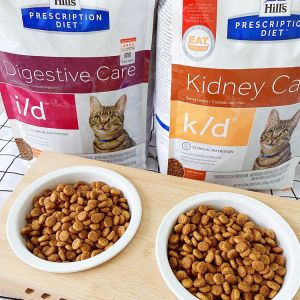
Teekland Hills CD Prescription Dog Food Urinary Stones Urethral Maintenance Kidney Care Heart Failure Function Adult Dog Main Food 1.5kg/3.85kg

Dog Reflective Comfortable Sturdy Durable Harness Adjustable Vest Heavy Duty for Large Dogs Up To 45KG 宠物胸背带
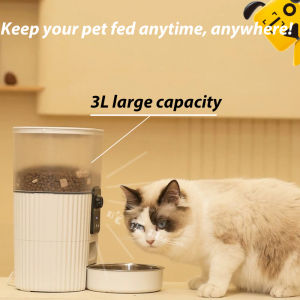
Reddog WiFi Automatic Cat Feeder 2G/4G WIFI Connection Control Dog Food Dispenser Automatic Timer Cat Feeder Smart Timer Feeding Supplies
HAIRperone Parrot Birds Flying Rope Leash Harness Accessories Gelang Rantai Kaki Burung Multipurpose Built-in Steel Wire
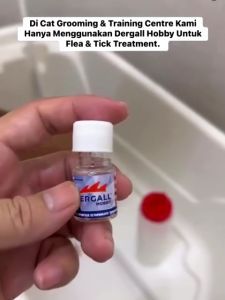
DERGALL HOBBY Ectoparasite Disposal Water Pet Safe Flea & Tick Killer 24bot- 5ml