EKLEVA 4K+2K Screen Dash Cam Dual Lens 11.26 Inch View Mirror Car Dvr Camera Wifi Video Loop Recording Super Night Vision
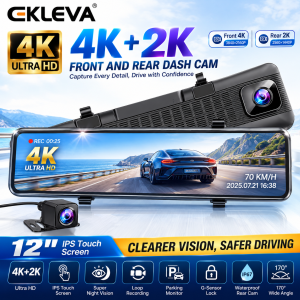
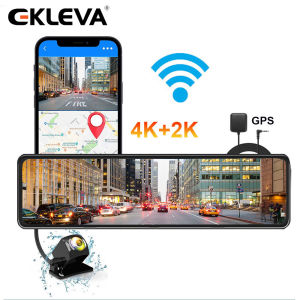
EKLEVA Supper UHD 4K Car Rearview Mirror Features:12 Inch Screen: Item Inch: 29cm7cm, Screen Inch: 27.3cm6.3cmUHD 4K+2K:Front : UHD 38402160P, 4K Rear : UHD 25601440P , 2KReverse image: Automatically switch the rear camera when reversingHDR HD night vision: The night video is equally clearAPP smart connection: Sync camera screen with the mobile phone within wifi connection rangeAllWIN CHIP: Professional image processing chip to improve video qualityLoop Recording: Automatically delete the previous video records, and purchase a larger SD card to store longer video records24-Hour Parking:24H7 Service Supporting4K & 170°Equipped with a 170-degree wide-angle UHD(4K 28602160) lens, the camera can easily monitor 3 lanes. This camera has no blind spots. Enjoy your journey and achieve accurate and detailed capture.Dual-channel Front & Rear RecordingThe front dash cam maintains up to 2160P resolution, rear dash cam maintains up to 1440P resolutionBuilt-in WiFiDownload the "Roadcam" app and connect the dash cam via WiFi to view real-time footage or videos, download videos to your phone easily, and share your trip with friends. Also can get instant control of your dashcam setting.Color EnhancementThe new color enhancement technology improves the details of the dark parts. Make the picture clearer and the video brighter.Rear camera2K 25601400P: HD camera.SUPER NIGHT VISION: When recording under low-contrast or high-contrast lights, EKLEVA CMC51 greatly improves image clarity, reduces noise, and adjusts the exposure balance. The large aperture allows you to light up brighter lights.Ip67 waterproof: Ip67 is waterproof and dustproof so that the machine can be used normally on rainy and dusty roads.SHOW RESULTS24-Hour Parking SurveillanceKeep monitoring when you are away. The built-in G-sensor can automatically detect sudden shakes or collisions and will start recording so that you can capture any incident while parked.For Parking Surveillance ModeEnsures power for the dashcam to continue operating while the car is parked.Seamless Loop Recording & G-SensorThe footage is stored in loops of 1/3 minute segments according to your setting. Seamless Loop Recording overwrites the oldest footage with the newest upon filling a card. G-Sensor will lock footage in the event of an accident, the locked fragments will not be overwritten.Product Parameter And Products ShowWarm and Important TipThe device need connect to the car power will work well, if you charge it at home with another charger the screen will flash or the device will damage because of unstable voltage and current.FAQQ: How to download and connect to the mobile APPA:1. Open the settings, click "WIFIswitch", and then click "Open" to turn on WIFI2. Open the settings, then click "WIFIinformation", scan the QR code to download the APP3. APP name: Road cam4. Connect the mobile phone to the WIFI account and the password displayed on the mirror screen to connect to the APPQ: How to change the mirroring effect of the rear camera?A: Open the settings, click on 'Back Mirror', and select either on or offQ: Why can't the screen be operated when connecting to the APP?A: The mobile phone controls the machine when connected to the APP, so the machine screen cannot be operatedQ: How to solve the automatically restart problemA: The majority of the automatically restart problem is caused by the power supply or Micro SD card, please try the solution step by step:1. Move your dash camera to your house and use another charging cable to connect the power resource.2. Please use another Micro SD card if step 1 doesn't work3. If steps 1 and step 2 do not work, please take a video and contact usQ: How to choose a good Micro SD card for the dash camera?A: The high resolution needs a high standard Micro SD card, which needs a U1&Class 10 standard memory card. Please make sure that your Micro SD card has U1 and Class 10 logo.Q: How to activate parking surveillance mode?A: The parking surveillance mode can only be activated by installing the hardware kit. You will be able to enable the parking surveillance mode in the video settings list after installing the hardwareQ: How to connect the power cable?A:1. Suggest searching the information on the internet to find your car fuse box, open the box with the plastic pry tool2. Use the electro probe, find the ACC power fuse and Constant power fuse, we recommend you use reading lamps, headlights, tail lamps, turn signals, and power windows fuse to supply the Constant power (if they are constant power fuse)3. ACC power: When you plug your car key and then turn it to ACC, the power will work.if you urn your car Key to Lock or unplug your can, the power will be off. Connect the red wire (ACC) with the ACC power fuse.4. Constant power: plug or unplug your car key, the power is uninterrupted. Connect the yellow wire (B) with the Constant Power fuse. For some cars, you have to cut the wires, refit them then connect them with the car fuses. Then plug the fuse to where it is5. The GND wire (black) to connect it with a steel plate or screw12 Inch Screen: Item Inch: 29cm7cm, Screen Inch: 27.3cm6.3cmUHD 4K+2K:Front : UHD 38402160P, 4K Rear : UHD 25601440P , 2KReverse image: Automatically switch the rear camera when reversingHDR HD night vision: The night video is equally clearAPP smart connection: Sync camera screen with the mobile phone within wifi connection rangeAllWIN CHIP: Professional image processing chip to improve video qualityLoop Recording: Automatically delete the previous video records, and purchase a larger SD card to store longer video records24-Hour Parking:24H7 Service SupportingNote:1. Our products include rearview cameras. If you want to use your rear camera, it may not work properly. We recommend using the original camera in the packaging.2. This product should be connected to the power supply through the charger in the package to ensure that there is enough voltage and current to support the normal operation of this product. If you only use the USB connection, the recorder will not turn on.3. The shape of the charger and the rear camera may be different, but the functions are the same.

ekleva Official Store
Ulasan
Anda mungkin menyukai
*Nissan T32l X-Trail 2015-2019 Front Wiper Grille Side Cover/ Depan Cermin Penutup
![[ VOLVO C40 ] Aikka Paint Pen Touch Up Paint Pen 2 in 1 Car Scratches Remover Cat Kereta Calar Cat Kereta](https://img.lazcdn.com/g/ff/kf/S5691b5d89b664c638ca9c08b3225944bI.jpg_300x300q80.jpg)
[ VOLVO C40 ] Aikka Paint Pen Touch Up Paint Pen 2 in 1 Car Scratches Remover Cat Kereta Calar Cat Kereta
TOP BOX UNIVERSAL ALUMINIUM VERSION V3 28L 36L 55L 65L 100L
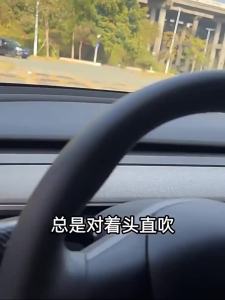
Tesla Air Vent Deflector Car Interior Modification Accessory
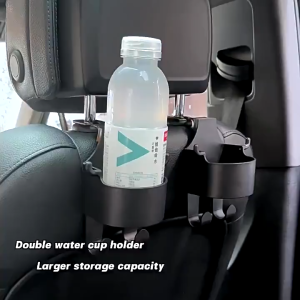
【COD】1pc Car Seat Drink Holder Car Seat Back Water Cup Holder with Hook Car Headrest Storage Organizer Car Hanger Hook
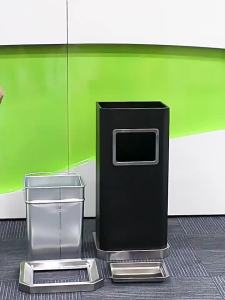
Hotel Commercial Stainless Steel Trash Can with Ashtray Fire Resistant
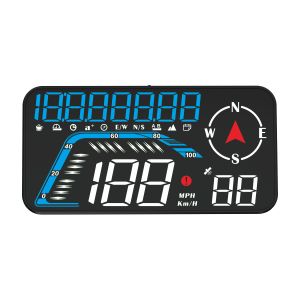
G12 Car GPS Head Up Display HUD Gauge Speedometer Projector With Compass Altitude Tripmeter Overspeed Alarm Electronic Accessories For All Cars
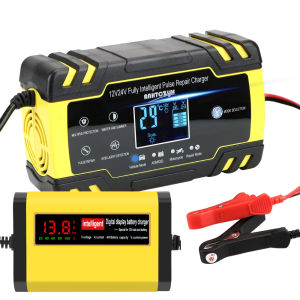
12V EU Plug Car Battery Charger Lead Acid Battery Pulse Repair Tools Smart Digital Automobile Motorcycle Accessories
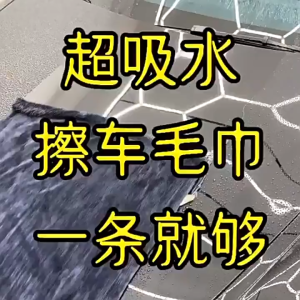
Multipurpose High Water Absorption Plush Wax Polish Cloth Car care Wash Towel Automobile cleaning and drying cloth
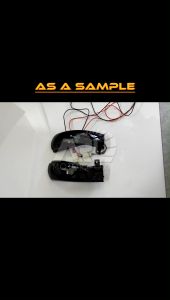
Honda HRV 2015 Dynamic LED Turn Signal Light Side Mirror Lamp Indicator HRV 2015 - 2016 ARL Motorsport Replacement Part
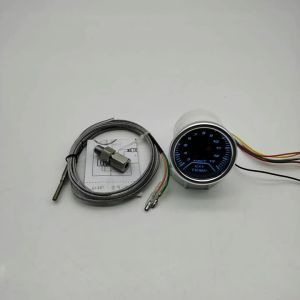
AD Universal 52mm Exhaust Temp Gauge + EGT Sensor Motor Temperature Meter Digital Exhaust Temperature EGT EXT Gauge Turbo Boost