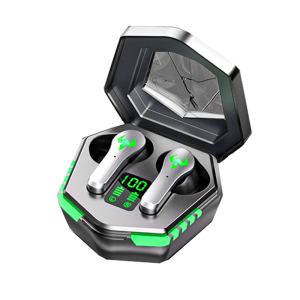
Kebidumei N35 TWS Wireless Bluetooth 5.2 Gaming Headphones Low Latency 9D Stereo Surround Sound Quality Music Earbuds with Mic Charging Box
A new generation of Bluetooth gaming headsets, new breakthroughs in new technology, stereo sound, long battery life, master-slave switching, Bluetooth 5.2, high-definition calls, game mode, and connect immediately after the power on. Dual Bluetooth music switching brings you a different headphone experience.
Connection Instructions:
-
Open the charging compartment cover, the left, and right earphones automatically turn on, the light flashes, and the automatic pairing is entered; One of the headphone indicators is off, indicating that the left and right headphones are paired successfully.
-
After the left and right earphone is paired successfully with the cellphone, the lamp of the other earphone is off.
Characteristic:
-
Super high value: the case as a look on it gives a shocking visual effect and highlights your unique choice, let everyone do it!
-
Bluetooth-compatible V5.2 technology enables fast, stable, and no-delay transmission, which can bring you lossless and pure sound effects.
-
9D surround sound and dual-mode decoding, the earphone can bring you an exciting playing and wearing experience.
-
Enjoy super sound quality at HIFI level: Enjoy HIFI scenes and eliminate immersive stereo surround sound effects.
-
Powerful endurance: The host has a 6-hour continuous trial and an additional 24-hour battery life with the charging compartment, allowing you to immerse yourself in the music and be happy all day long.
-
Intelligent high-definition call noise reduction: built-in audio circuit, intelligent noise reduction, improve your call quality.
-
IPX7 Waterproof: The true wireless earphones have IPX7 level protection to keep out liquids in any weather conditions.
-
Strong compatibility: It can be used on any mobile phone that supports Bluetooth, no matter the brand and extreme mode version.
-
The wireless Bluetooth headset can be used at the same time or separately according to your needs, which is more convenient to operate.
Operation Function Description:
-
Start: Method 1: Take the headset out of the charging case and turn it on automatically Method 2: Press and hold for 5 seconds to turn on the headset
-
Shut Down: Method 1: Put it into the charging compartment and automatically shut down Method 2: Press and hold for 5 seconds to power off
-
Music Playback: Pause/Play: Click Up/Down Song: Double-tap Volume up/down: Triple tap Summon Voice Assistant: Press and hold for 1.5 seconds Reject a call: press and hold for 1 second during a call
-
Switch Mode: Short press 4 times in a row to switch modes (music mode/game mode)
-
Switch Voice: Short press 5 times in a row to switch language (English)
-
Phone Mode: Answer the call: click (double-click to switch after the third-party call is connected)
-
Separate headphone connection: Single-ear headset connection and use: Take out the single-ear headset from the charging compartment, the headset will automatically turn on and flash red and blue lights, turn on the Bluetooth function of the mobile phone, search for "N35" and click to connect
Description:
- Bluetooth version: V5.2
- Earphone battery capacity: 55mAh
- Battery capacity of charging box: 300mAh
- Working hours: 220H
- Standby time: 720H
- Operation mode: touch
- Product color: black
- Battery voltage: 3.7V
- Input Voltage: 5V
- Transmission distance: >10M
- Speaker: 20-20khz
Package Included:
Headphones1 (charging box + left and right headphones) Charging cable1 Manual*1
Common Problem:
Q: Can the charging case be charged? A: Please try another data cable, or check if the interface is connected properly Q: Can the earphones be charged? A: Make sure that the charging compartment has power, put the earphones several times, and press the earphones with your hands to make the charging contacts fully contact Q: The headphone signal is unstable or the headphone has no sound? A: Please wear the headset in the correct way, do not use walls or obstacles when using it, and put your phone in the front pocket as much as possible when using it outdoors Q: Two "N35" pairing names appear when searching for Bluetooth? A: You need to delete the two pairing names on the mobile device, then take the headset out of the charging case and reconnect it, and then connect it to the mobile phone Q: The voice answering the phone is low or unclear? A: Please try to increase the volume of the headset or mobile phone, and the mobile phone should not be too far away from the headset Q: How to use two earphones with two mobile phones respectively? A: Take one earphone out of the charging compartment, turn it on automatically and flash red and blue lights, turn on the Bluetooth of the mobile phone and search for "N35" connection (the light will not flash after the connection is successful). After the first earphone is successfully connected to the first mobile phone, Turn on the second headset and connect to the second phone

Kebidumei
You May Also Like
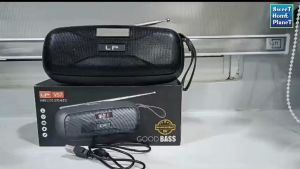
LP-V57 Super Bass Portable Speaker Wireless Bluetooth FM Radio USB TF Card Handsfree Mini Speaker
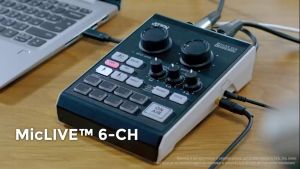
ATEN UC8000 Podcast AI Audio Mixer | MicLIVE™ 6-CH
JZXS | Bluetooth QR Code Payment Speaker High Volume

JBL Clip 5 Ultra-Portable Waterproof Bluetooth Speaker | Pro Sound Bass | Up to 15H Playtime | Auracast | App Support
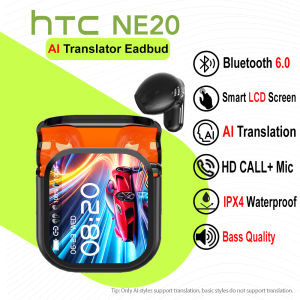
HTC NE20 AI Translator Earbud 134 Languages Translation Smart LCD Screen Bluetooth 6.0 TWS Bass Quality Wireless Bluetooth Earphone With Mic HD Call Sport Headset IPX4 Waterproof
Pro 6 TWS Wireless Earbuds Mini Ultralight Bluetooth 5.1 True Wireless Earbuds Stereo Earphone Sports Earphone Headphone
Divoom | Portable Water-resistant Clip Bluetooth Speaker for Outdoor Riding
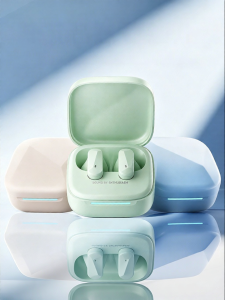
ROEL-PLAY | Wireless Semi In-ear Bluetooth Headset High Sound Quality Long Battery Life Comfort Wear Noise Reduction
【New】Solar Powered Rechargeable Radio FM AM SW Bluetooth USB TF Speaker Audio MP3 Music Player 收音机 Old School Classic Golon

Tribit Karaoke Bluetooth Speaker StormBox Blast 2 200W Portable Wireless Speaker with Subwoofer LED Light Bluetooth 5.4

SAMSUNG Galaxy Buds 3 Buds3 Wireless Earbuds AI Translator Wireless Bluetooth Earbuds SAMSUNG MALAYSIA