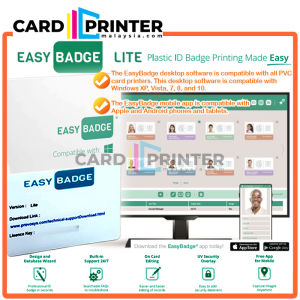
LIFE TIME LINCENSE KEY EASYBADGE SOFTWARE DESIGN CREATE EDIT FREE DATABASE PRINTING ID CARD PRINTER - LITE VERSION
Features EasyBadge ID card software and FREE mobile app makes it easier than ever to manage your cardholder database. Choose from three software editions (Lite, Professional, Enterprise), all with a wide range of card design options.Avoid long lines, annoying wait times, and boring data entry with the EasyBadge mobile app – the only app that lets your users create their cardholder records, select their card template, fill in their own information, and even take their own photo!Mobile users can update their information from anywhere, and the data then syncs back up with the central database managed in the desktop software.Please note that the desktop software is for PC only (Windows XP, Vista, 7, 8, 10). The free mobile app is compatible with iPhone and Android smart phones and tablets. Specification Model : EASYBADGE SOFTWAREWhat in Box : 1 PCS CARD with License Key & Instruction for Download Driver3 Version : LITE, PROFESSIONAL, ENTERPRISE EASYBADGE LITELimit of 1 built-in databaseDatabase holds 100 recordsEasy card design wizardBatch printingMagnetic stripe encodingPLEASE NOTE – EasyBadge Lite edition's built-in database holds 100 records. When you reach 100 records, the database will lock and records cannot be edited or re-added. EASYBADGE PROFESSIONALUnlimited built-in databaseAbility to connect external databasesEasy card design wizardBatch printingMagnetic stripe encodingDesigned for larger organizations, EasyBadge Professional has an unlimited internal database. Professional also allows you to connect multiple external MS Access, MS SQL, MySQL, ODBC, and Oracle databases. With Professional you can store photos, signatures, and images in the database.EASYBADGE ENTERPRISEUnlimited built-in databaseAbility to connect external databasesEasy card design wizardBatch printingMagnetic stripe encodingSmart card encodingDesigned for larger organizations that need advanced encoding, EasyBadge Enterprise can encode encode MIFARE Classic 1K and 4K and MIFARE DESFire EV1 + EV2 smart cards. Enterprise also allows you to connect multiple external MS Access, MS SQL, MySQL, ODBC, and Oracle databases. With Enterprise you can store photos, signatures, and images in the database.System Requirements : The EasyBadge desktop software is compatible with all PVC card printers. This desktop software is compatible with Windows XP, Vista, 7, 8, and 10.The EasyBadge mobile app is compatible with Apple and Android phones and tablets.EasyBadge – PC & MobileEasyBadge software makes it easy to manage your card program thanks to a free mobile app for Android and iPhone. Using the app, your cardholders can create their record, update their information, and load a photo.Choose from several editions: Lite has an internal database that holds up to 100 records (the database locks once you reach 100 records). Professional's internal database holds more than 100 records, or you can connect an external database. Enterprise allows you to encode smart cards.Please Note: You need the PC-based software for the mobile app to work.

CARDPRINTERMALAYSIA
Review

You May Also Like
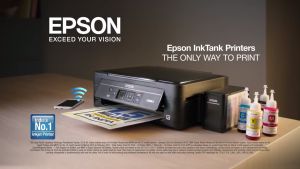
EPSON EcoTank L121 / L1210 / L3110 / L3116 / L3210 / L3150 / L3156 / L3250 / L3256 / L3310 / L3350 / L5190 / L5290 / L6270 / L6290 / L6460 / L8050 / LQ-310 ALL IN 1 INK TANK Printer🆓ink
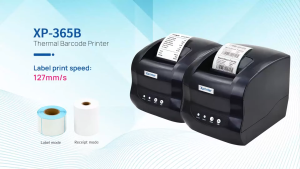
Xprinter XP-365B 2in1 3inch Label Receipt Printer
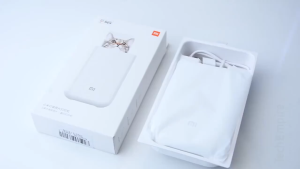
Xiaomi Pocket Photo Printer Paper AR Printer Portable Photo DIY Printer Paper Printing Vibrant Colours Paper 小米口袋照片打印机相纸
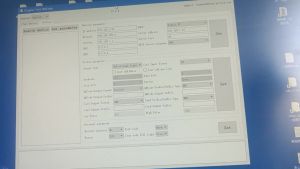
QR Code Reader RFID USB TCP Wiegand Scanner for Access Control and Parking System DT008
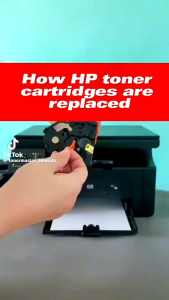
HP 136A (W1360A) Black LaserJet Toner Cartridge (1150 Pages) | For Printer Models : M211 / M211dw /M236dw / M236sdn / M236sdw
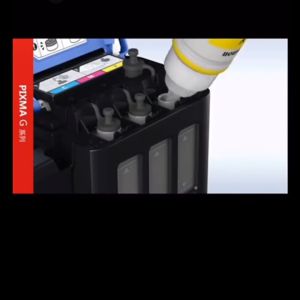
CANON GI-790 (BOX) BK/GI-790C/GI-790M/GI-790Y G2000/2010/1000
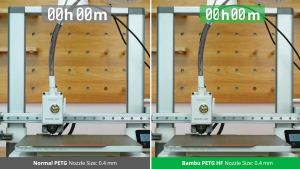
Bambu Lab PETG HF 1.75mm 1kg Filament (Refill - NO SPOOL) - High-Speed Durable UV & Water Resistant for Outdoor 3D Printing
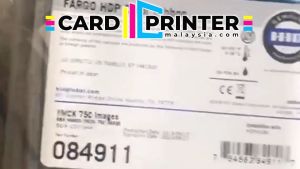
CARDPRINTERMALAYSIA YMCK HID FARGO HDP6600 PRINTER CARD ID COLOUR RIBBON CARTRIDGE INK TONER / KAD ID PRINTER - 84911
7Star RHEBAR Waybill Printer Thermal AWB A6 WiFi USB Pos Laju J&T Sticker Barcode QR Shipping Label Airway Bill Slip

Premium Silk PLA Filament 250g Excellent Surface Finish Reliable Extrusion Ideal for High Detail 3D Printing Models
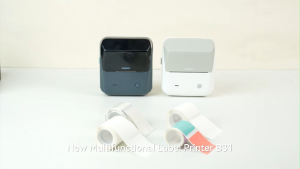
NIIMBOT B31 Thermal Label Printer Portable Wireless Inkless Label Maker Supermarket Clothing Office Barcode Price Tag Large Size Multifunctional Label Machine Included Label Paper