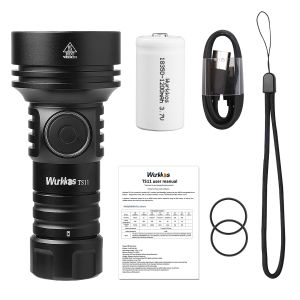
Wurkkos TS11 Mini 18350 Flashlight USB C Rechargeable EDC SFT40 Torch Powerful 2000LM RGB Auxiliary IP68 Waterproof Anduril 2.0
TS11 user manualThank you for purchasing Wurkkos products. Contact us if you need assistance. Wurkkos TS11 is a powerful, versatile EDC / outdoor mini flashlight, powered by one 18350 850mah rechargeable Li-ion battery,designed for home, EDC or outdoor activities. It uses 1*SFT40 LED and BLF Anduril 2.0 UI . It delivers a maximum output of up to 2000 lumens with a maximum range of 616 meters. It will be your reliable partner for every day use and with fun. ANSI/NEMA FL1 ChartSpecificationsEmitter: 1x SFT40 LED Operating voltage: 2.6V – 4.2VBattery options: 1x 18350 Dimension: 89.5mm (length) x40mm (head diameter)Weight: 89grams (without battery)Flashlight body: Aerospace grade 6061 grade aluminum alloyWater resistance i.a.w. IP68 Automatic Stepdown: Turbo mode steps down to High mode automatically to prevent overheating.Electronic reverse polarity protection from improper battery installationAdvanced Temperature Regulation (ATR) technology (The product uses copyrighted code released under the GNU Public License v3 (GPLv3). To know about the exact source code used in the product, please go to https://tiny.cc/TKAnduril)Operation InstructionsQuick StartBasic usage is simple:Click to turn the light on or another click to turn it off.- Hold the button to change brightness.- Release and hold again to change brightness the other way.-When on 3 clicks to toggle between stepless dimming and stepped modes Aux button light(work in Advanced UI):Just like with single-color aux in Anduril, RGB aux has 4 “modes” that are controlled by 7C: Off-Low-High-Blinking
But RGB aux adds color options that are controlled by 7H: Red-->Yellow (red+green)-->Green-->Cyan (green+blue)-->Blue-->Purple (red+blue)-->White (red+green+blue)-->Disco (random colors)-->Rainbow (changes colors in order)-->Voltage (changes color based on LED voltage)When in the Voltage color option, the colors are: > 4.4V: white-ish (red+blue+green) 4.1-4.4V: purple (blue+red) 3.9-4.1V: blue 3.7-3.9V: cyan (green+blue) 3.5-3.7V: green 3.3-3.5V: yellow (red+green) 2.9-3.3V: red < 2.8V: offBy default, Anduril 2 is set up to use: While off: low brightness, voltage color mode While locked out: blinking, disco mode I think you are in Voltage mode, which is the default. So the color is changing based on the battery voltage. When the flashlight is used, it causes the battery’s voltages to drop a little bit. The voltage goes back up slightly when you turn the flashlight off and the battery rests for a second. -Charge: Max 5V 1A with USB C Rechargeable port.When charging: power indicator shows red and turns to green after full. That is all the user needs to know for basic use, but there are many more modes and features available for people who want more. Before reading the rest of this manual, it is recommended that users look at the Anduril UI diagram(s), which should be provided along with the flashlight.Button pressesButton presses are abbreviated using a simple notation:- 1C: One click. Press and then quickly release the button.- 1H: Hold. Press the button, but keep holding it.- 2C: Two clicks. Press and release quickly, twice.- 2H: Click, hold. Click two times, but hold the second press.- 3C: Three clicks. Press and release quickly, three times.- 3H: Click, click, hold. Click three times, but hold the final press.The same pattern is used with higher numbers too. For example, 10C means ten clicks... and 10H means ten clicks but hold the final press.Simple UI Diagram Not everything is covered in the diagram, please read the text.Simple UI By default, the light uses a simple UI. This is useful if you lend the light to someone else, or if you just don't want to bother with any crazy disco modes.Simple UI has all the basic functions needed to work as a flashlight, but the minimum andmaximum brightness are limited to make it safer, and any complex or advanced functions are blocked.Functions available in Simple UI include: - 1C: On / off - 1H: Ramp up (or down, if button was released less than a second ago) - 2H: If light is on : ramp down If light is off: momentary high mode - 2C: Double click to go to / from highest safe level - 4C: Lockout mode. Some other modes and functions are available too. When the light is off, these are the options: - 3C: Battery check mode. (displays voltage once, then turns off) - 4C: Lockout mode. - 10H: Switch to Advanced UI. - 15C or more: Version check. -7H:Aux LED mode adjust In Lockout mode with Simple UI, there are a few functions: - 1H: Momentary moon - 2H: Momentary low - 4C: Unlock and turn on - 4H: Unlock and turn on at low level - 5C: Unlock and turn on at high level To change between Simple UI and Advanced UI, turn the light off and then do one of these: In Simple UI: - 10H: Go to Advanced UI. In Advanced UI: - 10C: Go to Simple UI.- 10H: Configure Simple UI.If you get lost, or if you want to auto-calibrate the temperature sensor, do a Factory Reset. The process for this is: - Loosen body tube - Hold button - Tighten body tube - Keep holding button for about 4sThe light should flicker while getting brighter, then briefly burst to full power. Hold until it reaches full power to do a reset, or let go of the button early to abort. Advanced UIAdvanced UI has all the advanced functions which are fun to play with but also hard to learn. Please refer the UI diagram below. Also could ask us for pdf file so you can ready easily. We can also send video link to show how to play with Anduril2 Safety InstructionsOperating the flashlight for a long time in Turbo or High mode will warm it up. This is normal.When installing the battery, make sure the anode (+) side always faces towards the head/LEDs.Unscrew the tailcap half a turn to avoid unwanted activation during transport. It also prevents the battery from draining while the flashlight is in standby. Troubleshooting and MaintenanceDisassembling the sealed head can damage the flashlight and voids the warranty.Wurkkos Ltd. recommends using high-quality brand batteries. Damage by battery leakage voids the warranty.Remove the battery if the flashlight will not be used for an extended period of time.To prevent self-discharge or accidental activation during storage or transportation, unscrew the tailcap by half a turn or remove the battery.Every 6 months threads should be wiped with a clean cloth followed by a thin layer of silicone grease.To maintain a proper level of waterproofness, replace worn-out o-rings with an approved spare.Troubleshooting: Clean battery contacts regularly as dirty contacts may impair the performance of the flashlight. If you experience problems (flicker, shine intermittently or failure turn on) the following root causes and solutions should be tried:Reason A: The battery needs a replacement.Solution: Replace the battery with an approved type of a fully charged battery.Reason B: Threads, PCB board contact or other contacts are dirty.Solutions: Please clean the contact points with a cotton swab soaked in rubbing alcohol.Reason C: The flashlight will not turn on upon first use.Solution: Please do not forget to remove the insulation sticker from the battery on first use.If the above methods do not work please refer to the warranty policy before contacting your authorized distributor.Wurkkos Limited:Mail: Amazon contact:us@wurkkos.com;eu@wurkkos.com;support@wurkkos.comWebsite contact: wurkkos@foxmail.comWeb: www.wurkkos.comFacebook :https://www.facebook.com/wurkkosTel: +86-13728792565Adresse: No.1 Qinglin Industrial Center, Guanlan Street, Longhua New District, Shenzhen 518000, China

Wurkkos Store
You May Also Like
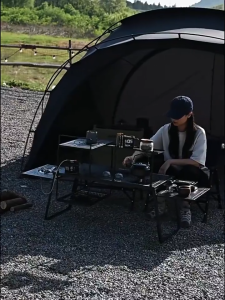
Shinetrip IGT Combination Table Module Accessories Plate Dish Rack Soto Stove Lamp Pole Spider Star Panel Tea Tray
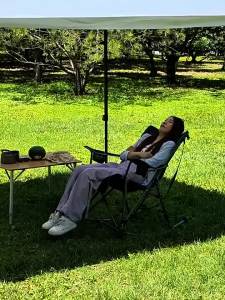
Kingcamp | Reclining Rocking Folding Chair With Armrests Outdoor
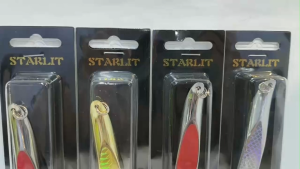
STARLIT TWIST SPOOL TENGGIRI METAL SPOON (SMS201)

16pcs Camping Dinnerware Set Bowl Dish Plate Water Cup Black 16-Piece Set Outdoor Picnic
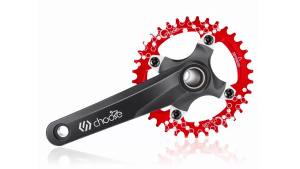
Chooee 104 BCD MTB Narrow Wide Chainring 30T 32T 34T 36T 38T Round Single Chain Ring for Mountain Bike Crankset Parts

One Putt Design Golf Marker
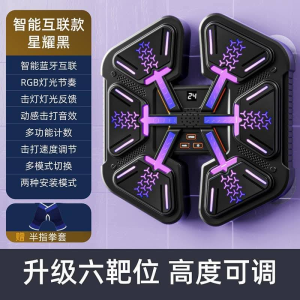
WE 3690 = 音乐拳击板 Music Boxing Board Ready stock in Malaysia
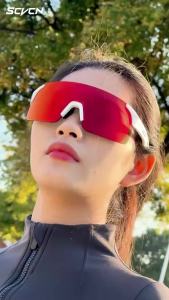
SCVCN UV400 NEW Fashion Cycling Sunglasses for Men Women MTB Fishing Golf Driving Luxury Bike Glasses Shades Running Glasses
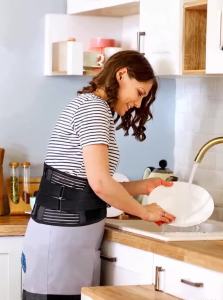
1PCS Back Brace Immediate Relief from Back Pain Herniated Disc Sciatica Scoliosis - Breathable Mesh Design with Lumbar Pad
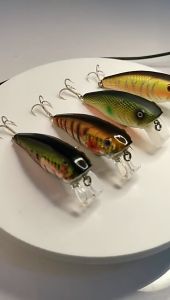
14g 7.5cm Crankbait Minnow Gewang Kerapu /Minnow Siakap Killer/Haruan /Lure Fishing
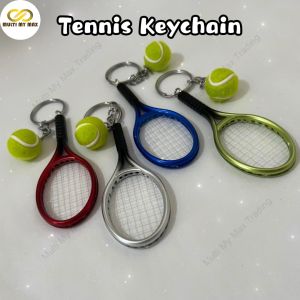
New Style Cute Sport Tennis Racket Keychain Pendant Fans Souvenir Ball Ring Gifts Accessories Jewellery (Ready Stock)