SMATRUL WiFi Switch Smart Wall Light Switch No need Neutral line 3 Gang RF/APP/Touch Control Timer Home Automation Support for Tmall Genius/Google Home/Nest & Amazon Alexa/天猫精灵 White
The big surprise for 2021! !This link switch has been upgraded, and the price will not increase! Newly added 433RF remote control function and more advanced components! At the same time, there are changes in patterns and light colors.Note:1.If you need to pair the 433RF signal, please be sure to pair the 433 signal first, and then pair the WiFi signal. Otherwise, there will be problems with signal pairing2.The upgraded switch can be used for fans.Please note that the L1 circuit cannot be connected to a fan, and the L2, L3, and L4 circuits can be connected to a fan.Our advantage:1.Both wiring methods can be used, Single Fire Line+Neutral and Fire Line Can be used2.Pass CE, ROHS certificationvoice controlWorks perfectly with Amazon Alexa,Google Home,Timing FunctionFamily Sharing Control Funmain account has the exclusive permissions,one click to share the permissions with the whole family.let the family enjoy the fun of smart life!Transparent TextureArtistic experience. Beautiful feelingHD Tempered GlassGlass reinforced process, not afraid of sharp objects scratchingFlame Retardant MaterialLed BacklightVery easy to find the switch at nightMultiple ChoicesBlack, white, 1 gang , 2 gang , 3 gang , 4 gangSwitch parameterOperating Voltage:AC 110V-240V 50HZWIFI Standard:IEEE 802.11 b/g/nSupport App:Tuya or Smart LifeVoice Control:Google Home Amazon AlexaLoad Power:10-200W/Gang 5-150W/GangMaximum current:10ANeutral and Fire Line Wiring DiagramNOTE:Neutral wire must be installedFire wire connects "L" TerminalNeutral wire connects" N" TerminalLighting wire connects "L1,L2, L3,L4 "Terminal1 gang connects "L1" Terminal2 gang connects "L1,L2" Terminal3 gang connects "L1,L2,L3" Terminal4 gang connects "L1,L2,L3,L4" TerminalSingle Fire Line Wiring DiagramHow to add device to mobile app1.Scan the QR-code of the manual or Search ‘ Smart Life ’ to download and install the device's APP2.After the wiring is completed, turn on the power and operate according to the status of the smart switch indicator:3.If the red light of the smart switch flashes continuously at this time, it indicates that the smart switch has entered the state of waiting for connection to WiFi; then open the APP and follow the instructions to connect to WiFi.4. If the indicator light of the smart switch is not flashing red light, please press the button of the smart switch and keep it for more than 5 seconds until the red light flashes continuously, then open the APP and connect to the WiFi according to the manual.1.Why is the device unstable on the app?1. Each router having the connection limited, but more and more smart device working on family2. A lots family still using very old version routerseven more than 3years ago version.In order to have excellent experience, the suggestion is :1. re-set the router connection limited2. change a new update version router3. please note these switch only work on 2.4G wi-fi network, not 5G.

SMATRUL Smart store

Review
You May Also Like
RELIFE RL-601MA A11-A19Pro Universal CPU Reballing Stencil Platform For IP 7-17Pro Max IC Chip Planting Tin Template Fixture

HUANGXIAOCHAO | Industrial Steel Drilling Bit Set with Cobalt Core
Cutting & Flaring Tool Kits Set 6-15MM Aluminum Steel Brake Line Pipe Brake Cutter Flare Tools Paip Expander Copper Tube COPPERS ZINC AIR COND Tools

Effective Drain Cleaners Pipe Dredging Agent Kitchen Water Pipe Sewer Toilet Closes Tool Cleaning Deodorant Drain Cleaner
CIFBUY Iron Wall Art Heart Dog Metal Hook Key Holder Coat Rack Towel Hanger Rustic Home Decor Pendant Hanging Accessories
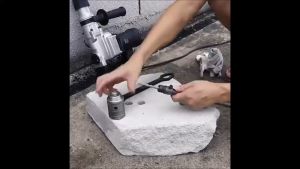
Carbide Cement Concrete Hole saw TCT Holesaw Cement Drill Bit size 35 40 to 150mm with SDS 160 mm Shaft

9 in 1 Electric Cleaning Brush Rechargeable Wireless Electric Spin Scrubber Power Brush Shower Bathroom

GLOBECART 5m/Roll Waterproof PEVA Tape Strong Adhesive Floor Stairs Grip Sticker Rubber Kitchen Anti-slip Tape
![[New] 100 Type Angle Grinder Stand Tiling 45 Degree Angle Cutting Tool Ceramic Tile Cutter Seat Chamfer for Stone Building Tool Corner Cutting](https://img.lazcdn.com/g/ff/kf/S396ed34038644e6d9301181258d00d35V.jpg_300x300q80.jpg)
[New] 100 Type Angle Grinder Stand Tiling 45 Degree Angle Cutting Tool Ceramic Tile Cutter Seat Chamfer for Stone Building Tool Corner Cutting
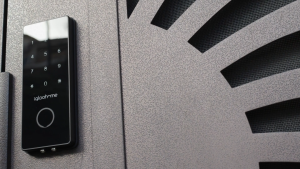
Igloohome IGB4 Smart Deadbolt 2S Digital Door Lock | Free Installation & Technical Support

SDS PLUS Drill Adapter Electric Hammer Water Injection Adapter Carbon Steel Hammer Water Injection Converter with 2 Conversion