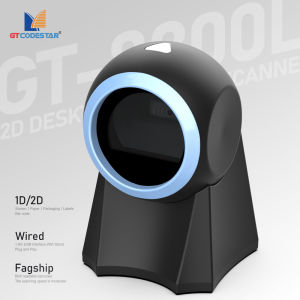
GTCODESTAR GT-8800L Desktop Mobile Payment Qr code Bar code Scanning Platform 1D 2D Barcode Scanner Reader for Supermarket Shop
GTCODESTAR GT-8800L Desktop Mobile Payment Qr code Bar code Scanning Platform 1D 2D Barcode Scanner Reader for Supermarket Shop Solutions to FAQExplain in detailSolutions can refer to A:This situation is mostly caused by insufficient battery power, please charge in time to ensure sufficient power (the red light is on when charging, and the red light is off when fully charged)A:The scanner and receiver are not successfully matched, please match the machine according to the instructions; maybe the distance between the scanner and the receiver is far, please set it to inventory mode in advance (the barcode will be automatically uploaded within the acceptance range)A:Maybe the barcode system is not turned on, follow the instructions to open it; try other barcodes to confirm whether the barcode has been damaged; it is also possible that the scanning angle is irregular,please adjust it according to the manual.A:Maybe the input method is wrong, please convert the input method to standard English or you can reset the barcode scanner, or contact the manufacturer's service center.A:It may be an error in the switching device, turn off the power of the device and connect the device and the scanner correctly, then turn on the power of the device, reset the scanner to the factory default state and scan the barcode again.Q:Can not turn on or turn off immediately after turning onQ:Barcode data is not uploadedQ:There is a laser line, but can't read the bar codeQ:The scanned data is displayed incorrectly on the hostQ:Other cases cannot be decoded

Gtcodestar Barcode scanner specialty store
Review

You May Also Like
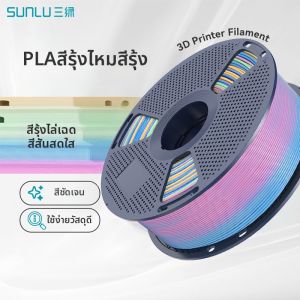
SUNLU | Color Gradation PLA 3D Printing Filament
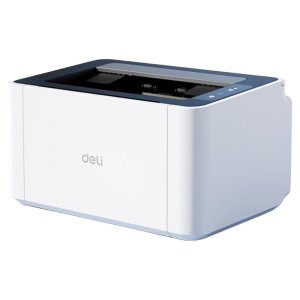
deli | Home Student Homework Printer Wi-Fi Remote Sharing Printing
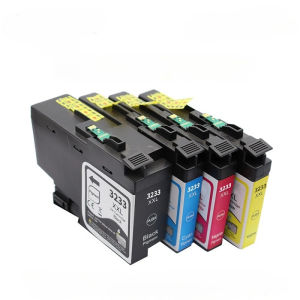
Compatible LC3233XL BK/C/M/Y Ink Cartridges Replacement for Brother DCP‑J1100DW MFC‑J1300DW All‑in‑One Printers Black 65ML Cyan Magenta Yellow 25ML Each 2‑Year Unopened Shelf‑Life
original Epson 673 ink T6731 6-color ink Epson L850 L800 L805 L810 Color printer ink

Epson EcoTank L121 A4 Print Colour Inkjet Ink Tank Inkjet Printer Photo Printing similar G1020 G1010 L1110 L1210
HPRT | High Speed Electronic Waybill Label Printer Industrial
Honeywell Orbit HF680 1D/2D QR Barcode Scanner 1280 x 800 pixel HD Scanning
Magnetic Stripe MSR Card Reader MDMR448

New Wireless 1D 2D Barcode Scanner Wired Wireless Bluetooth QR Bar Code Reader Omni-directional Scanning For Supermarket Logisti
Thermal Label Printer Portable Bluetooth Inkless Label Maker Home Beauty Office Communication Switch Sticker Smart Wireless No Ink Label Machine
SUNLU | Rigid Photocurable Resin 405nm Low Odor High Fluidity