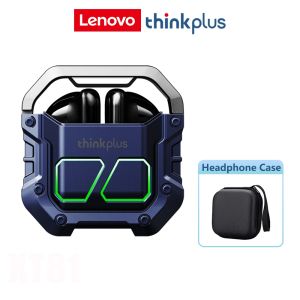
Thinkplus XT81 Wireless Gaming Headset Bluetooth 5.3 TWS Earphone Low Latency Mic
🎧Product model: thinkplus XT81PRO📍BT version: BT5.3+⚡Charging port: Type-c👆Operating mode: Touch control⏰Budget time: 5-6hours(Subject to actual situation)⌛Battery life for charging: 30hours(Subject to actual situation)⏱Charging time: 1 hour(Subject to actual situation)🏁Communication distance: 10m (without obstacles)👍Supported systems: iOS / Android / Windows🎉Battery capacity (mAh): single-sided headset30mAh, charging depot250mAh✨Features✨👂In-ear designSemi-in-ear design eliminates any discomfort even with long time wearing🎧HIFI sound quality, strong bass, surround sound13mm large speaker for concert hall-level music experience📞with inligent noise-canceling HD microphoneMicrophones with inligent noise-canceling system on both sides of the headset, support HD voice calls for online meetings and online courses👆Touch controlControl volume, answer calls, and switch music with a simple click🔋Ultra-long battery lifeAfter full charging, the earbuds can working about 6 hours. And the charing can provide about 30 hours to earbuds(Subject to actual use).📱Android/IOSWith support for (iOS) and Android/tablet//laptop, you can use this headset as long as your device supports Bluetooth connectivity❓❓❓👆How to use touch controls👆❓❓❓▶Power onMethod 1: Open the lid of the charging case, the earphones will automatically power on and pair, and the prompt tone will be four times.Method 2: When the earphones are turned off (outside the charging case), long press the left and right earphone multi-function buttons for about 2-4 seconds, the earphones will power on, and the prompt tone will be four times.⏹Power offMethod 1: Put the earphones in the powered-on state directly into the charging case and close the lid of the charging case. The earphones will automatically power off and enter the charging mode, and the prompt tone will be four times.Method 2: Long touch the multi-function button of the earphones in the powered-on state for about 3-5 seconds, the earphones will power off, and the prompt tone will be four times.📲TWS pairinga. If there is no pairing record for the left and right earphones, the left and right earphones will be automatically paired after turning on. After the pairing is successful, the prompt tone is "beep" twice.b. If there is a pairing record for the left and right earphones, they will automatically reconnect after turning on, and the prompt tone is "beep" once.🔗Pairing and connecting with Bluetooth devices Open the Bluetooth settings option of the Bluetooth device, find the Bluetooth pairing name of the earphone "Lenovo thinkplusXT81", and click pairing to pair🎶Play music (single/dual ear operation)⏮Previous song: Double-click the right ear multi-function button⏭Next song: Double-click the left ear multi-function button❗Note: When using one ear, double-click the left (or right) When using headphones, the next song is played.

KidOh8Ox
Review

You May Also Like

QKZ AK6-Ultra Professional Dynamic In-Ear Headphones Wired Controls with Microphone Hi-Fi Stereo Sound
HTC Original Language Translate Bluetooth Earphones NE48 In Ear Noise Reduction Wireless Earbuds Touchscreen Mobile Phone
Mylarson Wireless Noise Cancelling Earphones Comfortable To Use Bone Conduction Bluetooth Headphones For All Smartphones运动耳机
![[Local Shipment] KEBIDU Bluetooth 5.3 Mini Wireless Earbud Intelligent Noise Cancelling Sleep Headphones LED Display TWS Wireless Headsets Sports Stereo](https://img.lazcdn.com/g/ff/kf/S46aeedcd2ed84f628aaadaad5c51e68eL.jpg_300x300q80.jpg)
[Local Shipment] KEBIDU Bluetooth 5.3 Mini Wireless Earbud Intelligent Noise Cancelling Sleep Headphones LED Display TWS Wireless Headsets Sports Stereo

JBL | JBL Flip7 Adventure‑Ready Speaker IP68 Waterproof Dustproof Tough Cylinder JBL App Solid Audio for Camping Hikes
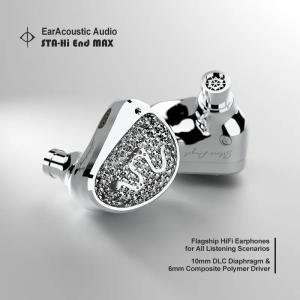
EarAcoustic Audio STA-Hi End MAX IEM In-ear Wired HiFi Earphones 10mm DLC & 6mm Composite Dual Driver with Interchangeable Cable
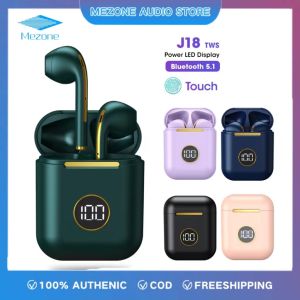
Mezone J18s Wireless Headphone Bluetooth Original 5.0 Earphone Long Battery Headset Fast Charging Earbuds Touch Control With Microphone Waterpoof For Android All Phones
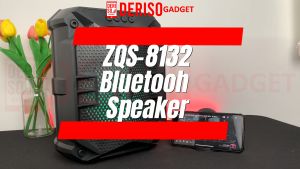
DERISO Speaker Bluetooth Wireless Super Bass Portable ZQS-8131 / ZQS-8132 8" FREE Microphone
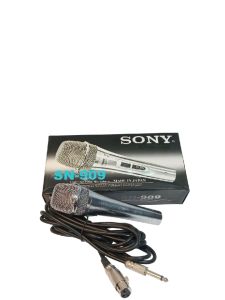
SONY SN-909 LEGENDARY VOCAL MICROPHONE WITH MIC CORD MADE IN JAPAN Audio
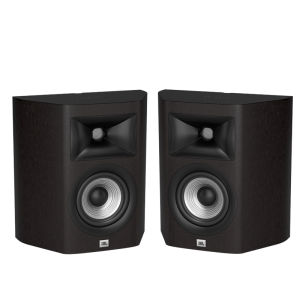
JBL | Home Theater Surround Sound Bookshelf Wall Mount Speakers
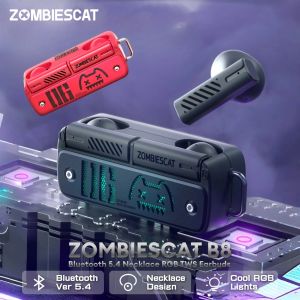
ZombiesCat B8 Ture Wireless Bluetooth Earphones ENC Noise Cancellation Bluetooth 5.4 Headphone with Mics HD Calls TWS Earbuds