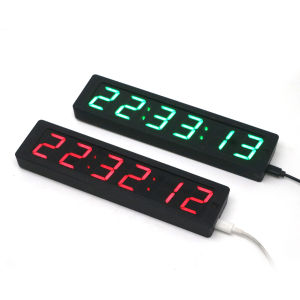
WIFI Clock W Second 1.2 Inch Wireless Network Timing Electronic Clock LED Digital Display TIME Alarm Clock Temperature Typec USB
1.2" 6-bit WIFI Clock LED Digital Electronic Clock W Second Display TIME TEMP Alarm clock 12/24-Hour Auto Dimmer type-c USB Powered Wireless network timingPlease refer to our advertising video before purchasing how wifi timing1. The new model has changed the network distribution mode by generating wifi hotspot and network address, address: 192.168.4.1Clock electrical parameters:Power supply: TYPE-C USB 5V power supply, back or right side of the power supply port. Working current :150mASize: 202mmx52mmx19.5mmProduct Description:WiFi timing home clock, with second display, will automatically calibrate the time after connecting to WiFi, keep connected to WiFi can keep the time minute-second, long-term accuracy. The clock has an automatic brightness function, which automatically adjusts the screen brightness according to the ambient light, and is not dazzling at night. There are time, date, temperature functions, there are 3 alarm clocks.Tip: There is a memory battery inside the electronic clock, and the time will not be confused after power failure.Set keyIn the normal display state, pressing this key will enter the time \ date \ year Settings. Press the Set key, "points" start to blink, press the add and subtract keys to adjust the value. After the adjustment, press the Set key, "when" begins to blink, press the add or subtract key to adjust the value. Then press the setting key to enter the adjustment of the date, "day" starts to blink, after the adjustment, press the setting key "month" starts to blink, after the adjustment, press the setting key to save all the data and return to the normal display state.Additional keyIn the normal display state, pressing this key will switch the four display states: [Time] → [date] → [temperature] → [Alternate cycle display]. (Note: The display items and switching interval time under the alternating loop display state can be defined by the "dd" and "dF" parameters respectively, see the "minus key" description for details)Minus keyIn the normal display state, press this key to enter the custom parameter setting, press the "plus key" to change the parameter value, the meaning of the code please refer to the table below.ACTemperature error calibration parameters. The positive number represents the increase, the negative number represents the decrease, the unit is degree, the adjustment range is -5~5. For example, if you feel that the displayed temperature is 1 degree higher than the actual temperature, then set it to Ac:-1, so that the electronic clock is automatically reduced by 1 degree and then displayed.(Note: If you do not have a standard thermometer to refer to, it is recommended to keep this item Ac: 0)DDCustomize the display item when the loop is displayed :【dd: O】 Time + date + temperature 【dd: 1】 Time + temperature 【dd: 2】 Time + dateDFThe unit is second. The value ranges from 1 to 9. For example, dF:3 indicates that the switching interval is about 3 seconds.LLDisplay brightness level, adjustment range is 1 to 9, LL:1 the darkest, LL:9 the brightest. (Note: Manual brightness adjustment can only take effect when the AL option is AL:0, otherwise the brightness of the display will be automatically controlled by the electronic clock)ALAutomatic brightness control switch, AL:0 is to turn off automatic brightness control, AL:1 is to turn on automatic brightness control. When set to AL:1, the electronic clock will automatically detect the ambient light intensity to automatically change the display brightness.BPAlarm bell switch, BP:0 to turn off the alarm bell, BP: 1 to turn on the alarm bell. [Tip: When the alarm is ringing, you can press any key to mute it]FF12-hour display or 24-hour display setting options. FF: 12 indicates the 12-hour display, FF:24 indicates the 24-hour display. After adjusting this parameter, press the reduce key once to exit the setting and preserve the size.Alarm clockIn the normal display state, press the alarm button to adjust the alarm time. This electronic clock has 3 sets of alarm clocks. When adjusting, pay attention to 1,2,3 displayed on the right side of the electronic clock. It stands for 1, 2, 3 alarm clocks. [Tip: If you only want to ring the alarm clock once a day, you can set 1,2,3 sets of alarm clocks to the same value, then it is equivalent to using only one set of alarms, that is, only ringing the alarm clock once a day]

GlobalTechMart
Review

You May Also Like

110g Powerful Dredge Clog Remover Drain Pipe Basin Cleaner Clogged Drainage Remover Powder Toilet Kitchen Sink ( DT-50 )
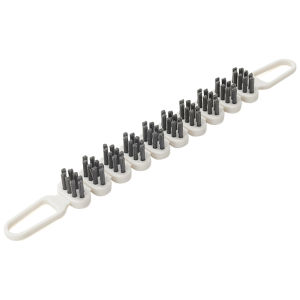
Flexible Handle Toilet Brush for Cleaning Bathroom Crevices and Dead Corners with Ease

SORENTO ONE PIECE WATER CLOSET RIMLESS S-TRAP 200250MM & P-TRAP 180MM TOILET BOWL WITH PP SOFT CLOSE SEAT COVER / SRTWC8318-RL
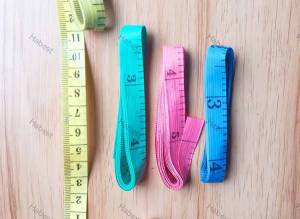
1Pcs Body Measuring Ruler Sewing Cloth Tailor Tape Measure Soft Flat 60" /150cm
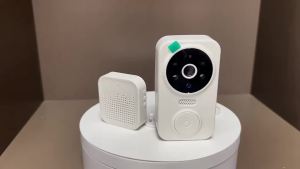
WiFi Smart Video Doorbell Camera Night Vision Smart Visual Doorbell Tuya APP Remote Monitoring Door Bell for Home Security

KEKESHANGJIA | Portable Waterproof Disposable Toilet Seat Cover
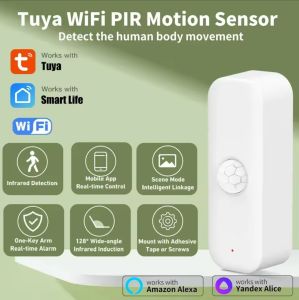
Tuya WiFi PIR Motion Sensor Smart Home Human Body Infrared Detector Security Smart Life Works
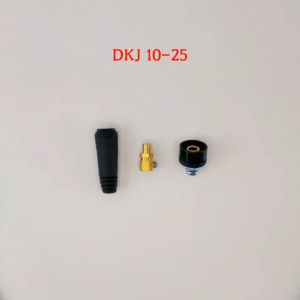
DKJ 10-25/35-50/50-70 TIG Welding Cable Panel Connector Accessory Plug Socket Welding Machine Quick Fitting Connector

【Clear out the inventory】2025 import Epoxy Colored Sand paint epoxy flooring paint High Gloss Paint Imitation Marble Texture Hard/Wear-resistant/Anti-slip Floor Paint 地坪漆
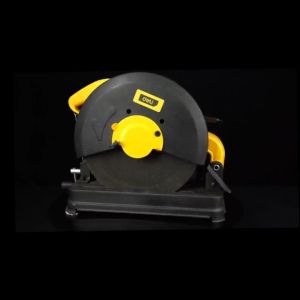
DELI Cut Off Saw 2300W (14"/355mm) DL-XQ355-E1 H/Duty Chop Saw Mesin for Woodworking Aluminum

100/200pcs Disposable Broom Dust Cover Sleeves Anti-Static Hair & Dust Sheets for Floor Cleaning