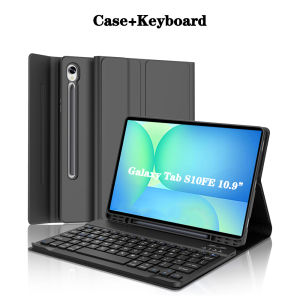
Case for Samsung Galaxy Tab S10 FE 10.9 lnchKeyboard Cover for Samsung Galaxy Tab S10 FE 10.9 lnch 2025 SM-X520/X526/X526B
The tablet case in this link is only compatible with models:Samsung Galaxy Tab S10 FE 10.9-inch(2025 Model:SM-X520/X526/X526B)How to verify tablet model1. Go to the back and find your specific model.2. Find "Settings" - Click "About" - Find "Model"3. Please purchase the correct compatible model case according to the tablet after viewing.Please noteThe digital tablet and stylus are not included in the package. The detailed description is for reference only. Please refer to the actual product for the color of the product.How to connect keyboard and mouse?1. Connect the mouse first, then the keyboard.2. Mouse: Push the switch to the "Bluetooth" icon and find the Bluetooth connection with the "mouse" in the device Bluetooth list.3. Keyboard: Push the switch in the upper right corner to "ON", press "Connect", and find the Bluetooth connection with "Keyboard" in the device Bluetooth list.4. Touchpad keyboard: Open the keyboard, press Fn+C, and then find the Bluetooth connection with "Keyboard" in the device Bluetooth list.FAQQ:What should I pay attention to when connecting the mouse for the first time?A:When the mouse is connected for the first time, you need to press the left button, the right button and the scroll wheel at the same time for about 3-5 seconds.Q: Is the scroll direction of the mouse USB connector and Bluetooth connection the same?A: No, they are different. When using the USB connector, the scroll wheel slides in the same direction as the computer mouse. Bluetooth connection is the opposite.Q: How to switch between different systems?A: Fn+Q=Android, Fn+W=Windows, Fn+E=IOS.Please note that please switch the system before connecting the tablet.Q:The bluetooth keyboard letters are messy?A: Please check the settings according to the prompts,a. Check whether the keyboard language set on the device is English.b. Disconnect the keyboard Bluetooth, click Ignore the connected device, reopen the Bluetooth keyboard, select system, Fn+E (IOS system).Note: Fn+Q=Android, Fn+W=Windows, Fn+E=IOSc. Press the L S Z buttons at the same time to reset the keyboardQ:How to configure the input method for different languages keyboard?A:Take the samsung tablet as example,open "Settings--"ystem"--"Language & input"--"Add New Keyboard". (For other systems, please set them in the system settings according to the tips of the iPad example.)Q:How does the mouse change teh scroll wheel sliding direction on the device?A: The mouse is connected, open "General" - "Trackpad & Mouse" - close "Natural Scrolling".

GlobalLifestyle
Review

You May Also Like
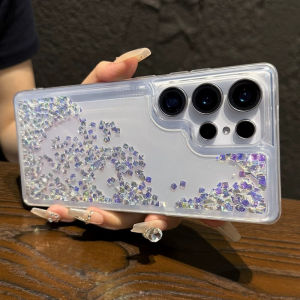
Glitter Rhinestones Quicksand Case for Samsung S26 S25 S24 S23 Ultra Liquid Shell Fashion Sparkling Funda Clear Cover Soft Capa

for Insta360 Luna Ultra LunaUltra Camera Tempered Glass Screen Protector AR Antireflection Easy Install Kit Lens Film
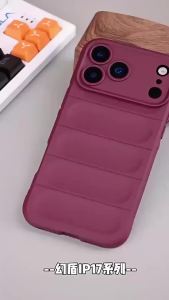
szhaiyu | Shockproof Soft Liquid Silicone Phone Case For Motorola Edge 70 60 50 E50Neo G 35 37 55 75 56 86 Pro Fusion Power Stylus Cover

Yizilin Strap Watch Band for Apple Watch Ultra 3 2 1 Series 11 10 9 8 7 6 SE Luxury Business Rambo Richard Style TPU Loop Bracelet
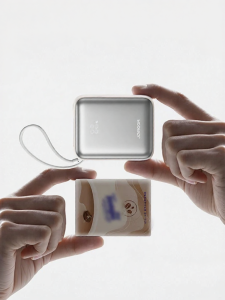
joyroom | Airplane Friendly Quick Charging Portable Mini Mobile Power Bank 20000mAh
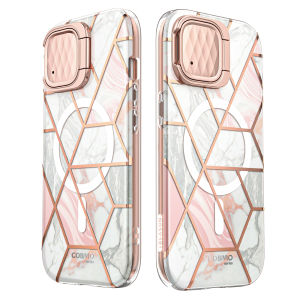
i-Blason for iPhone 15 Pro Case with Stand MagSafe Compatible Camera Cover Stand Built in Screen Protector Slim Stylish Phone Case for iPhone 15 Pro CosMag Series
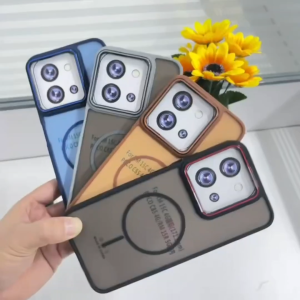
for Vivo Y18/Y28S 5G/Y19S 4G/Y21d/Y31 5G/Y31S 5G Anti-slip Matte Silicone Two tone Color Case
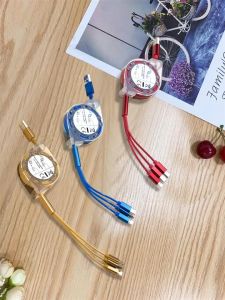
3 In1 Retractable USB Type C USB Micro Cable 1 Meter Charger Cable 3A Fast Charging TPE Cord Compatible with Samsung Xiaomi Huawei Apple Phones
Logitech | Logitech M650 Silent Bluetooth Mice Wireless Ergonomic Design Long Lasting Battery PC Tablet Office Computer
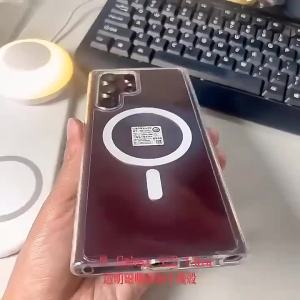
Clear Magnetic Case For Magsafe Samsung Galaxy Z Flip 7 6 5 4 Z Fold 7 6 5 4 8 MacSafe Wireless Charge Cover Shockproof Z Flip 8

BILIBILI | Tiger BloomFor Magnetic Phone Case for IPhone 17 16 15 14 13 Pro Max Plus Single Double-layer Tough Case