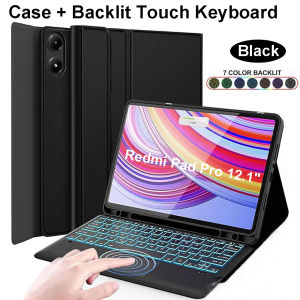
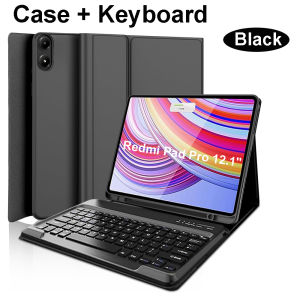
For Xiaomi Redmi Pad Pro 12.1 Inch Case Keyboard Cover for Xiaomi POCO Pad 12.1 Inch 2024
Please confirm your machine model before purchasing~For Redmi Pad Pro 12.1 inch Tablet.Please noteEnglish keyboard:There are only English letters on the keyboard.Multilingual version keyboard:English letters and engraved language letters together.Note:The digital tablet and stylus are not included in the package. The detailed description is for reference only. Please refer to the actual product for the color of the product.Comfortable input experiencelike laptopsimple chocolate keycaps,good rebound effect,comfortable typingDetachable keyboardCan be used aloneShockproof Really Full ProtectionBubble Cormer Design Protect the Tablet from Incidental BumpsIt's both a Magic Keyboard and a tablet caseClosing the cover is a tablet case,opening it is the Magic KeyboardUItra-Thin and Easy To Carry Magnetic buckle,full protectionAngle free adjustmentExquisite appearancevarious styles and colors to choose fromBluetooth direct connectionTablet becomes notebookThe delay-free keyboard connects to any Bluetooth deviceHow to connect keyboard & Mouse?1,Connect the mouse first, then connect the keyboard.2,Mouse:Push the switch to the "Bluetooth" icon, find the Bluetooth connection with "Mouse" in the device Bluetooth list.3,Normal Keyboard:Push the switch in the upper right corner to "ON", press "Connect", and find the Bluetooth connection with "Keyboard" in the device Bluetooth list.4,Touchpad Keyboard:turn on keyboard ,press Fn+C to,then find the Bluetooth connection with "Keyboard" in the device Bluetooth list.FAQQ:What should I pay attention to when connecting the mouse for the first time?A:When the mouse is connected for the first time, you need to press the left button, the right button and the scroll wheel at the same time for about 3-5 seconds.Q: Is the scroll direction of the mouse USB connector and Bluetooth connection the same?A: No, they are different. When using the USB connector, the scroll wheel slides in the same direction as the computer mouse. Bluetooth connection is the opposite.Q: How to switch between different systems?A: Fn+Q=Android, Fn+W=Windows, Fn+E=IOS.Please note that please switch the system before connecting the tablet.Q:The bluetooth keyboard letters are messy?A: Please check the settings according to the prompts,a. Check whether the keyboard language set on the device is English.b. Disconnect the keyboard Bluetooth, click Ignore the connected device, reopen the Bluetooth keyboard, select system, Fn+E (IOS system).Note: Fn+Q=Android, Fn+W=Windows, Fn+E=IOSc. Press the L S Z buttons at the same time to reset the keyboardQ:How to configure the input method for different languages keyboard?A:Take the samsung tablet as example,open "Settings--"ystem"--"Language & input"--"Add New Keyboard". (For other systems, please set them in the system settings according to the tips of the iPad example.)Q:How does the mouse change teh scroll wheel sliding direction on the device?A: The mouse is connected, open "General" - "Trackpad & Mouse" - close "Natural Scrolling".

GlobalTechMart
Review

You May Also Like

Car Diffuser USB 100ML Mini Air Diffuser Aroma Diffuser LED Light Aromatherapy Humidifier Ultrasonic Modern Home Office Face Spa Yoga Essential Oil
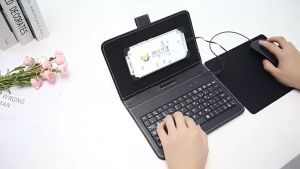
TASMO Type-C/Micro-Usb Wired Phone Keyboard Mouse Set With PU Leather Cover For Android Phone Keyboard And Mouse With OTG Function For Online Classroom Learning Home Office
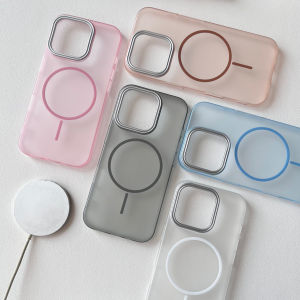
For Magsafe Magnetic Matte Case For iPhone 18 17 16 15 14 Pro Max Air Plus Candy Color PC Cover With Plated Silver Lens Frame

ESR for Samsung S26 Ultra Case / S25 Ultra Case MagSafe Compatible Samsung Galaxy S24 Ultra Magnetic Case Military-Grade Protection Anti-Yellow(Halolock)
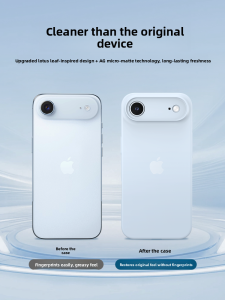
HANNUO | Naked Feel Heat Dissipation Full Camera Protection Drop-resistant Soft Matte Thin Case
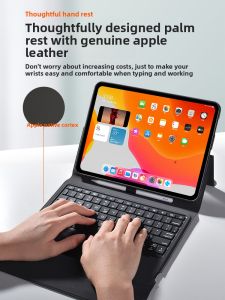
NACCITY | Dedicated Lightweight iPad Bluetooth Keyboard 11-inch
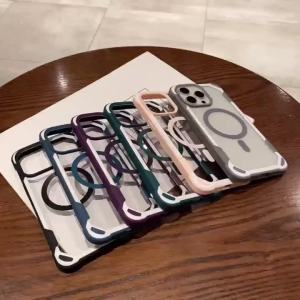
Luxury For Magsafe Wireless Charge Magnetic Case For iPhone 15 14Plus 13 12 11 Pro Max Heavy Armor Bumper Shockproof Clear Cover
XTEINK | XTEINK X4 Magnetic Protective Case Multicolor Reader Protective Cover for Xtrink X4 Ink Screen E-book Reader Accessories Gifts
Travel Case for DJI OM 7P/ OM7 - Portable Storage Bag Hardshell Carrying Case Fits DJI Osmo Mobile 7/7P Accessory Case

Japan Travel Sim Card Unlimited Data【20GB High speed data】 5~15 days 日本上网卡 【✅ Hotspot】【✅ TOPUP】【✅ ESIM】

Q3 Gaming Laptop Cooler 6 Fans Adjustable Height Laptop Radiator Dual USB RGB LED Fan Notebook Stand Cooling Pad for 10-18 inch