



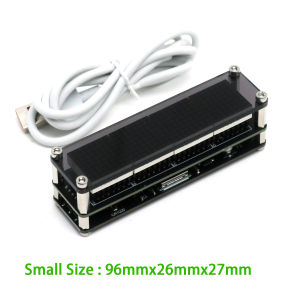
ESP8266 WIFI Clock W Second Dot Matrix Clock Wireless Network Timing LED Digital Display TIME 12/24-hour Adjustable Brightness
WiFi Dot Matrix Clock with ESP8266 Network Time SyncAuto Time Calibration • Adjustable Brightness • Multi-Color OptionsBefore making purchase, please refer to the advertisement for instructions on how to connect to the WiFi video and the instruction manualKey SpecificationsFeatureLarge ModelSmall ModelDot Matrix ModuleF3 (1088AS 32×32mm)F19 (788AS 20×20mm)Dimensions144×40×25mm96×26×27mmPixel ColorsRed / Green / Blue / White (selectable)Power SupplyUSB Type-C 5V DCTime Format12-hour / 24-hour (auto-switching)Brightness10-level adjustable (day/night modes)Core TechnologiesNetwork Time Protocol (NTP): Automatic time sync via WiFi (ESP8266 chipset)High-Visibility Display: 0.8-1.2mm pixel pitch for crisp readabilitySmart Operation:✓ Self-reconnects after power outage✓ Energy-saving dimming schedulePackage ContentsWiFi Dot Matrix Clock ×1USB Type-C Cable ×1LED matrix clock manual The power supply voltage required for this clock is 5V. It can be powered by using the provided USB cable and plugging it into the phone charger, computer USB interface, TV USB port, power bank, etc. If the display is abnormal or unstable, it may be due to insufficient power supply. Please replace the power supply.After powering on, searching for the WIFI signal with your phone will find a signal starting with MatrixClock. Connect it, then open a browser, enter the IP address in the address bar: 10.10.10.1, and confirm to open the configuration page, as shown in the following figure:After the configuration is completed and the clock restarts, WI-FI will be displayed, indicating that a WIFI connection is in progress. If the connection fails, Err will be displayed!, We need to reconfigure and check if the WIFI name and password are correct. If successful, it will display OK!. This clock is equipped with an RTC clock chip and can work without networking. However, when the time is incorrect, it needs to be connected to the network for time correction. After correction, it can be disconnected from the network. A clock that is not connected to the network will have a certain degree of error like a regular clock. It is best to always connect to the network and keep it synchronized with the network time, without any errors. The clock is equipped with a gravity sensing switch, and the display will flip along with the clock.

GlobalTechMart
Review

You May Also Like
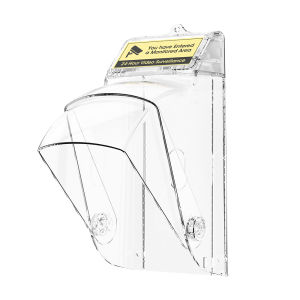
Video Doorbell Waterproof Cover Outdoor Rotatable Shield Rain Snow Dust Protection Anti Theft Hail Resistant Universal Doorbell Protector

JAYNEBIO 1Pcs 8-24inch Chain Saw Guide Cover Anti-scratch Plastic Plate Guard Cover Durable Chain Saw Bar Protector Power Tool Accessories

WH 4-pin to 6-pin adapter for full copper washing machine faucet thickened and lengthened inner and outer threads with variable diameter direct water pipe accessory

【2026 New】Brushless Wireless Jet Fan Turbo Air Blower for Car Cleaning with LED Light Digital Display Portable Outdoor BBQ Use

Baby Newborn Infant Mini Ear Muffs Anti Noise Reduction Cancellation Earmuffs Safety Ear Hearing Protection Flight

Please press the doorbell. Please Ring the Doorbell. Please. Sticker Board Holes Sign Signage. Ring Door Bell Arrow Button.

BOXIDE | Extension Water Supply Hose For Dishwasher 4-way Thread Cold & Hot

475Pcs 12.9 Grade Allen Socket Head Cap Screws Kit M3 Fully Threaded Long Bolts 30-50mm Alloy Steel Metric Fasteners with Nuts

V-Tech Wood and Parquet Adhesive
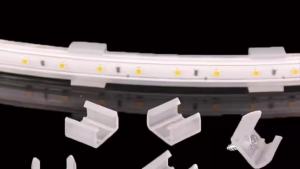
6mm 8mm 10mm 12mm LED Connector LED Strip Fix Clips Holder RGB Neon Strip Mounting Buckle LED Tape Lighting Fixing Accessories

Mileseey Laser Tape Measure DT20 3-In-1 Digital Laser Measure Tape Power Tape Laser Distance Meter 40m Rechargeable Bluetooth Laser Measurement Laser Measure Rangefinder Laser Meter Measure Range Finder