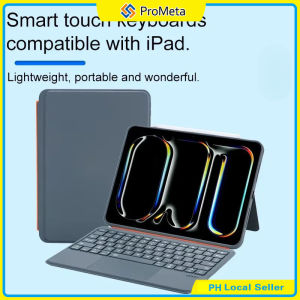
Backlit Magnetic Detachable Keyboard Case for IPad Air4 5 6 7 8 10th 11th A16 10.9 Pro11 18-22 W/ Trackpad
1.Kickstand offers 180° of tilt to always have the right angle for the task at hand. Whether you want to view vertically or horizontally, just detach the keyboard and type. 2.Full Protection: Made of durable PU leather exterior, covered with translucent PC hard back shell, magnetic type keyboard case for iPad protects well. 3.Large and High-precision Clickable Trackpad: The integrated outstanding trackpad supports multi-touch gestures, we can navigate apps and easily edit spreadsheets, documents with unparalleled precision. Swipe, tap, two-finger pinch and scroll. 4.Comfortable Typing with Low-profile Keys: Thanks to the responsive scissor-switch structure with 1.2mm of travel, and the well-spaced layout with 14mm of key width, the keyboard case offers a smooth, natural and accurate typing experience. 5.Convenient and Efficient Shortcut Function: 14-key function row for easy access to shortcuts by combining the "fn" key, including media controls, brightness levels, screenshots and more. You can also press "fn" + "shift" + "spacebar" keys to turn on/off the touchpad function. 6.Bluetooth and Rechargeable Backlit Keyboard: Thanks to the extra 650mAh battery, the keyboard provides more than 30 days of working time without using the original battery itself which would extra the using time of your device. How does this keyboard connect to ipad? At the first time, you should pair the keyboard to ipad through bluetooth function. After that, it will automatically connect to each other when you turn on the keyboard. Is the case easy to clean? Yes, the delicate PU panel materials have excellent abrasion resistance, easy to clean and maintain. How to set 'tap to click' function on this keyboard case? iPad Settings -> General -> Trackpad -> Tap to click. Is this rechargeable? Yes, it has independent battery so that it would not use the battery of iPad which itself is straining its own battery. Can I turn off the touchscreen while I'm typing? To prevent accidental touching of the screen Yes, you can press "fn" + "shift" + "spacebar" keys to turn on/off the touchpad function

Prometa
You May Also Like

【Woody】Data Cable and Charger Storage Box Desktop Large-Capacity Jewel Box with Lid
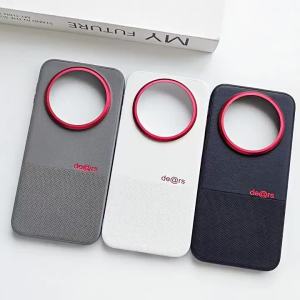
Applicable to Huawei mate80promax Phone case with personalized letters mate70pro+ case made of plain leather 60pro+

Magnetic Loop Strap For Xiaomi Smart Band 10 Mi Band 10 NFC Metal Bracelet Stainless Steel WatchBand
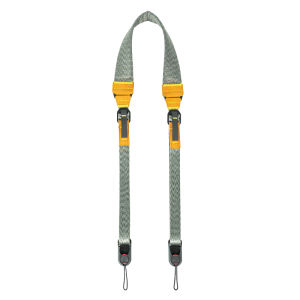
SHELV | Quick-release Anti-pressure Shoulder Strap for Cameras
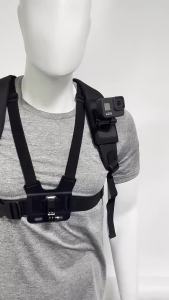
Backpack Shoulder Strap Mount Holder for Phone DJI Pocket 3/4 Action 6 5Pro 4 GoPro 13 12 11 10 9 Insta360 X5 X4 Ace AcePro
![[Vktech] Dual Magnetic Gym Phone Holder Anti Slip Rack for iPhone 14 Pro Max Durable Non Slip Fitness Accessory Black](https://img.lazcdn.com/g/ff/kf/Sebd015c744be4333bfc4a78a1c71ac5al.jpg_300x300q80.jpg)
[Vktech] Dual Magnetic Gym Phone Holder Anti Slip Rack for iPhone 14 Pro Max Durable Non Slip Fitness Accessory Black
LX MALL solar powerbank 50000mah original fast charging 3-in-1 built in cable power bank

Corsair Elgato PROMPTER The all-in-one Creators Teleprompter
![Phone case for iPhone 17 iPhone 17 pro iPhone 17 pro max [white blue green black]](https://img.lazcdn.com/g/ff/kf/S5d9de2eed96841c28dc5864df0b98209L.png_300x300q80.png)
Phone case for iPhone 17 iPhone 17 pro iPhone 17 pro max [white blue green black]
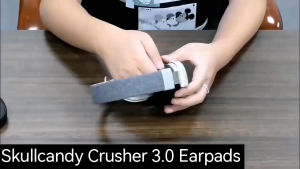
1Pair Replacement Earpads for SkullCandy Crusher 3.0 Wireless Crusher Evo ANC Hesh 3 Headphone
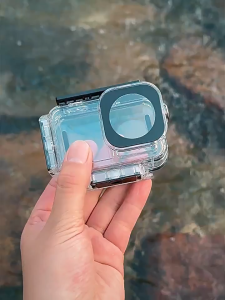
waterproof case for DJI ACTION 4 DJI ACTION 5 DIVE CASE/VERTICAL DIVE CASE