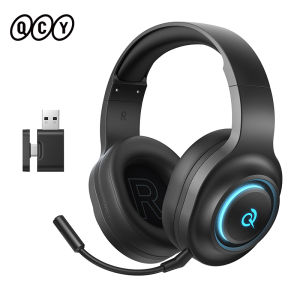
QCY | QCY Heroad V200 Over Ear Headphones 50mm Driver 7.1 Surround Sound Headset Wireless Bluetooth 6.0 Earphones for PC Laptop PS4/5
QCY Heroad V200 Over Ear Headphones 50mm Driver 7.1 Surround Sound Headset Wireless Bluetooth 6.0 Earphones for PC Laptop PS4/5Key Features:7.1 Surround Sound – Accurate positional audio3 Connection Modes – Bluetooth 6.0 / 2.4GHz / USB-C20ms Ultra Low Latency – Instant response in game play50mm Neodymium Driver – Deep bass & powerful soundDetachable NoiseCanceling Mic – Clear commeasy muteSoft Memory Foam Earmuffs– Pressure-free wearingRGB Dynamic Light – Create immersive gaming vibesDurable Metal Headband – Strong and flexible286g Lightweight Design – Comfortable for long sessionsSupport 3 Situational Modes Switch (Gaming/Movie/Music) on the QCY APPMulti-Platform Compatible – 2.4GHz Mode: USB-C devices are suitable for phones, tablets, laptops, and switches.USB-A devices are suitable for laptops, PC, PS4, and PS5.Wired Mode: Suitable for laptops, PC, PS4, and PS5.Ultra-longBattery Life–80H (2.4G) / 100H (Bluetooth)Wire or Wireless Mode Easy to Switch -(Note:Package with Wired USB-C Cable)Charging Cable and Wired Audio Cable Can Be SharedSound Effect Software InstallationVisit the QCY website,search your headset model,and download the QCY Heroad driver (Windows 10/11 only).Follow the setup guide to complete installation and unlock all features.50mm Neodymium DriversExperience a broader frequency range with powerful,that delivering deeper bass,sharper highs,and rich audio details.Precision-Tuned for GamingThe sound profile amplifies crucial audio cues like enemy footsteps and distant gunfire,giving you the tactical edge when it matters most.7.1 Surround SoundCreates a three-dimensional soundscape,allowing you toperceive the precise location of in-game sounds from all directions,not just left and right.Heroad Driver SoftwareCustomize your gaming audio on PC,from immersive sound effects to EQ tuning,get the setup that suits your style.(For driver issues, please contact customer service.)Comfort tailored for youSoft & Breathable EarcupAdjustable HeadbandGlasses-Friendly DesignLightweight BuiltCoordinate With Your Team FlawlesslyOur unidirectional mic focuses on your voice and filters out distracting background noise,ensuring your callouts are always crisp and clear.20ms Ultra-low Latency2.4GHZ WirelessPerfect synchronization for seamlessreal-time gaming experience.3 Ways to Connect2.4GHZ Wireless2 in 1 dongle for bothtype-A and tyle-C connectionBluetooth 6.0USB-C Wired ConnectDual Mode ConnectionConnect to multiple devices at once via Bluetooth and 2.4GHz.With one-tap switching,it's easy to jump between work and play,so no need to reconnect every time.Dynamic RGB LightingLight up your game with vibrant RGB effects that enhance the atmosphere and match your battle mood.Unbeatable 240H Battery LifeEnjoy up to 240 hours of ultra-long battery life with the lights off in Bluetooth mode.Button InstructionsWhat's in the boxHeadphoneType-C Charging Cable3.5mm Detachable Microphone2in1 2.4G Dongle(Type A + Type C)User ManualSpecificationsProduct Name:QCY Heroad V200Connectivity: Wireless 2.4GHz (USB-A/C), Bluetooth, Wired USB-C CableBluetooth protocol: HFP\A2DP\AVRCP Bluetooth version: V6.0Bluetooth distance: Approx. 10mDrive unit: φ50mmAudio Codc: SBCFrequency response: 20Hz-40KHzBattery Capacity: 2000mAhPlay Time (Bluetooth mode, light on/off): 100h/240hPlay Time (2.4GHz mode, light on/off): 80h/140hCharging Time: 5 hoursFAQ:Q:What should I do if the headset received unable to turn on?A:Confirm that the over ear headset has power left (press the power button and check LED light is illuminated).If headset power off,please connect the headset with your included USB cable and plug it into a USB power source for charging.Q:How to solve the problem that the mobile phone prompts that it cannot connect?A:Delete the pairing record on the mobile phone, and then search for pairing and connect again.Q:How to solve the problem that there is no sound when listening to music or calling?A: There is a settings icon on the right side of the Bluetooth connection name on Android phones. Click to enter, turn off the mobile phone audio and media audio, and then turn them on again. If there is still no sound, please re-pair the earphones with the mobile phone.Q: Why is there a delay in video or games?A: Affected by factors such as the use environment, network, and mobile phone Codec, there will be different degrees of delay when the mobile phone transmits audio data to the earphone.Q: How to solve the problem of stuck or intermittent sound? A:If there are a lot of Wi-Fi, 5G and 4G signals, high-power electrical appliances around, it may cause stuck and intermittent sound. Please Change the environment or re-pairing can solve the problem.Q: How do I update the version of my headphones?A: Application: Device,Settings,Firmware Upgrade. If it prompts that the upgrade cannot be made, it indicates that it is already the latest version.Q: The headphones can't connect to the APP?A: You can set the language of the application to English before connecting the headphones.Other Tips:1. Before using the earbuds, please read the manual carefully and keep it for future references.2. The earbuds need to be fully charged prior to first-time use.3. lf the earbuds are left unused for over two weeks, please recharge.4. Please use the chargers made by qualified manufacturer.5. lf earbuds fail to be found by phone, please re-turn them connectable or restore factory settings. 6.lf a program error of phone occurs, please turn off and on Bluetooth function or reboot the phone.

Prime Supply_Play Life
You May Also Like
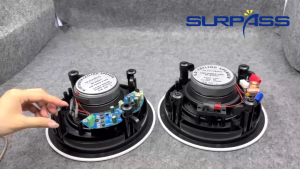
6.5 inch 40w bluetooth ceiling speaker in ceiling wall roof built-in speaker class d amplifier home theater sound system
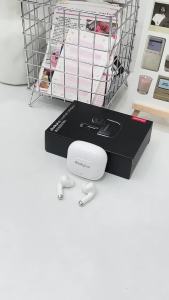
Lenovo | Choice Lenovo LP40 Pro TWS Bluetooth Earphones Touch Control Music Sport Headset Noise Reduction Gaming Headphones 250mAh New
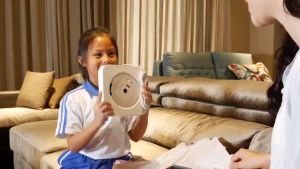
Bluetooth CD/DVD Player Wall Mountable CD DVD Player HDMI Built-in HiFi Speakers with Remote For TV
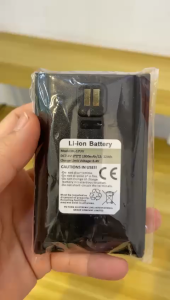
WALKIE TALKIE BATTERY BAOFENG UV17
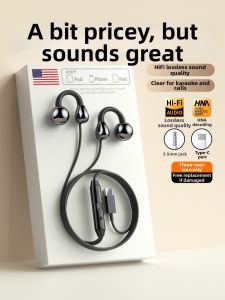
ERYE | Gaming Bone Conduction Earclip Headphones with Type-C Interface
Lenovo | Lenovo XT80 Earhooks Sports Bluetooth Wireless Headsets with Mics LED Power DisplayHifi Stereo Sound ENC TWS Earphones
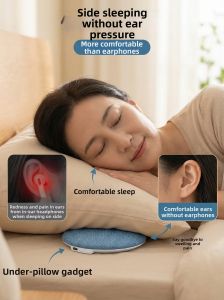
Jieyang | Bone Conduction Sleep Music Bluetooth Pillows Speaker
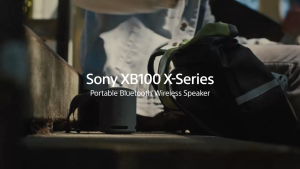
【1 Year Warranty】Original Sony SRS-XB100 Wireless Bluetooth Speaker Outdoor Speaker 3D Stereo Surround Sound Portable Speaker Gaming Speaker Powerful Bass Hands-free calling Wireless Spekar with Microphone Pembesar Suara Bluetooth Long Battery Life

(HD1)SPRISE HiFi Dual Drive 6D Stereo Earphones With Mic Wired Headset Universal Wire Control 3.5mm Earphones
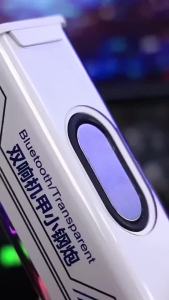
V8 Transparent Mecha Bluetooth Speaker Interconnected Colorful High Power Stereo Wireless Speaker Pigfly
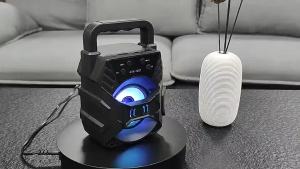
KTS-1057 / XTM-5009 Free mic BLUETOOTH SPEAKER PORTABLE SPEAKER WIRELESS SPEAKER HANDLE-HELD STEREO OUTDOOR SPEAKER