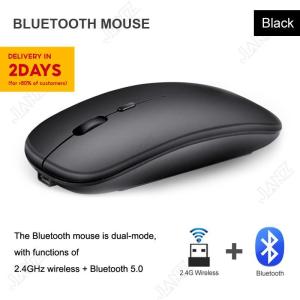
(HD1)Wireless Mouse Bluetooth Mouse 2.4GHz Optical Rechargeable Ultra Thin Silent Mice for PC Laptop Tablet
Note:Please check the difference between 2.4GHz Mouse and Bluetooth+2.4g Mouse before purchasing.Thanks!Difference between 2.4GHz Mouse and Bluetooth+2.4g Mouse:2.4GHz Wirerless Mouse: Only can use USB receiver to connected with your Laptop , Computer and other electronic equipment that has usb interface.Bluetooth+2.4g Mouse(2.4GHz Wirerless + Bluetooth): The Bluetooth mouse is dual-mode, with 2.4GHz wireless and Bluetooth functions. You can use both USB receiver and Bluetooth to connect with your PC / Laptop / Phone / Tablet.Tips:1. Suitable for most of Tablets, Laptop and Computer.2. The mouse is equipped with a charging cable, which is used to charge the mouse, not to connect the mouse. The product is a wireless device, no wire connection is required. The connection method has been shown in the post, please refer to.How to use the mouse ?1. 2.4GHz wireless modeRemove theUSB receiver installed in the bottom of the mouse, insert the computer's USB interface.Then put the mouse close to the USB wireless receiver and turn on the switch.Free co de, plug and play.2. Bluetooth modeTurn on the switch → Turn on the bluetooth of the electronic device → Start to search BT5.2Mouse or BT3.0Mouse, and then connect.If connect for iP device, After completing the Bluetooth connection, Settings - Accessibility -Touch - AssistiveTouch - Turn On.(If you use it by the Bluetooth mode,please do not plug the usb wireless receiver into the computer )Specification:Mouse type: Wireless Bluetooth MouseWork mode: 2.4GHz Wireless / BluetoothDPI: 800-1200-1600Power Supply: Built-in rechargeable battery 500mAhButton: 4 ButtonsSize:112 x 58 x 25mmApplication: PC/Laptop/TabletPackage include:1 x Mouse1 x Charging CableNote:1,When the cursor movement delay occurs, please insert the charging cable into the front end interface of the mouse to charge. Please try not to use it while charging.If use the 2.4GHz wireless mouse, and the mouse turns on the switch, it will flash for a few seconds and then turn off. Means that the mouse cannot recognize the receiver, so please check whether the receiver is plugged in, or check whether the USB port of the computer is normal. Solution: Re-insert the receiver or insert another USB port.2,Due to production batch reasons, the actual product may be slightly different from the picture(Style/Color/Shape) , which does not affect the actual use. All is subject to the actual product. Thank you for your cooperationQ&A Q1.Why the cursor can't locate accurate ?A1. When the mouse cursor can't locate accurate, the mouse need to be charged.Q2. How can I know it is charging , or it is charged ?A2. When charging , the light is on. When charged, the light is OFF.

CoreDigital
Review

You May Also Like
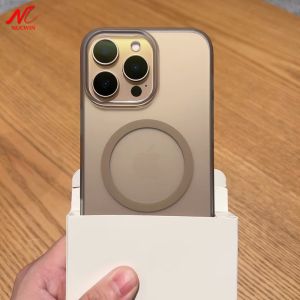
Business Men Women for Magsafe Case for iPhone 15 12 13 14 16 17 Pro Max Magnetic Wireless Charging Ultra Thin Anti-skid Cover
![[ HUAWEI Pura 70 Ultra / 70 Pro / 70 ] HODA Sapphire Lens Protector - Flamed Titanium](https://img.lazcdn.com/g/ff/kf/S7c60091254c3463f8c4004b7ea44e607e.jpg_300x300q80.jpg)
[ HUAWEI Pura 70 Ultra / 70 Pro / 70 ] HODA Sapphire Lens Protector - Flamed Titanium
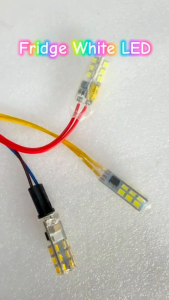
Heavy Duty AC 220-240V / DC 12V Refrigerator LED White Bright Fridge Freezer Indicator Light Bulb Lamp (2 Wires) FIXIA
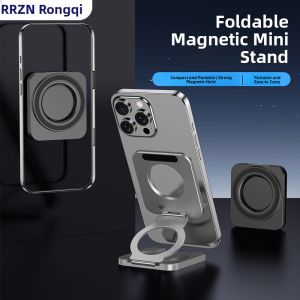
RQZN | Selfie Stand with Dual Magnetic Rings for iPhone
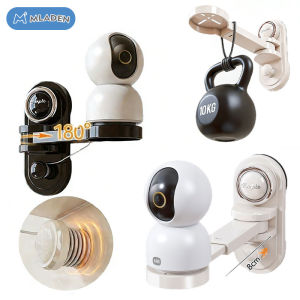
MLADEN Suction Cup Free-Punch CCTV Holder Extendable 180°Rotation Universal Monitoring Bracket Rack摄像头支架
PULUZ | PULUZ Camera Magnetic Mount For Insta360 GO Ultra Sports Camera Aluminum Alloy Quick Release Base Accessories
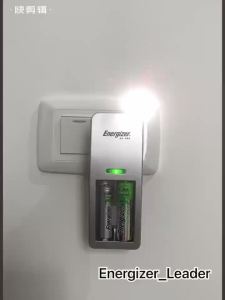
Energizer Original AA/AAA bateri pengecas 1.2V AA 2450mAh ni-mh bateri boleh dicas semula untuk camer
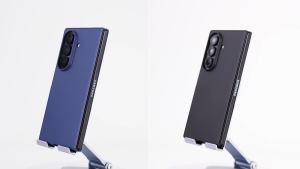
For Galaxy Z Fold 7 Case with Slim Matte Screen Protector Wireless Charging Friendly Protective Phone Case-Blue
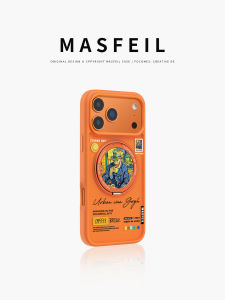
MASFEIL | Ultra-Thin Magnetic Support Phone Case for iPhone

Aizoypro 2025 iPad case With A16 gen 10th 7th/8th/9th 10.2 11th 10.9 Air 6th Air4 Air5 m3 m2 m4 for pro11 mini6 A17Pro iPad 5th 6th generation 9.7 mini1/2/3 Air2 Air3 10.5 Slim Smart Cover Case holder Soft silicone Tablet Cover Casing
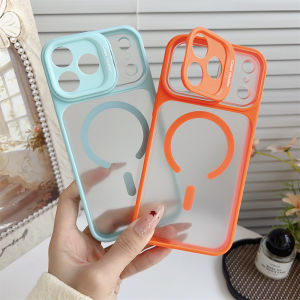
Camera Protection Bracket Magnetic Original Phone Case For iPhone 17 Air Pro Max 17 ProMax For Magsafe Camera Matte Cover