


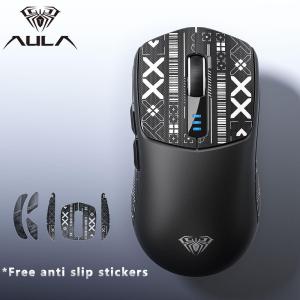
AULA | AULA SC580 Three Mode Rechargeable Ergonomic Bluetooth Gaming Mouse with 10000 DPI - Electronic Sports Lightweight Office Gaming

AULA | AULA SC580 Three Mode Rechargeable Ergonomic Bluetooth Gaming Mouse with 10000 DPI - Electronic Sports Lightweight Office Gaming
- Product HeadlineTarantula SC580 Gaming Mouse | Standard & SE Ultra-Lightweight Dual Versions | 3-Mode Wireless 10000DPI Gaming & Office Universal Mouse2. Core Selling PointsDual Version Design: SC580 Standard (81.9g balanced ergonomic) / SC580SE Ultra-Lightweight (80g compact grip with grooved side support) to fit all hand sizesFull 3-Mode Connection: 2.4G Wireless + Bluetooth 5.0 + Type-C Wired, support seamless switching for PC, tablet and mobile phoneProfessional Gaming Sensor: Max 10000DPI (6-level adjustable), 1000Hz polling rate, 1ms ultra-low lag for smooth gaming performanceLong-Lasting Battery Life: Built-in 500mAh rechargeable battery, up to 120 hours working time for daily office useFull Programmable Keys: Custom macro keys, RGB lighting, DPI adjustment and on-board memory, no repeated setting after device replacementComplete Accessories: Equipped with anti-slip sticker and upgraded PTFE smooth feet, built-in receiver storage compartmentWide Compatibility: Compatible with Windows, Mac OS, Android and iOS systems for gaming, office and study use. Downloadable desktop driver software is only supported on Windows 10 / Windows 11; users of other systems can access the web-based driver tool on the official AULA website.(https://www.aulagaming.com)3. Product OverviewThe Tarantula SC580 series includes two models: SC580 Standard Version and SC580SE Ultra-Lightweight Version. Both versions adopt the same high-end sensor solution, 3-mode connection system, driver program and large-capacity battery. The only differences lie in body weight and ergonomic shape design. This series covers small, medium and large hand users perfectly. With cost-effective professional gaming configurations, it is an all-purpose mouse for daily office work, online games and competitive FPS games.Safety & Usage NotesDo not disassemble, modify or repair the mouse by yourself. Unauthorized disassembly will void the warranty.Keep the mouse away from liquid, humid environment, dust, high temperature and direct sunlight to avoid circuit damage.Do not pull the Type-C charging cable with excessive force; hold the plug when plugging/unplugging to prevent wire breakage.If the mouse gets wet accidentally, power it off immediately and dry it completely before reuse.Avoid heavy impact, dropping or squeezing the mouse, which may damage the internal sensor and switches.Only use standard 5V charging adapters to charge the mouse. High-voltage chargers will damage the built-in battery.

Prime Supply_Play Life
Seller ratings 96%
Review

Oops
This video has no reviews.
You May Also Like

00:15
Vivo V40 | V30 Pro 5G | V30 | V30e | V17 Pro | V17 | V15 | V15 Pro | V11 | V11i | V11Pro | V9 Hydrogel Screen Protector
00:20
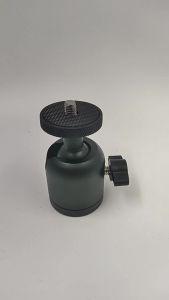
AE Tripod phone holder camera universal metalgimbal Fill Light 360 360-degree rotating aluminum alloy ball head
01:01
CheerTok Air Singularity Mobile Phone Remote Control Air Mouse Bluetooth Wireless Multifunction Touch Pad CHP03 for Xiaomi

00:21
A136B Display For Samsung A13 5G LCD Display Touch Screen Digitizer Assembly For Samsung SM-A136U SM-A136W SM-S136DL Screen
00:12
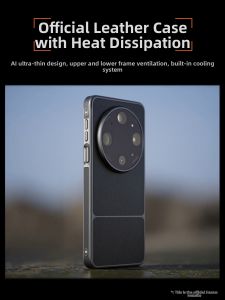
HANNUO | Drop-resistant Full Cover Leather Phone Case Heat Dissipation Thin Matte Surface
00:22
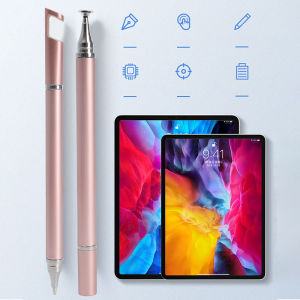
3Pcs 3 In1 Stylus Pen for Cellphone Tablet Capacitive Touch Pencil for IPad Pro Air iPhone Universal Android IOS Drawing Screen Pen
00:07
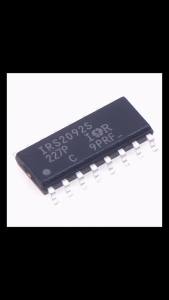
1Pc IRS2092STRPBF Audio Amplifier IC Chip SOP-16 Package for Electronic Projects
00:48
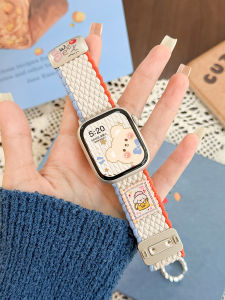
Uhada | New Cute Dog Nylon Magnetic Strap for Apple Watch

00:10
Samsung Galaxy Z Flip 6 / Z Flip 5 / 4 / Z Flip / Z Flip 3 / Z Fold 4 / Z Fold 3 Hydrogel Privacy Matte Screen Protector
![【AG Bluematte Full】9H Full Glue Anti Bluematte Tempered Glass Anti-fingerprint Scratch Protection For Infinix Tecno [ Hot40i/Smart 8/Smart 8 Pro/Spark Go 2024/Spark 20/Spark 20C/Smart 9/Hot 50i/Hot 40 Pro/Hot 30i/Spark Go1/Spark 30 5G/Spark 30C ]](https://img.lazcdn.com/g/ff/kf/Saaae79828cab47feba93f97f6e06152aY.png_300x300q80.png)
00:53
【AG Bluematte Full】9H Full Glue Anti Bluematte Tempered Glass Anti-fingerprint Scratch Protection For Infinix Tecno [ Hot40i/Smart 8/Smart 8 Pro/Spark Go 2024/Spark 20/Spark 20C/Smart 9/Hot 50i/Hot 40 Pro/Hot 30i/Spark Go1/Spark 30 5G/Spark 30C ]
00:31
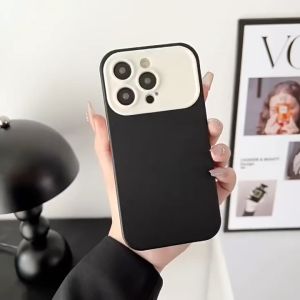
I TECH Soft Candy Silicone Phone Case Window Camera Lens Protective Case for iPhone 14 13 12 11 Pro Max
00:51
Silicone Case for Lenovo Legion Y700 5th 4th 3rd 2nd Gen 8.8 Slim Cover Lenovo Xiaoxin Pad Pro/GT 13 Idea Tab Pro Gen2 13 P12
Hot Search
hipidogbedroom furniture set with mattressSuncha | Dry Burn Resistant Ceramic Thick-walled Pot for Slow Cookingdaikin backpackDONGRAN | Natural Extract Dye Black Tea Shade Hair Dye Non-irritatingipsobmw e28 partspembakar kuih akok elektrikjapan blanketmaster chef cookwaremodenas xcite exhaustrim 18 inch carstove oven with wheelsbarbie collector editionpati umpan pisang










