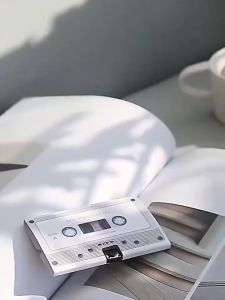
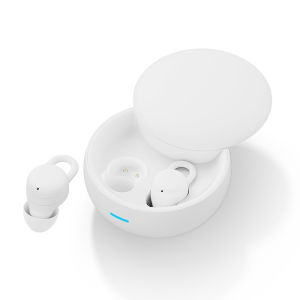
(HD1)DB22 TWS Wireless Game Bluetooth Earphones with Microphone Noise Reduction High Fidelity Bass Fon Telinga Bluetooth Tanpa Wayar Permainan DB22 TWS dengan Mikrofon Pengurangan Bunyi Bass Hi-Fi
Here is the smooth English translation of the provided content:---Note:- Due to variations in display and lighting effects, the actual color of the item may slightly differ from the color shown in the picture. Thank you for your understanding.- Please allow a measurement deviation of 1–2 cm due to manual measurement.---Packing List:- 1 × Bluetooth Headset (L)- 1 × Bluetooth Headset (R)- 1 × Charging- 1 × Data Cable- 1 × Manual---**Wireless Bluetooth Earphone Connection Tutorial (General Steps)1. First pairing connection (using a mobile phone as an example): Enable headphone pairing mode: Open the charging case → Long press the power button for 3–5 seconds until the indicator light alternately flashes white/red-blue.---How to Avoid Disconnecting Headphones1. Keep the device within a range of 10 meters Bluetooth effective range: Generally within 10 meters. Beyond this range, the signal weakens and disconnection may occur.---Adjustable Volume Headphones1. Check the device volume settings Increase media volume: - Mobile/Computer: Press the volume button to adjust to the maximum, or go to Settings → Sound → Ensure the media volume is turned up.Attention: Call volume and media volume are separate. Please make sure to adjust the media volume (e.g., when playing music).---How to Wear Headphones1. Distinguish between left and right earphones: Headphones are usually labeled with L (left) and R (right). Before wearing, confirm the direction to avoid wearing them backwards, as this may affect the fit.2. Adjust the ear clip area: - Clip design: The earphones are secured on the auricle with elastic clip arms. When wearing: - Pinch the arm with your thumb and index finger and gently stretch the elastic part. - Align the headphone unit with the ear canal and wrap the arm around the back of the auricle (similar to the position of eyeglass legs). - Slowly release the clamp arm and let it naturally grip the ear, avoiding excessive force and pressure.---How to Charge and Power On Headphones- Confirm charging interface: Most headphones use a USB-C interface (some older models may be Micro USB).- Connect the charging cable: Insert the original or compatible charging cable into the headphone charging port, and connect the other end to a 5V/1A~2A adapter or computer USB port.- Charging indication: The headphone indicator light remains on/flashes during charging (usually red indicates charging, green indicates fully charged).---Charging time: Usually takes 1–3 hours; please refer to the user manual for details.It is recommended to fully charge the device before starting it for the first time. Senarai pembungkusan:1 * Fon kepala Bluetooth (L)1 * Fon kepala Bluetooth (R)1 * pengecasan1 * Kabel data1 * ManualPanduan Sambungan Fon Kepala Bluetooth Tanpa Wayar (La

CoreDigital
Review

You May Also Like
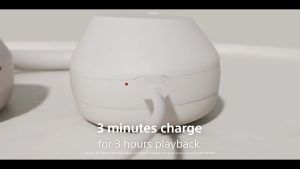
【COD】Original Sony WH-XB910N/WH-1000XM5 Portable Over-the-Ear Headphones Bluetooth Wireless Noise Cancelling Headset Stereo with Mic Heavy Bass High Sound Quality
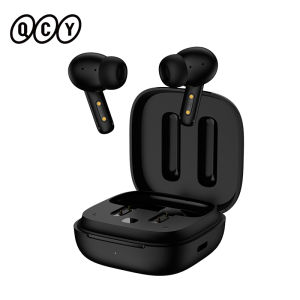
QCY | QCY T13 ANC Active Noise Cancelling Wireless Earbuds Bluetooth 5.3 Headphones 4 Mics ENC Clear Calls Earphones 30H Playtime IPX5
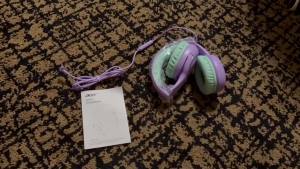
Acer | Acer HK03 Kids Headphones Safe Volume Limiter 94dB3.5mm Jack On-Ear Headset for Children Teens Girls Boys School

New Bee M50 Bluetooth Headset Wireless Earpiece Earphones 24 Hrs Talk Time V5.2 Headphones with Dual Mic CVC8.0 Handsfree
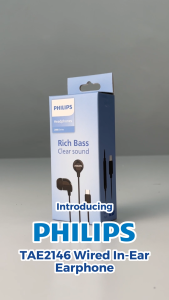
PHILIPS TAE2146 Wired In-Ear Earphone with 10mm Drivers Type-C Plug Build-in Mic & 1.2m Length
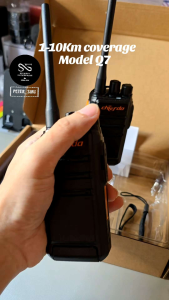
Chierda 16 Channel HD Voices 1-10km Walkie Talkie Q7
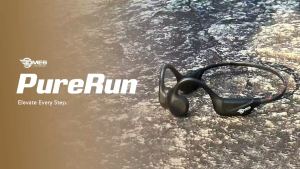
Dmes PureRun Bone Conduction Earbuds Bluetooth 5.4 IPX5 Waterproof 6H Battery Clear Mic Lightweight for Running

kebidumei | Mini Invisible Headphones TWS Bluetooth 5.3 Earphones Wireless Heasets HIFI Stereo Noise Reduction Earbuds For iphone Xiaomi
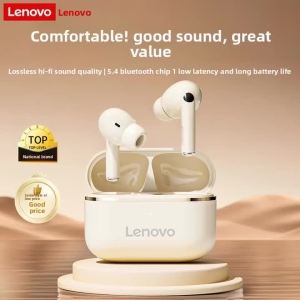
Lenovo | Original Lenovo EA230 Wireless Earphones Bluetooth 5.4 Long Battery Life Earbuds Hifi Stereo Sound TWS Headphones
Premium Open-Ear Over-Ear Bluetooth Headphones Rotatable Design Wireless Earbuds with Noise Cancellation and Integrated Mic

BOSEBT D01 / New rixing Bluetooth Wireless Soundbar With 4 Speakers high Quality Sound Family Home soundbar Desktop Speaker Long Soundbar TV