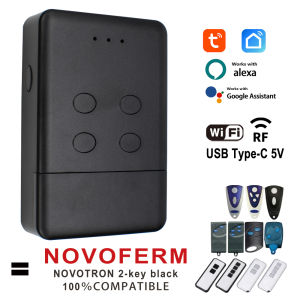
Smart Tuya NOVOFERM NOVOTRON TORMATIC wifi Garage Door Remote Control for 502 MAX43-2 504 MAX43-4 512 MIX 43-2 Alexa Google Home
NOVOFERM NOVOTRON Wifi Smart Garage Door Remote Control For 502 MAX43-2 504 MAX43-4 Use With RF 433MHz And Tuya APP ControlIt combines Rf and TUYA mobile app control, After the device paired with the network, you can realize the remote control of your gate through the tuya mobile app. You can connect the voice audio to realize voice control of your gate. you also can share the control of the device to other people and you can remove the control of other people. This smart device eliminates the complicated receiver wiring and allows you to conveniently, quickly, and securely realize the remote control of your gate by mobile app/smart speaker/RF controlIt can be programmed directly on the receiver or controlled using wifi. 2 functions, very convenient.Compatible withNOVOFERM MCHS43-2NOVOFERM MTR43-2NOVOFERM MNHS433-02NOVOFERM MNHS433-04NOVOFERM NOVOTRON 502 MAX43-2NOVOFERM NOVOTRON 504 MAX43-4NOVOFERM NOVOTRON 512 MIX 43-2NOVOFERM MINI-NOVOTRON 522NOVOFERM MINI-NOVOTRON 524NOVOFERM MINI-NOVOTRON 522 DesignNOVOFERM MINI-NOVOTRON 524 DesignAccess to receiver required. Please make sure you got access to your receiver/opener before purchase.Selling Point:Tuya Smart New Remote Control replaces your old remote control.You will get a RF remote control + Tuya APP smart remote control.No other additional devices are needed to make your garage door Wifi smart.Throw away your old remote, a mobile phone to control your garage door easily.Highlight【APP Remote Control】After the equipment has been distributed to the network,You can check the working state of the device in Tuya APP anywhere and anytime.【RF Control】It can be used as an RF remote to control your garage gate door【Voice Control】You could voice control the device by Alexa/Google Assistant.【Recommended installation】After powering up the device, there is no need for complicated wiring to enable your mobile phone to control your front door【Share function】You can share garage door control with your family, or friends, and you can remove other people's garage door control.Tuya smart APP remote controlTuya WiFi Smart Garage Door Remote Control Compatible With Alexa Echo , Google Home voice control.REMOTE MONITORING: You can open or close the door by the APP. You can check the garage door open or closed state in real time. You can authorize multiple people to access your garage. EASY TO USE: Instantly control the garage door by tapping the TUYA or SMART LIFE app on your smartphone. Just connect the smart remote control to the 2.4G WiFi network.VOICE CONTROL: You can activate your garage door opener by placing a voice command to your Alexa or Google Assistant device or driving near the garage door .Specifications:Name: ECOSTAR Wifi & RF smart remote controlType of programming: Programming with the receiverNumber of channels: 4Size: 885920mmProduct material: ABSProduct weight: 55 gPower on (USB Android Type-c 5V)Installation: wireless & 2.4G WifiWireless transmission distance: 50-150 (m). (open space)Frequency: NOVOFERM 433.92mhz 433mhz.Smart Wifi Garage Door Receiver Controller(Open & Close your Garage by phone)This Tuya Garage smart remote control can be controlled by the phone , easy install and without any changed in your Garage , Just need a new remote control, and you will have this funtions to open and close the garage door by phone ,by voice (work with alexa & google home) , Query status, query open/close recordsetc.Smartlife / Tuyasmart APP ControlAvailavle in google & IOSSupport Amazon Alexa and Google Assistant to open/close Garage door by voiceYou should add this Garage door controller to work with tuyasmart or smartlife APP , and Binding it with Amazon Alexa or Google Assistant to achieve voice control.Share Device With Your FamilyAfter the family member registering a Tuya account, You can authorize device control to familys by "share device" in the APPChecklist before using the deviceYour smart phone or tablet has connected to a2.4g WiFi with internet.You need to enable Bluetooth of the phone.You have the correct WiFi PWD.You smart phone or tablet must have access to APP store,Google play.Your router is MAC-openUser Guide1.You can download the App by searching “Tuya Smart”in mobile app stores.2.Register an Tuya Smart account.3.If you have Tuya Smart acconunt. just login.4.Power on.ON/OFF operating principle:The connected appliances work/stop throughlive wire power on/ofRF Remote Control PROGRAMMING:*Energise the equipment.USB Type-C 5V1. Open the casing of your receiver. It is located next to your motor.2. On the receiver circuit board, press the programming button and let it go (ENR, MEMO, PROG, REC according to the model) The LED light on the receiver illuminates or blinks.3. Press a button on your new remote control for 1 second.4. Let the button go. The LED light on the receiver turns off immediately or in the following 10 seconds according to the model. Your new remote control is programmed.After successful programming, you can connect the device to the app for mobile phone controlUser Guide1.You can download the App by searching “Tuya Smart”in mobile app stores or scanning the following QR code.2.Register an Tuya Smart account.3.If you have Tuya Smart account. just log in.4.Start pairingReset the device first:if the network indicator(red light) blinking fast(0.5S/time) , skip the reset step.①Power on②hold down the Reset button for 10 seconds.until network indicator(red light) blinking fast(0.5s/time).③Clicking in the top right corner on tuya smart app.then click“Auto scan" ,wait a few seconds, After the devices are found,click "Next"④Select a 2.4GHz Wi-Fi network and enter your password.⑤Name your device.⑥Start controlling your device with your mobile phone.

GlobalTechMart
Ulasan

Anda mungkin menyukai
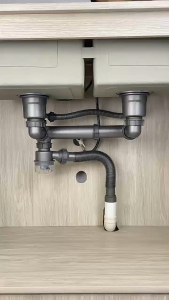
:Kitchen Drain Pipe / Vegetable Sink Sewer Pipe / Double Sink Drain Kit / Anti-Odor High-Temperature Resistant Valve Core
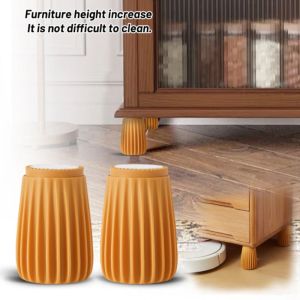
CEMOMEF Heavy Duty Leg Risers Retractable Adjustable Wall Protective Pad Bed Frame Effectively Increase Bed Stabilizer Bedroom Use
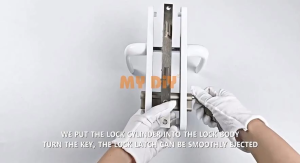
MYDIYHOMEDEPOTY - 60MM / 70MM Double/SIngle Side Euro Cylinder Lock Anti-Theft Door Lock Silinder Kunci locksmith Tukang Kunci
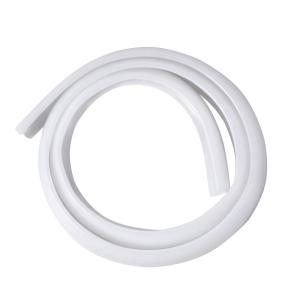
SUNINLIFE | Waterproof Bath Mat Shower Room Silicone Adhesive Water Barrier

LOW STRENGTH Loctite 567 50ml PIPE SEALANT THREAD flange gasket screw bolt nut industrial automotive drinking water dispenser gas high pressure hydraulic system

Universal glue is stronger than welding LGD Gam besi paling kuat Metal glue Durable and sturdy waterproof and oil resistant With no blocking glue after repeated use Super Glue
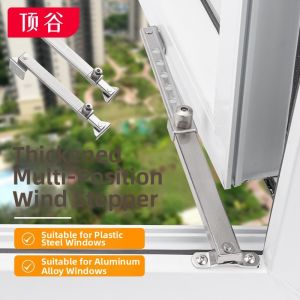
Window Position Limiter for Casement Windows
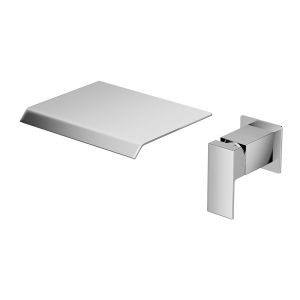
Concealed Bathroom Sink Faucet – Wall-Mounted Waterfall Faucet (Hot & Cold)
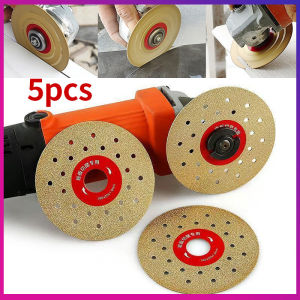
4Inch Diamond Cutg Disc Angle Grinder Grinding Wheel Slab Ceramic Tiles Marble Porcelain Grinding Cutg Disc Blade Wheels
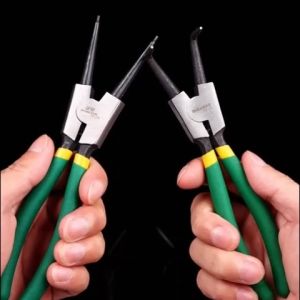
4PCS Snap Ring Pliers SetCirclip Pliers 7 Inch C Clip Pliers for Snap Ring Remover Retaining Lock Ring Pliers Set with Storage Case

Dewalt DCF902D2-GB 12V 3/8" Brushless Cordless Impact Wrench - Hog Ring DCF902D2/DCF902