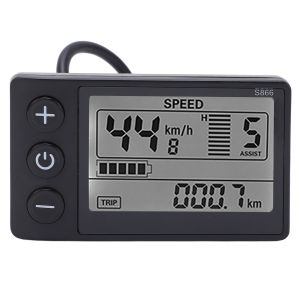
S866 Electric Bike LCD Display Meter 24V 36V 48V Control Panel with Waterproof Plug
Note:1Please confirm with the original manufacturer of the electric vehicle before purchase whether the model of the instrument and controller (S866), wiring definition (see the promotional picture), and communication protocol (communication protocol No. 2) are compatible. Otherwise, incompatibility may occur.Friend, this product requires a power source to start. The power source and the product can be used together to start it. This link does not include the power source for starting.Electric S866 LCD Display Meter 24V 36V 48V Control Panel with Waterproof PlugFeatures:1.Wide Range of Uses: Easy to install and use, comes with LCD screen display bracket, suitable for 22.2mm/0.9in handlebars.2.Premium Material: LCD display is made of premium ABS material and is lightweight, water resistant and high durability, and long service life.3.Simple to Operate: Easy to install and disassemble, without any difficult requirements even though you use it for the first time.4.Large Screen: LCD display makes it easier for you to view the data on the panel, and the status is displayed on the large screen more intuitively.5.See Clearly: The backlight allows you to see the screen clearly even in the dark environment, and the key operating is fast and convenient.Specification:Item Type: S866 LCD DisplayMaterial: ABSColor: As Pictures ShownWater Resistant Grade: IP65Weight: Approx.106g/3.7ozBracket Diameter: Approx. 22.2mm/0.9inCommunication Protocol: Protocol No. 2Matching voltage: 24V, 36V (default), 48V adjustable (select the matching voltage in P03 option)Package List:1 x S866 LCD Display1 x ManualFAQ Information:Q1: FAQ27162200171110001Question: How to operate the product?Answer: Please contact the customer service to obtain the operation video.Q2: FAQ27162200171110002Question: What is the communication protocol of the instrument?Answer: This is Protocol No. 2. The specific protocol file can be obtained from the customer service.Q3: FAQ27162200171110003Question: How to handle error E10?Answer: 1. Check the connection port between the instrument and the controller, and check if there is any poor contact. Plug and unplug it; 2. Is the instrument connected to other controllers? This model only supports Controller with Protocol No. 2. Please pay attention.Q4: FAQ27162200171110004Question: What should I do if I forget the password of the instrument settings?Answer: Reset the instrument password. The steps for resetting the password can be obtained from the customer service.Q5: FAQ2716220017111 0005Question: How to restore factory settings?Answer: In the P16 parameter interface of the instrument, press and hold the minus key for 6 seconds to restore to factory settings.Q6: FAQ27162200171110006Question: How to connect the product?Answer: The wiring instructions have been uploaded. Connect according to the correct wire color and hole position. Please contact the customer service to obtain them.Q7: FAQ27162200171110007Question: Tell me the wiring diagram, where is the connection wire, where are the pins, and is it XSD or JS? I'm interested in JS.Answer: The wiring diagram is shown in the attachment. Please contact the customer service to obtain it.

Global Merch Park
Review

You May Also Like
Pickleball Grip Tape Breathable Silicone Premium Pickleball Paddle Pickleball Racket Grip Anti-slip Shock-absorbing 匹克球拍手胶
Jaring pemutus jenis Frisbee jaring memancing Amerika membaling jaring tangan jaring memancing automatik mudah untuk membuang artifak memancing jaring berputar
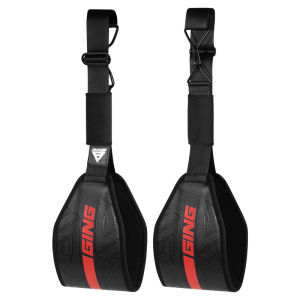
GINGPAI | Abdominal Support Workout Strap
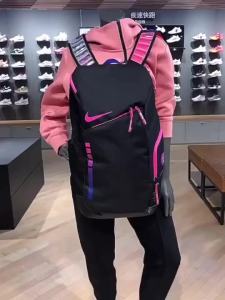
Air Cushion Basketball Bag Elite Student Backpack Sports Ball Bag for Teens School

Resistance Bands Gym Natural Latex Elastic Band Exercise Fitness Yoga Band Pull up Bands Power Set Home
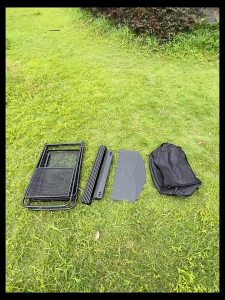
MOUNTAINHIKER Outdoor Camping Mobile Kitchen Table Portable Folding Kitchen Black Cookware Windshield Mesh Bag with Windproof Cover and Mesh Storage Bag
![[MSF] EXP UFO Soft Frog 3.7cm 5g Katak Tiruan Getah Casting Haruan Bujuk Fishing Lure Thailand](https://img.lazcdn.com/g/p/b1f40a3b682d31e7048ed7d7ee0701d8.png_300x300q80.png)
[MSF] EXP UFO Soft Frog 3.7cm 5g Katak Tiruan Getah Casting Haruan Bujuk Fishing Lure Thailand
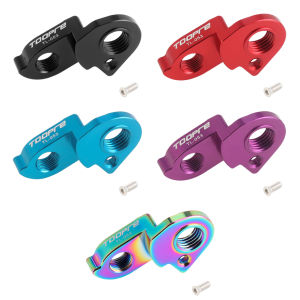
Bicycle Rear Derailleur Hanger Extension Aluminum Alloy Rear Derailleur Tail Hook Lightweight for XDS AD300 AD350 AD500
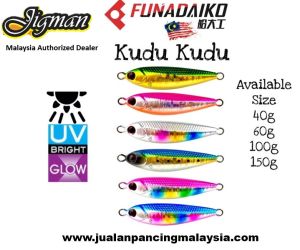
Funadaiko Jigman Kudu Kudu Jig Glow In The a dark and Uv 40g 60g 100g 150g
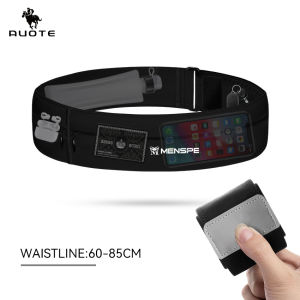
AUOTE Outdoor Running Multi functional Surrounding Ultra thin Invisible Fit Waterproof Sports Waist Pack Jogging Belt Fanny Pack for Workouts Sports Outdoor
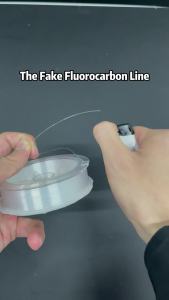
SeaKnight Brand MANSTER T2 Series 100% Fluorocarbon Fishing Line 100M Carbon Fiber Line 3-35LB Upgrade Sinking Line Sea Fishing