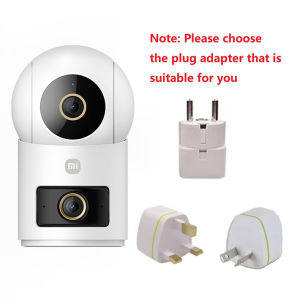
Xiaomi | Original Xiaomi Smart Camera 4 Dual-Lens Edition Dual 5MP Cameras 3K Ultra HD Quality Home Surveillance Infrared Night Vision CN
NOTE:This product version is for the China region. When adding cameras, please select the Chinese server in the Xiaomi settings.User Instructions:1.Please download the Mi Home app first. After downloading, Click "Profile" - "Additional settings".2.In "Language & region", set "Region" to "Chinese Mainland".3.Connect the power.(1) Insert the power adapter cable into the camera power port, and the camera will automatically power on.(2) The indicator light will be solid yellow, and you will hear a voice prompt indicating successful power-on.(3) Click the "+" in the upper right corner, then click "Scan".4.Follow the on-screen instructions to reset the product. Click "Device Reset".5.Select Wi-Fi and Click"Next".6.Continue until the connection is successful.*The app server can only be selected as Mainland China. Ensure a smooth network connection during connection, with the camera turned on normally and the indicator light solid yellow; after successful connection, the indicator light will be solid blue.Frequently Asked Questions1.Does the camera include a memory card? Is a microSD card required? What specifications are supported?①No memory card is included in the package. The camera can function without a microSD card. If installed, videos will be stored on the card in a loop.②Recommended: Use a high-speed SD card with Class10, U1, or U3 ratings.③Supported capacity: 8GB–256GB microSD cards.④ To view videos stored on the microSD card outside the Mi Home app, first download them to your device via the app. Raw video files require dedicated players (e.g., VLC, PotPlayer).2. What should I do if the camera cannot be bound or connected to the app?① Ensure that the Wi-Fi network to which the camera is being bound is stable and connected to the internet.② The camera supports 2.4GHz/ 5GHz Wi-Fi.③ Update the Mi Home app to the latest official version.④ Ensure that the indicator lights are functioning properly.⑤ Enter the correct password during the binding process.⑥ If the camera has already been bound to another account and needs to be re-bound, the original account must first unbind and delete the device before a new user can bind it.Please Note:*This product does not include a microSD card. Please purchase one according to your needs.

Prime Supply_Play Life
Review

You May Also Like

LIGE | 2026 New GPS Outdoor Sports Smart Watch Men AMOLED Screen LED Flashlight Heart rate Waterproof Bluetooth Call 1000mAh SmartWatch

2025 New Rugged Military Sports Smart Watch 1.95 inch 300mAH Bluetooth Fitness Tracker reloj hombre Smarthwhatch For Android IOS

MiJia | MIJIA Sonic Electric Toothbrush T302 USB Rechargeable IPX8 Waterproof Battery life 150 day 4 Modes Toothbrushes Whitening CN NEW

MOES | MOES Tuya ZigBee Smoke and Carbon Monoxide Detector 2-in-1 Smart CO Gas Alarm 85dB Siren Home Security App Remote Monitor Sensor
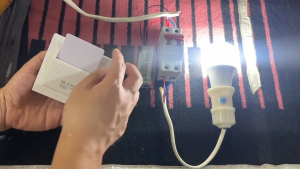
Wireless Hotel Key Card Power Switch No-Wiring Energy Airbnb power saving switch
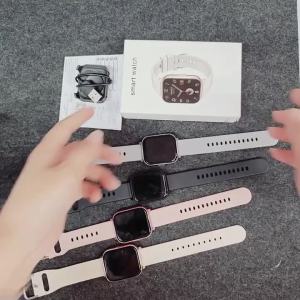
1.83 Inch Large Screen Bluetooth Call Sleep Monitor Exercise Music Player Wireless SIMSONLAB 2026 New Smart Watch for Men Women
LIGE | LIGE New Full Touch Screen Smart Watch For Men Women Sports Fitness Watches Health Monitor Waterproof Bluetooth Call Smartwatch
Xiaomi | Xiaomi Bluetooth Speaker C 18W Powerful Sound Speaker 3D Dazzling Lighting Waterproof and Dustproof Outdoor Speaker Portable -CN
Zigbee Smart Curtain Switch Relay DIY Curtain Breaker Blinds Roller Shutter Two Way Smart Switches Work With TUYA 2MQTT Gateway
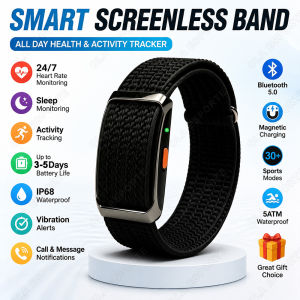
No Screen Smart Watch Men Woman Sports Outdoors Fitness Heart Rate Monitor IP68 Waterproof Call Reminder Smart Wristband HT30

(HD1)Gift for Kids 2026 M18 Android Gitft untuk Kanak-kanak 2026 M18 Jam Pintar Skrin Sentuh Sukan Panggilan Jam Pintar Versi Lelaki Sistem Android