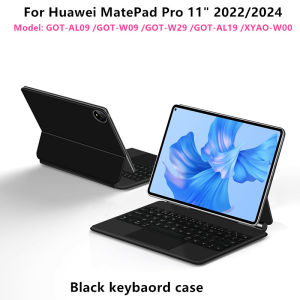
AJIUYU | AJIUYU Magic Keyboard for Huawei MatePad Pro 11 2022 2024 GOT-W29/AL09/W09 Magnetic Case Floating Folio Trackpad Keyboard Cover
Note: The main image page video is for reference only.For Huawei MatePad Pro 11" 2022/2024 Magic Keyboard,Magnetic adsorption, backlight, touch panel, multi angle support、Wireless Bluetooth connectionA keyboard and protective case in oneOne product ,dual uses,when unfolded , it is a Tablet Keyboard,and when closed,it is a protective Case,non-removable,enabling it to meet the needs of more scenariosNote 1:You need to upgrade the system to version 16.0 or higher to use the touchpad.Note 2:Please check in the size and detail model of your Tablet. it is very importtant ! ! !Note 3:After Open the Power, Please Click "Fn" and "C" 【Fn+C】Button Together to Open the Keyboard's Bluetooth. It is Very Important.How To Verify Your Tablet Model1.Turn tablet to the back find your specific model,2.Find the "Settings"--Click the "About"--Find the "Model"3.Please select the correct model number for your tablet purchase after viewing it.Compatible Huawei Mode:For Huawei MatePad Pro 11" inch 2022/2024 (GOT-AL09 /GOT-W09 /GOT-W29 /GOT-AL19 /XYAO-W00)Note: Other models cannot be used.Please confirm your machine model before purchasing~ Product Details:1. Number of buttons: 642. Battery: Lithium battery 500mAh3. Stand-by time: 150 days4. Working Time: 5 hours (with backlit on),120 hours (with backlit off)5. Working Voltage: 3.0 - 4.2V6. Charging current:7. Effective distance: 10 meters8. Backlit Light: 7 colors backlit9. Charge Port: Type-c10. Material: Anti fouling and durable PU material11. Key life:3 million12. Charging times: 3 hours13. Color: BlackNote 1:You need to upgrade iPad OS to version 15.0 or higher to use the touchpad.Note 2:After Open the Power, Please Click "Fn" and "C" 【Fn+C】Button Together to Open the Keyboard's Bluetooth. It is Very Important.Note 3:Switch language: Open Settings - Language and Input Method - Physical Keyboard - Add Language Layout【1-1】Input method switching: Control+spacebar.Attention PleaseEnglish versionkeyboard : There are English letters on the keyboard only.Multi-language versionkeyboard : English letters and carved language letterstogether 【For example, if you choose French, the keyboard will display English and French letters. Please note that the same letters will not be engraved repeatedly】(Due to material reasons, the characters carved from the white keyboard are dark gray)(Due to the difference in the number of keyboard keys compared to a normal office keyboard, some special character engraving positions are the same, which is a normal phenomenon)The keyboard Core defaults to English, and the characters engraved on the keyboard are only a Surface display.so in some countries, even if the input method is switched, the special symbols do not necessarily match the keyboard function layout(You can hold down the Shift or option combination).If you mind, please do not purchase!!.【Note】Bluetooth connection method: Turn on the keyboard switch, then hold down Fn+C for about 2-3 seconds to start Bluetooth, then turn on your tablet Bluetooth device, search for"BT Keyboard",and click connect to connect 。Note: If you do not use the keyboard for a long time, the keyboard will enter sleep mode and Bluetooth will automatically disconnect.【1】1. After connecting Bluetooth, open your iPad - Settings - Keyboard - Add New Keyboard【1-1】Input method switching: control+spacebar.(Choose the language you need)【2】Type-C charging interface, with switch button, 5.0 Bluetooth version【3】For detailed instructions, please read the user manual. If you have any questions, you can contact "Online Services" for consultation .Note: Tablet and Pencil are not included in the packaging~

Prime Supply_Play Life
Review

You May Also Like
NEEWER 67mm Magnetic Phone Lens Filter Kit Clip On HD Variable ND2-ND32 Phone Filters Set
FLOVEME Magnetic Wireless Charger Phone Case For iPhone 14 13 12 Pro Max Heat Dissipation Armor Aluminum Alloy Shockproof Back Cover For iPhone 14 13 12
UAG Metropolis SE Case for iPad Air 13" / iPad Air 11 ( 2024 ) M2 / iPad Air 10.9" ( 2022 - 2020 ) With Build In Apple Pencil Holder
Case+Strap for Redmi Watch 5 Active/Lite Silicone Cover Nylon Band for Redmi Band 5 Lite/Active Sport Bracelet Screen Protector
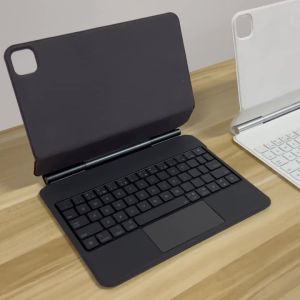
AJIUYU | Touchpad Magic Keyboard For iPad A16 11th 10th Gen M5 M4 Pro 13 12.9 11 Inch Air 11" 13" 4th 5th Smart Case English Korean 한국어
Compatible MIDEA Refrigerator Heater Element 230V 160W MD212 MD242 MD232V MD262V

【TP-Link Deco BE85 / BE65 / BE25】WiFi 7 Mesh System | 1 / 2 / 3 Pack | Tri-Band / Dual-Band | MY Warranty

Cartoon womens bag yarn ball pendant crystal cute car keychain high-end mink fur bow mobile phone chain
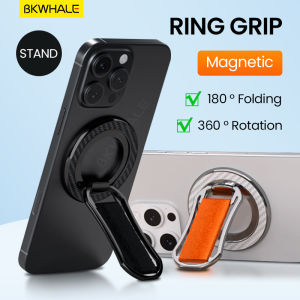
BKWHALE Magnetic bracket 360 ° Rotation metal stand Portable phone holder Multi functional ring Grip
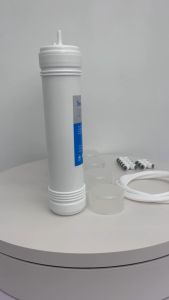
FILTER REPLACEMENT CORE (COWAY) CHP-671L
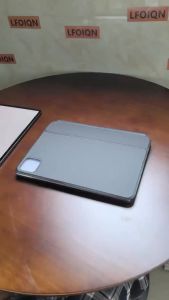
LFOIQN Floating Keyboard Case For POCO Pad X1 Xiaomi Pad 6/6Pro 7/7Pro MiPad 8/ 8Pro 11.2 inch 5/ 5 Pro Tablet Smart Cover Focus