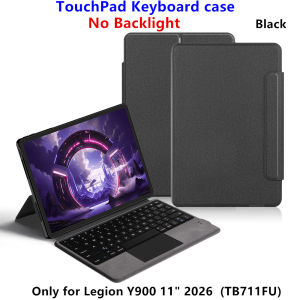
AJIUYU | TouchPad Keyboard for Lenovo Legion Y900 11 inch 2026 Samrt Case Backlit Keyboard for LEGION Y900 11" TB711FU Tablet Cover Folio
This is an "all-in-one" keyboard case, TPU soft shell protective case, which can effectively protect your tablet. The keyboard and protective case cannot be separated .Bluetooth connection, with touch pad, with backlight ,Note: The keyboard comes with and without backlight, and you will get what you choose.How To Verify Your Tablet Model1.Turn Lenovo tablet to the back find your specific model,Par exemple: TB****2.Find the "Settings"--Click the "About"--Find the "Model"3.Please select the correct model number for your tablet purchase after viewing it.Applicable Models:Only For Lenovo Legion Y900 11 inch (Model: TB711FU)Please confirm your machine model before purchasing~Attention PleaseEnglish versionkeyboard : There are English letters on the keyboard only.Multi-language versionkeyboard : English letters and carved language letters together .【For example, if you choose French, the keyboard will display English and French letters. Please note that the same letters will not be engraved repeatedly】(Due to the keyboard material, the language characters carved out are dark gray.)(Due to the difference in the number of keyboard keys compared to a normal office keyboard, some special character engraving positions are the same, which is a normal phenomenon)(The keyboard Core defaults to English, and the characters engraved on the keyboard are only a Surface display.so in some countries, even if the input method is switched, the special symbols do not necessarily match the keyboard function layout.(You can hold down the Shift or AI combination)If you mind, please do not purchase)[1]Bluetooth connection method: Turn on the keyboard switch, then press and hold Fn+Z for about 2-3 seconds to start Bluetooth. The indicator light turns blue, and then turn on your tablet Bluetooth. Search for "Bluetooth Keyboard" and click connect to pair. After receiving the keyboard, fully charge it (about 4 hours).【2】Switch language: Open Settings - Language and Input Method - Physical Keyboard - Add Language Layout..【3】Input method switching: control+spacebar.(Choose the language you need)【4】For detailed instructions, please read the user manual. If you have any questions, you can contact "Online Services" for consultation .The resolution of the machine is different, and there may be color differences in the images, which is a normal phenomenon. The actual product received shall prevailNote: Tablet and Pencil are not included in the packaging!!The back bracket needs to be manually opened~~

Prime Supply_Play Life
Ulasan

Anda mungkin menyukai

70mai Hardware Kit Hard Wire Fuse Kit UP02
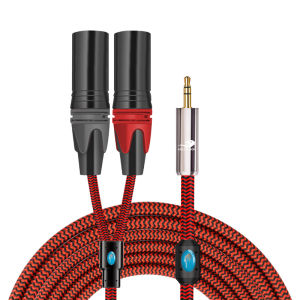
GOLLEY LION 3.5mm to Dual XLR Audio Cable for Computer Mixer ConsoleY Splitter Cord
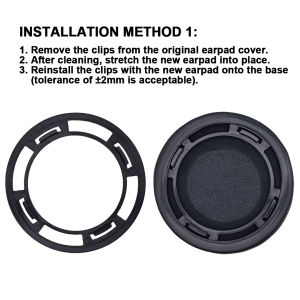
Universal sheepskin earpads flat and beveled ear cushions 80mm to 110mm sized headphone earmuffs sealed soundproof and noise reducing ear pads

Case for iPad 7th 8th 9th 10.2 Cover Transparent with Pencil Holder Tablet Case for iPad Air 4 5 10.9 5th 6th 9.7 Pro 12.9 funda
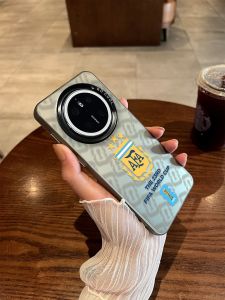
LINGRONG | Argentina Team Emblem World Cup Soft Rubber Full Body Protective Case for Huawei Phones

4 in 1 PTFE Adapter for Bambu Lab A2L/H2C/H2D/H2S/P1S/P1P/X1C/A1/A1 MINI Connector 4 Feeder Modules Upgrade Bambulab Accessories
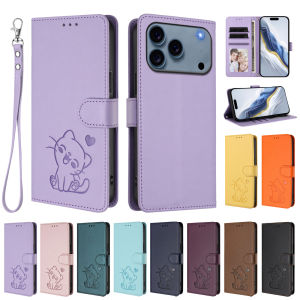
Cute Cat Heart Embossed Flip Wallet Phone Case For iPhone 18 Pro Max 17 16 15 14 PU Leather Multi Card Slots Kickstand Cover With Wrist Strap Shockproof Protective Casing For Women

AXNEN | F05 Auto Pop-Up Selfie Stick Tripod Cellphone Holder with Bluetooth Remote 7-Section Extendable Pole 360° Rotation Phone Vlog
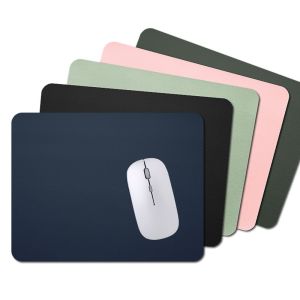
OKKFINE Ultra Soft Laptop Computer Home Office Writing Mat Mouse Pad Desk Mat Keyboard Mice Mat PU Leather
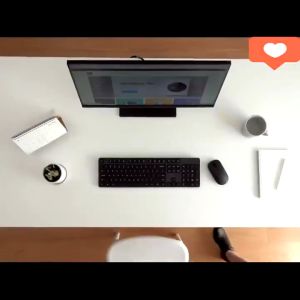
Xiaomi Wireless Keyboard and Mouse Set 2 Silent 1000 DPI 104 keys Keyboard Mouse Combo 2.4GHz USB Receiver
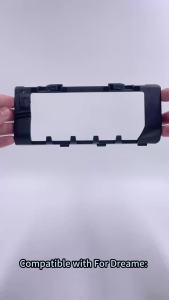
Main Brush Cover Roller Brush For Dreame X50 X50 Ultra X50 Pro L50 Pro Ultra X50 Master X40 Enhanced S40 Enhanced Robot Vacuum