Case for Lenovo Xiaoxin Pad 11 Inch 2024 2025 Detachable Keyboard Case for Lenovo Tab M11 / Idea Tab 11 with Pen Slot
The tablet case in this link is only compatible with models:Lenovo Xiaoxin Pad 2024 11-inch(TB331FC)Lenovo Tab M11 11-inch(TB330XU/FU)Lenovo Xiaoxin Pad 11-inch 2025(TB335FC)Lenovo Idea Tab 11-inch(TB336FU/ZU)How to verify tablet model1. Go to the back and find your specific model.2. Find "Settings" - Click "About" - Find "Model"3. Please purchase the correct compatible model case according to the tablet after viewing.Note:The digital tablet and stylus are not included in the package. The detailed description is for reference only. Please refer to the actual product for the color of theproduct.How to connect keyboard and mouse?1. Connect the mouse first, then the keyboard.2. Mouse: Push the switch to the "Bluetooth" icon and find the Bluetooth connection with the "mouse" in the device Bluetooth list.3. Keyboard: Push the switch in the upper right corner to "ON", press "Connect", and find the Bluetooth connection with "Keyboard" in the device Bluetooth list.4. Touchpad keyboard: Open the keyboard, press Fn+C, and then find the Bluetooth connection with "Keyboard" in the device Bluetooth list.FAQQ:What should I pay attention to when connecting the mouse for the first time?A:When the mouse is connected for the first time, you need to press the left button, the right button and the scroll wheel at the same time for about 3-5 seconds.Q: Is the scroll direction of the mouse USB connector and Bluetooth connection the same?A: No, they are different. When using the USB connector, the scroll wheel slides in the same direction as the computer mouse. Bluetooth connection is the opposite.Q: How to switch between different systems?A: Fn+Q=Android, Fn+W=Windows, Fn+E=IOS.Please note that please switch the system before connecting the tablet.Q:The bluetooth keyboard letters are messy?A: Please check the settings according to the prompts,a. Check whether the keyboard language set on the device is English.b. Disconnect the keyboard Bluetooth, click Ignore the connected device, reopen the Bluetooth keyboard, select system, Fn+E (IOS system).Note: Fn+Q=Android, Fn+W=Windows, Fn+E=IOSc. Press the L S Z buttons at the same time to reset the keyboardQ:How to configure the input method for different languages keyboard?A:Take the samsung tablet as example,open "Settings--"ystem"--"Language & input"--"Add New Keyboard". (For other systems, please set them in the system settings according to the tips of the iPad example.)Q:How does the mouse change teh scroll wheel sliding direction on the device?A: The mouse is connected, open "General" - "Trackpad & Mouse" - close "Natural Scrolling".

GlobalTechMart

Review

You May Also Like
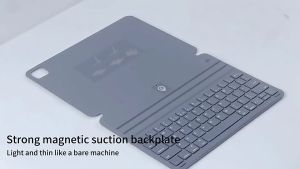
Premium Bluetooth Keyboard Case for iPad Pro Air (11"/13") 2024 2025 ipad 11 A16 Dual Viewing Angles | Slim & Lightweight Compatible with M2/M3/M4 Models (2025)

SATA to USB 3.0 Cable SATA to USB Adapter for 2.5" HDD & SSD Hard Drive Reader/External Hard Drive Converter for SATA III

FLOVEME Telescopic Design Matte Phone Case For Samsung Galaxy Z Flip 6 Z Flip 5 Flip 4 Flip 3 5G PU Leather Hinge Full Protection Hard PC Back Cover For Galaxy Z Flip6 Z Flip 5 Flip 4 Flip 3

Keyboard Protector for ASUS ROG Strix G15 G513 G513x G513Q G513QM G513QR G513QY G 15 Silicone Keyboard Protective Cover 15.6"

ET-86 ET86 Lens Hood For Canon EF 70-200mm f/2.8L IS USM
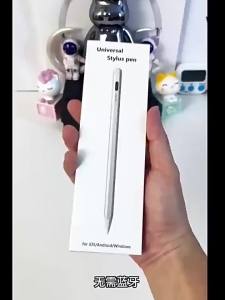
Universal For Apple Devices Stylus Pen
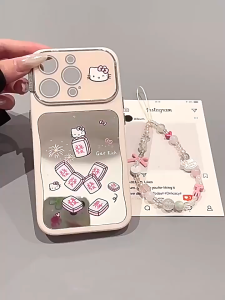
BasicSpark Phone Lanyard Pink Bow Kitten Pearl Phone Strap Viral Cute Aesthetic Women Wrist Chain Pendant Gantungan Tangan Telefon INS Trendy Hanging Ornament

Wireless Keyboard Bluetooth-compatible Keyboard For Android IOS Windows Mini 78-Key Gaming Keybaord for PC iPad Tablet Keyboard

Geometric Pentagon Metal Arch Backdrop Stand Party Wedding Events Decorations Balloon Flower Arch

Epson PS-180 HH129B 24V 2.1A Printer Charger

1 Year Warranty 12" GELOOF Turbo Stand Fan Kipas Berdiri Adjustable Stand Fan