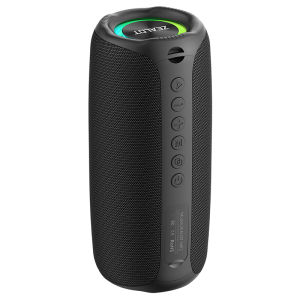
Zealot | Zealot-MP2 Bluetooth Speaker Ultra Portable Up to 15H Playtime IP65 Waterproof and Dustproof Powerful Sound for Outdoor
Ultra Portable DesignThe Zealot-MP2 Bluetooth Speaker boasts an ultra-portable design, making it perfect for on-the-go music lovers.Powerful Stereo SoundExperience powerful stereo sound with a PMPO of 20W, providing an immersive audio experience.Waterproof and DustproofIP65 certified, the Zealot-MP2 is fully waterproof and dustproof, ideal for outdoor activities.Long PlaytimeWith up to 15H playtime, this speaker ensures you can enjoy your favorite tunes without frequent charging.Bluetooth 5.3 ConnectivityEquipped with Bluetooth 5.3, this speaker offers stable connectivity and a maximum wireless range of Selling PointBattery capacity: 3600mAhBluetooth version: 5.4Speaker: 20WTransmission distance: 10mFrequency response: 20Hz-20KHzSignal to noise ratio: ≥ 85dBWorking voltage: 3.7VDistortion:Charging voltage: DC5VCharging interface: TYPE-CTF card playback: 15hStandby time: ≥ 30 daysCharging time: 3.5hWeight: 0.62kgSize: 21cm x 9cm x 9cmPackage:1x ZEALOT MP2 bluetooth speaker 1x Charging cable 1x User manualBRAND INTRODUCTIONZealot Digital Technology Co., Ltd., established in August 2010, is a high-tech enterprise that has been committed to the field of digital products for a long time, integrating R&D,production, sales and service. The company takes market demand as the starting point, seeks innovation, promotes development, and achieves customer needs with the awareness of sincere cooperation and the service concept of improving the quality of life of the public. The products are popular in the digital audio-visual market with their advanced technology, first-class quality, exquisite and fashionable appearance, and considerate after-sales service.FAQ1, What should I do if I can't turn on my computer?After receiving the speaker, please charge it first, and then it can usually turn on normally.2, What should I do if I can't charge the battery?Sometimes the battery may be in a state of waiting to be activated due to low temperature and other conditions. Usually, after continuous charging for 1 hour, the charging status will return to normal.3, What should I do if the sound cannot be output?Usually it's a formatting issue when playing music. Please adjust the music format to MP3.4, What should I do if I can't connect or pair with Bluetooth?Please disconnect other Bluetooth devices on your phone first, and then search for devices to connect.5, What should I do if there is no sound after Bluetooth connection?Please check if the speaker volume and phone volume have been adjusted to the lowest level. If there is no problem with the volume, please check if music is playing on the phone.6, What should I do if I can't adjust the volume?Please check if the volume of the speaker is already at its maximum. If both the phone and speaker are at their maximum volume, it is impossible to adjust it.7, What should I do if I can't connect the microphone?At present, only S32 and S53 models have built-in microphone function, while other models do not have built-in microphone. If you really need it, please choose the model with microphone.8, What should I do if my SD card is not recognized?Usually it's a format issue with the storage card. The storage card needs to be adjusted to FAT32, and music usually needs to be adjusted to MP3 format so that it can be recognized properly.9, How to connect to TV?Usually, it can be connected to a TV through an AUX data cable.10, How to set the standalone working mode?As long as the mode you choose works properly, it usually does not actively switch modes, such as MP3 mode. If you cannot read music continuously, it will automatically switch to a mode that can be used normally.

Prime Supply_Play Life
Review

You May Also Like
MAKETUBU | Birthday Gift Headphones
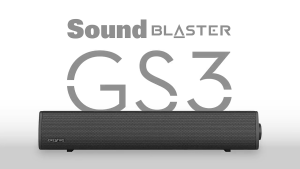
Creative Sound Blaster GS3 Compact RGB Gaming Soundbar with SuperWide technology Powered via USB Bluetooth 5.4
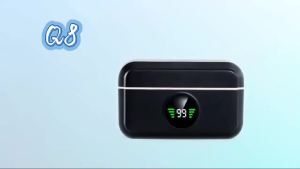
Wireless Lavalier Microphone Mini Outdoor Noise Cancelling for Live Interviews with Charging Case Compatible with iPhone
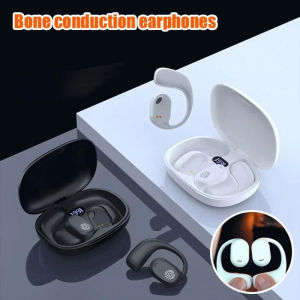
KEBIDU Bluetooth 5.3 Version Earphones With Ultra Long Battery Life Suitable For Outdoor Travel Ear Mounted Earphone Bone Conduction
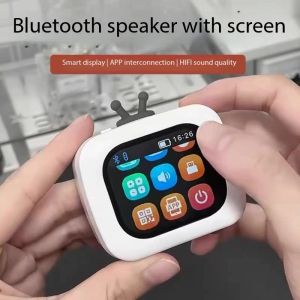
Portable Multifunctional Bluetooth Speaker Music Photo Album Alarm Clock Call Timer/calculator Weather Calendar Boombox
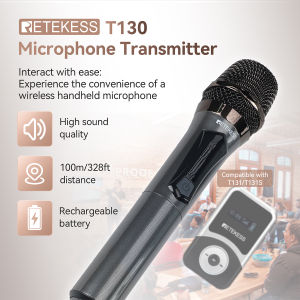
Retekess T130 Professional Wireless Handheld Microphone Transmitter used in such as Church Conference Speech Small Stage Performance
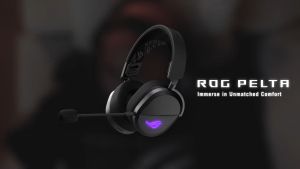
ASUS ROG Pelta SpeedNova Wireless Gaming Headset Tri Mode Bluetooth Boom Mic
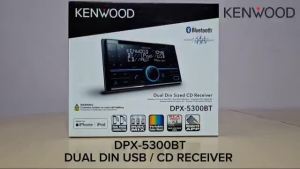
Kenwood DPX-5300BT Dual DIN USB / CD Receiver
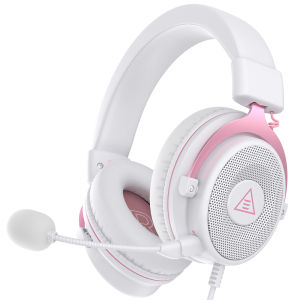
EKSA E900 PC Gaming Headphones 3.5mm Wired Headset Gamer Stereo Over-Ear Headphone with Detachable Microphone for PS4/PS5/Xbox

【COD】Marshall Minor III/Motif ANC True Wireless Bluetooth Earphones with Microphone In-Ear Sports Headphones Gaming Music Waterproof Headphones
JBL | JBL GO3 IP67 Waterproof Bluetooth Speaker Rugged Portable Wireless Camping Speaker