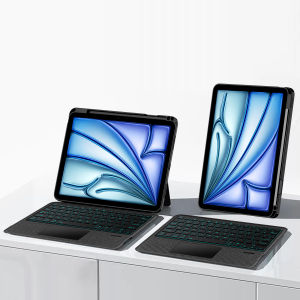
AJIUYU | Smart Magic Keyboard For iPad Air 11 Inch M4 M3 M2 Pro 11 1st 2nd 3th 4th generation Air45 Case TouchPad Backlit Separable Cover
This is an detachable keyboard case, TPU soft shell protective case, which can effectively protect your tablet. The keyboard and protective case can be separated .Keyboard with Backlight and TouchPad.Bluetooth connection, with touch pad, with backlight.,Horizontal and vertical support.How To Verify Your Tablet Model1.Turn iPad tablet to the back find your specific model,Par exemple: A ****2.Find the "Settings"--Click the "About"--Find the "Model"3.Please select the correct model number for your tablet purchase after viewing it.Compatible models and codes:For iPad Air 11 inch M4 2026(Model Code:A3459 /A3460 /A3463 )For iPad Air 11 inch M3 2025 (Model code :A3266/A3267/A3270)For iPad Air 11 inch M2 2024 (Model code: A2902/A2903/A2904)For iPad Pro 11 2018 1st Generation (Model Code :A1980 /A1934 /A1979 /A2013)For iPad Pro 11 2020 2nd Generation (Model Code :A2228/ A2068/ A2230 /A2231)For iPad Pro 11 2021 3rd Generation (Model Code:A2377、A2459、A2301、A2460)For iPad Pro 11 2022 4th Generation(Model Code:A2759 、A2435、 A2761、 A2762)For iPad Air 5th generation 10.9 inch 2022(Model Code:A2588、 A2589 、A2591)For iPad Air 4th generation 10.9 inch 2020(Model Code:A2316、A2324、A2325、A2072)These 9 models of keyboard covers (universal) Please confirm your tablet model before purchase.If you don't understand your machine model, you can contact usAttention PleaseEnglish versionkeyboard : There are English letters on the keyboard only.Multi-language versionkeyboard : English letters and carved language letters together .【For example, if you choose French, the keyboard will display English and French letters. Please note that the same letters will not be engraved repeatedly】(Due to the difference in the number of keyboard keys compared to a normal office keyboard, some special character engraving positions are the same, which is a normal phenomenon)The keyboard Core defaults to English, and the characters engraved on the keyboard are only a Surface display.so in some countries, even if the input method is switched, the special symbols do not necessarily match the keyboard function layout(You can hold down the Shift or option combination).If you mind, please do not purchase!!.【Language layout for reference only】【1】Bluetooth connection method: Turn on the keyboard switch, then press and hold Fn+C for about 2-3 seconds to start Bluetooth. The indicator light flashes blue. Then turn on your machine's Bluetooth and click"Wireless KeyboardConnection" to connect【2】Switch language: Open Settings - Language and Input Method - Physical Keyboard - Add Language Layout..【3】Input method switching: control+spacebar.(Select the language input method you want to switch to)【4】Type-C charging interface,Wireless Bluetooth connection、Adjustable bracket Stand.【5】For detailed instructions, please read the user manual. If you have any questions, you can contact "Online Services" for consultation .Note: Tablet and Pencil are not included in the packaging.The back bracket needs to be manually opened~~【Product image, excluding tablet computer】

Prime Supply_Play Life
Ulasan

Anda mungkin menyukai
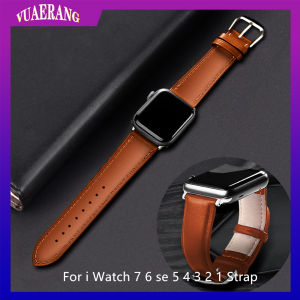
VUAERANG Brown Leather Band Loop Strap Compatible for Apple Watch 7 6 SE 5 4 3 2 1 38 40 41mm Leather Band for i watch 45 44 42mm Bracelet
![[ ORI ] ADAM Elements VIONTA T1 10000mAh Travel Power Bank with Built-In Cable CCC Certified](https://img.lazcdn.com/g/ff/kf/S28a03da59f0147f1af9e5f8c57582e8an.png_300x300q80.png)
[ ORI ] ADAM Elements VIONTA T1 10000mAh Travel Power Bank with Built-In Cable CCC Certified
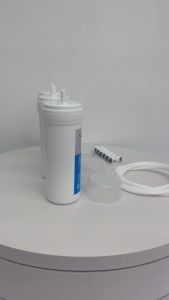
COWAY Filter Replacement Coway Neo Plus / Petit / Ombak / Ferry
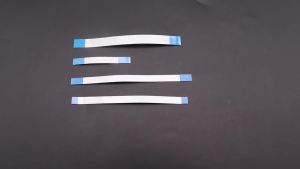
2/10PCS 3W 5W 7W 9W Power Reset Switch Ribbon Cable For PS2 30000 50000 70000 90000 Power On/off Switch Flat Cable Repair
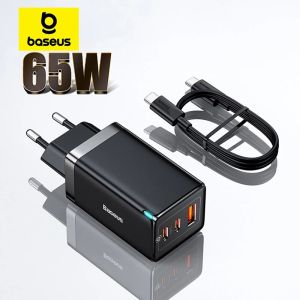
BASEUS | Baseus 65W GaN Charger Quick Charge 4.0 3.0 Type C PD USB Charger Portable QC4.0 3.0 Fast Charger For Laptop IPhone14 13
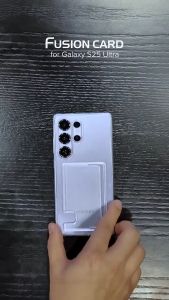
RINGKE® FUSION CARD Wallet Samsung Galaxy S25+/ S25 Transparent Hard Back with Built-in Slim Card Holder Case
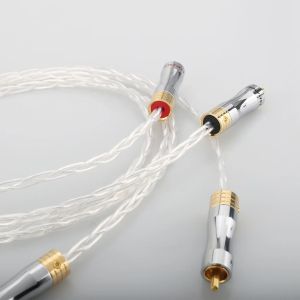
Hifi 8N OCC Copper Silver Plated RCA to RCA Cable Male Audio Cable RCA Plug to RCA
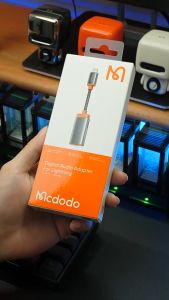
MCDODO SPLITTER IP TO IP AND 3.5MM AUDIO ADAPTER COMPATIBLE FOR APPLE SPLITTER EARFON CONVERTER SUPPORT MUSIC CHARGING ADAPTOR SPLITER
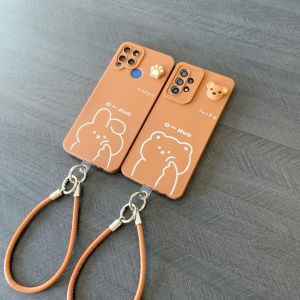
Vivo Y02s Y15a Y15s 2021 Y16 Y21T Y22s Y33s Y35 Y76 5G Y77 5G T1x V21 V21e V23e V25 V25e V27 V27e 4G 5G
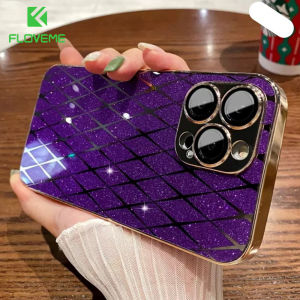
FLOVEME Plating Rhombic Lattice Glitter Phone Case For iphone 14 13 12 Pro Max 14 Plus With Lens Film All-inclusive Silicone Soft Back Cover For iphone 14 13 12

QINJUE Pink Phone Charms Pendant Y2K Peach Kawaii Sweet Girl Keychain Trendy Cute Bowknot Bead Car Key Ring