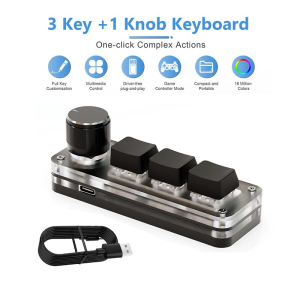
USB Macro Mechanical Keyboard 3 Keys 1 Knob RGB Mini Gaming Custom Switch Programming Knob Portable Keypads For Photoshop
Description• MULTICOLOR Backlight :The Macropad Macro Mechanical Keyboard features a vibrant MULTICOLOR backlight, enhancing your gaming experience with stunning visual effects.• Mechanical Operation :This mini keyboard boasts a mechanical operation style, ensuring precise and consistent keystrokes for optimal performance in games and applications.• Custom Programming Knob :Equipped with a custom programming knob, this keyboard allows for easy modification and adaptation to suit your specific needs.• 3 Key Layout :The 3-key layout of the keyboard provides ample space for all your gaming needs, making it an ideal choice for multitasking and quick access.• Red Switches :Featuring red switches, this keyboard offers a tactile feedback that enhances typing speed and accuracy, perfect for gamers and designers.• Wired Connection :With its wired connection, this keyboard guarantees a reliable and stable connection, ensuring uninterrupted gaming or working sessions.This is a mini keyboard with custom functions,Type-C to USB interface, no driver required, plug and play.Button customization, can be set according to your requirements.This keyboard can also be used to achieve complex operations, and is a good helper for office, games, music, media.you can set combination shortcut keys,the keyboard it has a storage function.Quick input Up to 5 charactersProduct data:easy to take with you.Multifunction custom keyboard:Support hot swap,you can DIY the heyboard switch and keycaps at your will.Good detailsTwo colors to choose:Package list1Keyboard1usb data cableUser Manual:Software download link:https://drive.google.com/drive/folders/1xqFDp-l5TVA_6Ojsn0rt7GqvF5EvWDCi?usp=share_linkIf you want Use the Keyboard in Mac, Please Set in the Windows First:can set all the key functions on the standard Windows computer. After setting it upon the Windows system, it can be used on systems that support the usb protocol such as Linux and Mac OSNotice:Common troubleshooting:Question 1: There is no response when the keyboard is connected to the computer, or the device is prompted abnormally.Solution: Check whether the cable and interface have been connected, and re-plug; replace the USB on the computerPlug the interface back in.Question 2: After downloading the custom software, it cannot be opened.Solution: Check whether the anti-virus software is blocking the operation, and set it as a trusted file.If you don’t know how to download the software, please see here:1.Software download link:https://drive.google.com/drive/folders/1xqFDp-l5TVA_6Ojsn0rt7GqvF5EvWDCi?usp=share_link2,open the link ,and follow step:3,remember to set it on windows computer.

GlobalTechMart
Review

You May Also Like
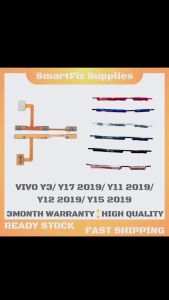
For Samsung A50S SM-A507 Type C Charging Board Charging Type C Port
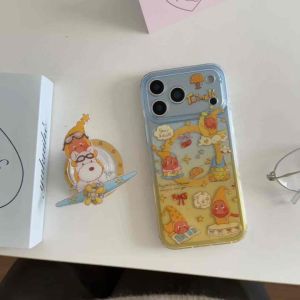
Cute Funny Wireless Charging Star Twinkle Boy With Magnetic Bracket Phone Case For iPhone 15,16,17,pro pro max
Potdemiel | Romantic Cream Red Heart For Samsung Galaxy S26 Ultra A56 Exquisitely Pattern Double Protective Phone Cover Cases CaseChic
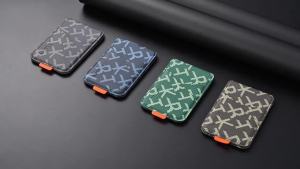
Magnetic Leather Wallet Phone Case Card Holder General Stand IPhone 17-12 PU Leather Magnetic Phone Stand Holder卡包手机支架
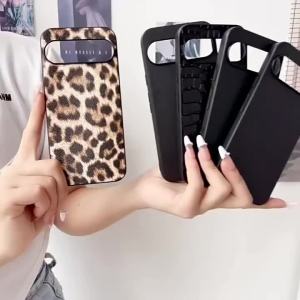
CHUBAN | Phone Cover For iPhone 17E 17 16 16E 15 14 13 12 Pro Max Air Plus Case Crocodile Snake Skin Pattern Leopard Print Saffiano Shell

Bandai | Demon Slayer Anime Mouse Pad Large Gaming Desk Mat Keyboard Mousepad PC Accessories Desk Protector Mats
5Pcs Screen Protector For ELEGOO Jupiter SE / 12.8 inch LCD Resin 3D Printers Anti Scratch Protective Film Accessories
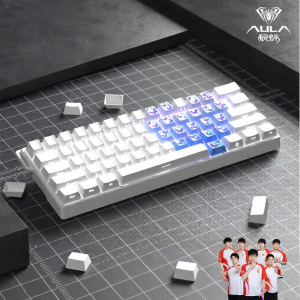
AULA | WIN60 High Performance Magnetic Axis Gaming Keyboard for FPS
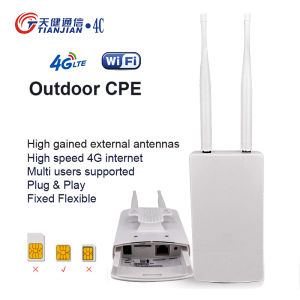
Wifi Router Modem Wifi Sim Card Wifi Antenna Outdoor 4G LTE 150Mbps WiFi Modem IP66 Waterproof Outdoor Modem External Antenna

JIFANPAUL | USB Powered Ultrasonic Aroma Diffuser Humidifier with Colorful Atmosphere for Desk & Bedroom
DAC Digital to Analog Audio Converter Optical SPDIF Toslink Coaxial Input to L/R RCA 3.5mm Jack Headphone Amplifier Output