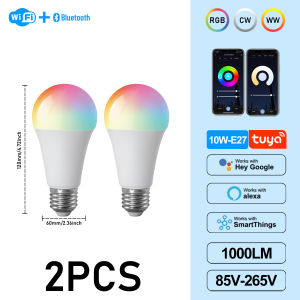
GATETOP | Dimmable E27 LED Bulb 10W TUYA WiFi Smart RGBCW Colorful 85-265V Light APP Adjust Support Alexa Google Home Alice Voice Control
Specification:Type: A60 WIFI bluetooth Smart LED BulbMaterial: Aluminum+PlasticItem Color: WhiteFunction: WiFi control, Compatible with Alexa Echo Google Home AssistantLight Color: RGB+Cold White (6000K)+Warm White (3000K)Socket Type: A60 Power: 10WVoltage: AC 85-265VChip: LED SMD 2835CRI: >85Lumen: 100 LM/WLife: >50000hBeam Angle: 220 degrees1. Voice Control:Easy voice control of all smart light bulbs via integration with Alexa Echo or Google Home Assistant, this includes turn on/off, brightness. Ex, you can say, "Alexa switch my smart light bulbs brightness to 50 percent". No Hub/Bridge Required!2. Timing Control:Never come home to a dark house - by using light schedules on the "Magic home-Smart home" app and be greeted with warm light. The timer function enables smart led light bulb power on and off automatically.3. Remote And Group Control:Keep connecting this wifi smart light bulb with your home network (only supports 2.4GHz Wifi), you can remotely control smart light bulb on your smartphone Simulate when you leave home, there are people in the house. Group control function allows you to control more than one smart light bulb at the same time for scene setting.InstructionWi-Fi LED BulbStep 1: Preparation for use1.Power on the bulb while ensuring that the phone is connected to the 2.4 GHz Wi-Fi network;2.Download and open up the app: Search for "Smart Life" or "TUYA" in the App Store or scan the QR code on the package/manual to download and install the app; Please click the "Register" button to register if you download it for the first time. If you already have an account, click the "Login" button.Step 2: Device Network configuration1.Open up the smart life app "Devices" page, click the " + " on the upper right corner of the page;2.Select "Lighting " on the device list page;3.There are two config mode: EZ mode and AP mode1)EZModeEnsure the light flashing quickly (twice a second) or breathing which indicates that the device is in config mode which allows you to connect. Please press the lamp switch by 5 times (on-off-on-off-on-off-on-off-on) ,stay in the open state ,till the light flashing quickly or or breathing. Click the"Confirm Light blinks rapidly" button on the page to start configuration.2)AP ModeClick the “AP Mode” in the upper right comer. After the indicator light flashes slowly; click the confirmation button on the page to connect to a 2.4G network. Then click "Connect Now" to connect to the hotspot of the device “SmartLife -XXXX”.Step 3: Network access settings1.Input the WIFI password, pay attention to connect 2.4G network environment, temporarily do not support 5G network;2.You can see the light bulb on the "Devices" page after setting up successfullyStep 4: Control devices1.Open the light control page. If it is off only the "Schedule" function will be displayed below. When light up, the complete function will be displayed at the bottom;2.Click on "Color", you can manually adjust the brightness and color temperature of the light;3.Click on the "Scene", you can choose the lighting mode under different scenes.

Prime Supply_Play Life
Ulasan

Anda mungkin menyukai
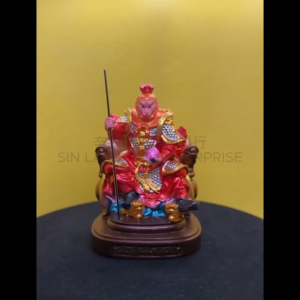
神像 4寸 树脂 Fibre【齊天大聖】孫悟空 大聖爺 齐天大圣 坐龙椅拿寿桃 天神系列 坐款 彩色 金身 4“ Qi Tian Da Sheng Wukong Fibre Statue S4-TS(B)

Elegant Multicolour Birthday Cake Candles with Flame Effects and Holders
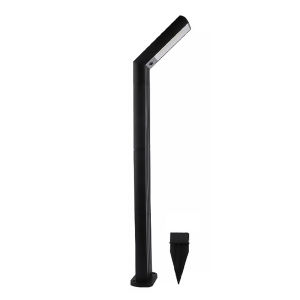
Waterproof Solar Garden Light with Seven-Shaped Design for Lawn and Pathway Decoration in Outdoor Spaces
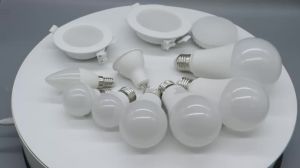
GATETOP | 3-Level Dimmable LED Spotlight Adjustable Brightness 100% 50% 15% GU10 GX53 E27 E14 Bulb for Home Lighting
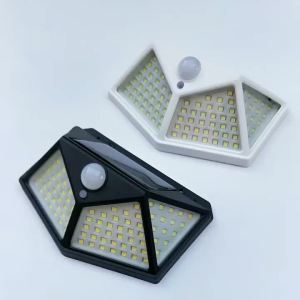
1/2/4PCS New Solar Lights Outdoor Wall Lamp PIR Motion Sensor 100LED Solar Powered Sunlight Street Light for Garden Courtyard

Salange 2-in-1 USB Galaxy Projector Night Light Starry Sky Projetors Lamp Manual Focus For Holiday Atmosphere/Photo Scenarios
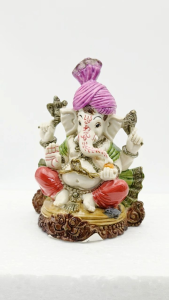
Marble Ganesha Statue Sitting Base Gift Type Ganesha silai / ST540

Mooncake Festival Traditional Paper Lantern Tanglung Mid Autumn Cellophane Glass Lantern With Free Stick Candle 中秋节灯笼
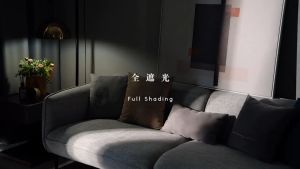
RENEOS Premium 99% Blackout Curtain 350cm Height Langsir Sliding Door 3 Panel Langsir Panjang Langsir 350cm Tinggi

0913 Thailand Buddha Amulet 泰国佛牌. Phra Kring Say Fa. Luang Pu Phat Punyakamo. Wat Huay Duan. BE2565.

Japanese Tabby Cat in Bathtub Poster Prints Canvas Painting Retro Aesthetic Wall Art Picture Japandi Bathroom Toilet Home Decor