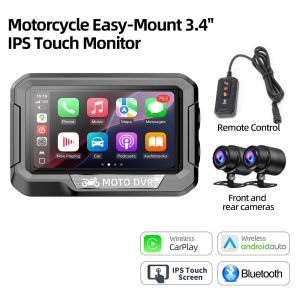
Dual 1080P Motorcycle DVR Full Body Waterproof Moto Camera TPMS WiFi GPS Dash Cam Front Rear Driving Video Recorder Black Box
Specification:Processor type: V851S3 ARM Cortex-A7 1.0GHzWorking current: 2.5APower supply method: 12V power cord or 5V USB power cordDisplay screen: 3.4-inch IPSDisplay screen resolution: 640 * 360WIFI: Built in 2.4GHz 5.8GHz WIFIBluetooth: Bluetooth 5.0Front camera video quality: 1920 * 1080P 30fpsRear camera video quality: 1920 * 1080P 30fpsVideo format: TS format storageVideo encoding: H.264Image format: MJPEG*Memory card expansion: Micro TF card capacity supported up to 128GB Class 10,64GB recommended,*Waterproof rating: IP673.4inch mini size for most car modelsIP67 waterproof Fit For All Riding EnvironmentsSupport CarPlay/Android AutoReal time navigation through CarPlay or Android Autoon mobile phonesBluetooth Play MusicIt allow you to connect your Bluetooth helmet or headset. Listen to music ormake calls with crystal clear audioDual Lens Driving RecorderFront camera video quality: 1920 * 1080P 30fpsRear camera video quality: 1920 * 1080P 30fpsAutomatic loop RecordingAfter the car computer is started, it will automatically loopthe video without dropping frames or missing seconds.When the card is full, it will automatically overwrite the earliest recorded file.WiFi connectivity, App playbackAPP installation requires following the following steps: 1: You need to use a mobile phone to install the app, which can be scanned or searched for installation.There are two ways as follows:Scan the QR code below directly to install, and make sure to select 'Allow' for the permission informationSearch for " elook " 2: Mobile phone successfully connected to device WiFi (WiFi name: DVR *****)After that, open the APP and click to connect to the recorder; 3: Using the APP: After successful connection, you can use various functions on the APP interface, such as recording, taking photos, and watching recorded videos.It should be noted that although some phones may support apps, this usually requires specific hardware configuration and support. Therefore, if your phone version is updated, there may be some features of the app that require you to pay attention to and wait for the latest version of the app to be released before using this technologyPrecise GPS Positioning &Comprehensive InformationAttention: The direction and position based on the North (e.g. 45.2 ° North)Support Multi-LanguagesTire pressure detection(optional)TPMS pairing requires following the following steps:1: Attention should be paid when pairing, click "Start", and then proceed to the nextstep of installing tire pressure;2: Tire pressure pairing A corresponds to the front wheel (FRO), B corresponds tothe rear wheel (bac), click pairing.3: Install the A tire pressure transmitter to the front wheels, pair the front wheels, andthen install the B tire pressure transmitter to the rear wheels. Reference: TirePressure (TPMS) Installation Guide4: The low and high voltage alarm values can be adjusted through the "▲" symbolInstallation Dagram12V power cable5V USB power cableSize and Product listCommon problem explanationNot turning on:*Loose power cord; *The vehicle voltage requirement is higher than 12V; *Remove the memory card and eliminate any damage to the memory card; Is there strong compression on the red connector.The camera has no image:Check if the voltage requirement is higher than 12VDetecting the use of USB power supply, requiring a power of 3A or 15WCheck if each interface of the camera is properly plugged in.The image shakes up and down:*Loose fixed bracket;*3M adhesive is not attached.The screen suddenly shuts down:*Set screen saver time or sleep mode.TipS ACC OFF:*Check for loose ACC power cord;*When the vehicle is not started, the voltage is below 11.3-11.6VStuck piayback of video fiies:Replace different players to playUse Calss10 or higher memory cardsCarplay Open and Close:How to disconnect Carplay/Android Auto/?Answer: Apple/Android phones can simply turn off WiFi or ignore the Bluetooth.How to reconnect CarPlay/Android Auto after manually disconnecting it?Answer: Simply tap Bluetooth again on your phone to connect to the machine.How to connect CarPlay and Android Auto after shutting down and restarting the machine?Answer: lf the phone has been connected to a machine, it will automatically reconnect when Bluetooth and WiFi are turned on.Carplay+APP link:How to use the mobile app when connecting to Carplay?Answer: When connecting to Caplay, Bluetooth connection is ignored on the phone in order to enter the app for wireless control

Prime Supply_Play Life
Review

You May Also Like
New 2025 Sticker Pillar Kereta / Car Pillar Sticker / Sticker Pintu Kereta / Sticker Car Door Sticker Universal 169
6 Pins AC Ignition CDI Box 12V For GY6 50 60 80 100 125 150 175 200 250CC Engine Universal Scooter ATV Buggy Go Kart Motorcycle
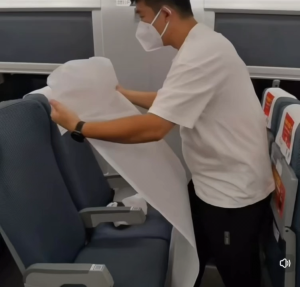
Disposable Seat Covers and Armrest Covers for Airplane Railways Train Bus OfficeMovie Theatre and TaxiEco-Friendly/
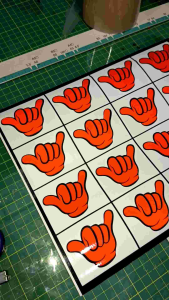
355- Hand Sign Reflective Cutting Sticker | Sticker Design Kereta Motor | Waterproof & Heat Resistant
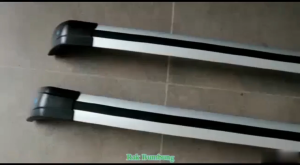
Close Rail SUV Roof Rack Cargo Carrier Luggage/Crossbar For Car Aruz X50 X70 X90 Kia Carnival Fortuner Santa Fe
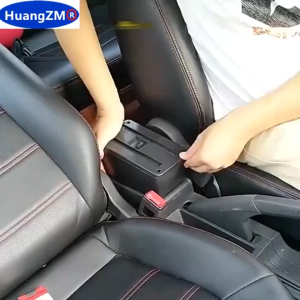
Vixplorn Car Armrest Console Box Storage Organizer Tahan Lama Universal Fit Interior Upgrade Retrofit Accessory
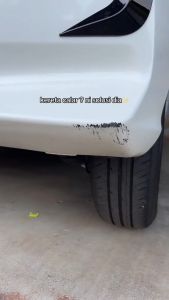
Touch Up Pen PEUGEOT 3008 Original Color Pen & Brush Repair Minor Scratch Car Paint DIY Fix Cat Calar Kereta Aikka 补漆笔
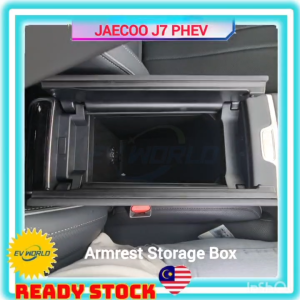
【J99】JAECOO J7 PHEV Armrest Storage Box Lower Console TPE Storage Tray Center Console Organizer Box
Wiper For Peugeot 607 2002-2011 2003 2004 2005 2006 2007 2008 2009 2010 Front Blades Windshield Windscreen Window 26"+22"

Ford Fiesta ABS Wheel Speed Sensor Front & Rear
![[Free Installation] Continental UC7 CS R16 R17 R18 R19 Tyre | Fresh Stock | KK Tyres](https://img.lazcdn.com/g/ff/kf/S40821aa26c4a4d09b74a7d51e40df7a7G.png_300x300q80.png)
[Free Installation] Continental UC7 CS R16 R17 R18 R19 Tyre | Fresh Stock | KK Tyres