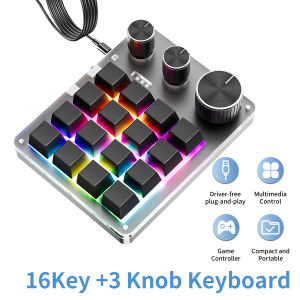
16 Keys 3 Knobs Mechanical Gaming Keyboard USB Wired Bluetooth-Support/ 2.4G Programming Macro Keyboard Custom Hot-swap Keypad
Feature:1. A total of 16 keys and 3 knobs; the functions of each button and knob can be customized by pressing the clockwise or counterclockwise knob;2. Various LED light effect settings;3. Divided into three layers (LED indication), it can meet different usage needs, avoid multiple settings, improve work efficiency, and enhance entertainment and leisure experience;4. It has an ultra-thin design and is equipped with a silicone anti-slip pad at the bottom. It has a grand appearance and is easy and stable to use;5. Set up on the WIN computer first, and then use it on other systems;you can set combination shortcut keys,could enter max 18 characters one key, the keyboard has It has a storage function.6.if need to use bluetooth function,please first setup when wired, then connect via bluetooth,un-wired,software will show:disconnect but the keyboard will remember your setup,you can keep to use. In Bluetooth or 2.4G mode, keyboard will auto turn off the lights to work longer.Wired Version Package includes1Keyboard1usb data cableWired Bluetooth Version Package includes1Keyboard1usb data cableWired BT 2.4GConnect Version Package includes1Keyboard1usb data cable1* USB 2.4G receiverNote:Bluetooth or 2.4G version, first connect the computer with a USB data cable for settings before using the wireless function.Scan the QR code to download. If it doesn't work, you can scan the backup QR code.Alternatively, you can open the link below to download, both links are available.http://szxiaozi.com/tool.ziphttps://drive.google.com/file/d/1pRjmmu8pTPYcyYjo0LG1MlGlAR-u2yND/view?usp=sharingDownload the entire folder, then open the folder and open the softwarechoose version according to your computerConnect the keyboard to the computer directly with the USB cable comes within the packaging box .Do not use tools such as docking station hub5 lighting modes can be set.Among them, LED model 0 is to turn off the lights.When setting up,first click on LED model 1(or LED model 0 2 3 4 5), then click save settings to save it.The color square below is meaningless and will not affect the switching of RGB mode. It can be set without clicking. Just click on LED Mode 0-5 and then click save settings to switch between RGB modesLed model 0 to turn off the lightWhen setting up,first click,led model 0, andthen click save settings to save it.Led model 1Led model 1 is 16keys all light with different clolorWhen setting up,first click,led model 1, and then click save settings to save it.Led model 2Led model 2 is when press,light up,not press,not lightWhen setting up,first click,led model 2,then click save settings to save it.Led model 3Led model 3 is , When you press a button,the buttons on the cross shaped path centeredaround the button you press will light upWhen setting up, first click, led model 3,and then click save settings to save it.Led model 4Led model 4 is , All 16 buttons will light up,and the color of each button will switch by itself,creating a dynamic lighting effect overall.When setting up, first click, led model 4, and then click save settings to save it.Led model 5Led model 5 is , All 16 buttons will light up,and the color of each button will switch by itself,creating a dynamic lighting effect overall.Compared to the LED model 4,the jumping amplitude will be gentlerTo use a wireless connection, such as Bluetooth or 2.4G, please turn on the switch first. To turn left is turned off, and to turn right is turned on.First, use a wired connection, set up the keyboard keys, then unplug the data cable and turn on the wireless switch of the keyboard. Search for nearby devices using the computer's Bluetooth function, select the mini keyboard, and once connected successfully, you can use it. The 2.4G connection method also involves wired connection to the computer first. After setting up, unplug the USB data cable and plug the 2.4G USB plug into the computer to use itWireless connection, the lights will automatically turn off.

GlobalTechMart
Ulasan

Anda mungkin menyukai

Ultra-Fine Needle Tagging Gun Kit Gentle on Fabrics with Discreet Fasteners for Clothes & More with 50buckle+660needle
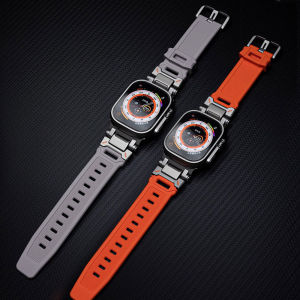
Silicone Strap + Watch Case For Apple Watch 11 46mm iWatch Series 11 10 9 8 7 SE2 6 5 4 45mm 44mm Rubber Watch Band Titanium Color Link Bracelet
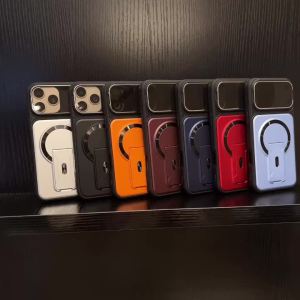
Luxury Folding Two Stand For Magsafe Magnetic Phone Case For IPhone17 Air 16 15 14 Plus 13 12 11 18 Pro Max Lens Protector Cover
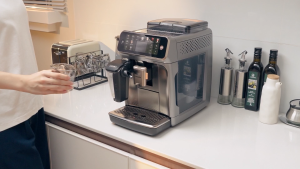
Lencent 3 in 1 Universal Plug Extension Wall Plug with Individual Switches 3 Outlets Multi Plug Outlet Power Plug Adapter Multiple Socket Charger Extension for Home Office Travel
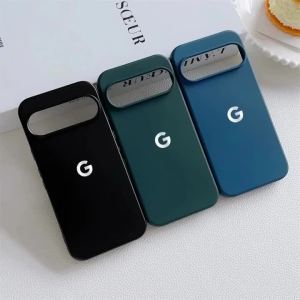
Liquid Silicone Soft Phone Case for Original Google Pixel 11 10 9 Pro XL 8 7 6 A Wireless Charger Shockproof Protect Back Cover
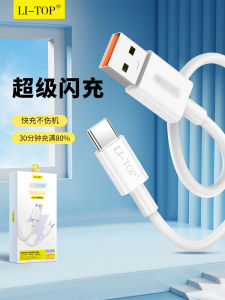
Flash Charging Cable 2m 6A
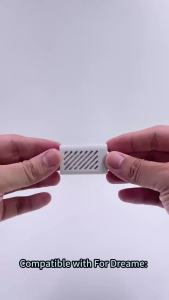
Compatible For Dreame L40 Ultra X40 Ultra X40 Pro Ultra Robot Vacuum Parts Silver Ion Module Sewage Tank Deodorization Particles
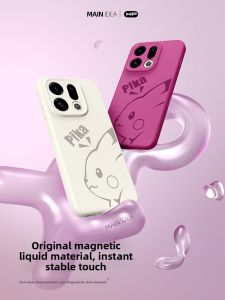
All-around Protective Shockproof Liquid Silicone High-end Magnetic Phone Case
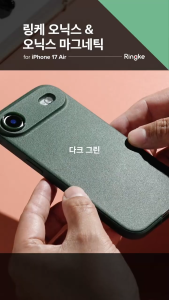
RINGKE® ONYX Magnetic Compatible iPhone Air MagSafe Non-Slip Grip Extreme Tough Flexible TPU Shockproof Rugged Bumper Gr
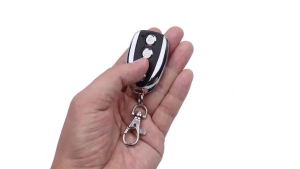
kebidumei | KEBIDUMEI 433MHz Clone Remote Control Copy 433.92MHz RF Transmitter Auto Cloning Duplicator for Garage Door Car CAME Remotes

Logitech | Logitech M750 Smooth Tracking Wireless Mice Reliable On Desk Mat For CS FPS Gaming And Contract Business Document Work