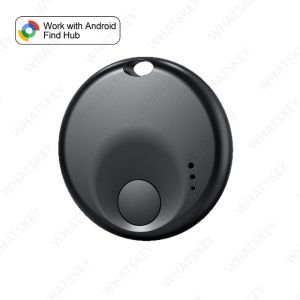
Android Air Tracker Tag Bluetooth Tracker Smart Tags Work with Google Find Hub App Search Locator Tracking Device Item Finder
Please note before ordering:🔔.This product is not applicable to Huawei series products and Apple products. It is only suitable for the Android system.Only suitable for overseas versions of Google phones, not compatible with domestic Android phones🔔.And it is not available in the Russian region. Please place your order with caution.🔔.If your mobile phone is from Apple or Huawei or a domestic version of Android phone in China, please do not place an order as this product is not supported.🔔. Please note that when connecting, first make sure that your phone can be downloaded from Google and the Android system is above 9.0. Turn on your phone's Bluetooth and WiFi🔔. Connect to the device in Google Find Hub device instead of Bluetooth on the phoneNotePlease use it with Google Find My APP Device.Please confirm that your phone can download the Google Find My Device APP before placing an order. Thank you.This tracker basically works like AirTags. It needs to update the location effectively when there are other Android phones nearby, and the phone must also register or use Google Find My Device to report the last tracker location to you.Tips: If the surrounding Android device is far away, the product will be updated within 15 minutes, if the locator is mobile, the surrounding signal is strong in order to achieve real-time updates (50 metres within the scope of the Android device can be updated with the location, such as the distance is closer to update the time faster)FAQ & AFAQ: Why can't my Android phone connect to Tag ?A: This is usually because the user missed the automatic pop-up window of Tag, you can try to restore the factory settings. The steps are as followsHow to reset: Please refer to the paper manual for the reset operationStep: Manual Connection Steps(Please refer to the video below)If the automatic popup doesn't appear, follow these steps to connect manually:1. Open phone settings2. Go to Google3. Select All services4. Go to Devices5. Turn on Scan for nearby devices6. View Available devices nearby

GlobalTechMart
Ulasan

Anda mungkin menyukai
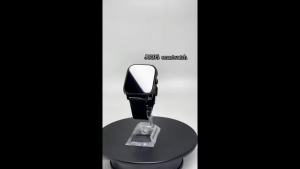
2.04inch Sports SmartWatch Fitness Clock Health Monitor Waterproof Smartwatch WirelessCall Watche for Men Women for Android iOS
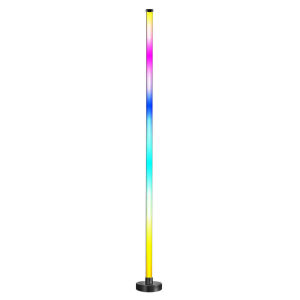
Winnereco Smart RGB LED Corner Lamp Modern Mood Lighting with APP and Remote Ideal for Living Rooms Bedrooms and Gaming Rooms
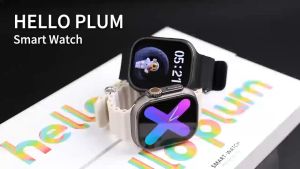
New Hello Watch 4+ 2.04 inches OLED Smartwatch 49mm 2GB RAM 16GB ROM NFC Compass 4G Call Android Smart Watch

2026 New Amazfit Bip 6 V69 1.85 Inch HD Bluetooth Call Smart Watch Men Sports Fitness Tracker Heart Monitor 710mAh Smartwatch

NEW 8MP HD Camera Smart AI Glasses Video Shooting Photo Object Recognition Translation Voice Wake Up Charging Case Smart Glasses
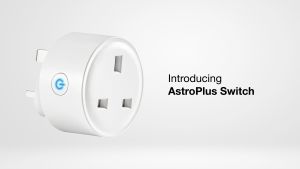
AAF AstroPure Switch Smart Wi-Fi Plug

LIGE | LIGE New Outdoor Military Smart Watch For Men 1.85" AMOLED 1000mAh Battery IP68K Swim Flashlight Heart Rate Wireless Call Watchs
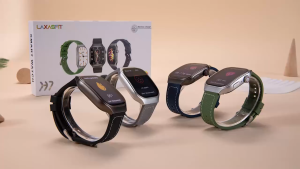
TT HAPPY LAXASFIT New 2.01" HD Curved Screen Smart Watch Men Women Bluetooth Call AI Voice Sports Fitness Tracker Smart Watch
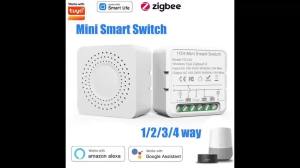
For Tuya WIFI/Zigbee 3.0 Smart Switch MINI Breaker DIY 2-way Control Smart Home Automation Smart Life Timing Voice Control Aleax

New T-RX5 GPS Smart Watch 1100mAH Ultra Battery Waterproof GPS Compass Altimeter Call AMOLED Men Swim Sport Smartwatch 2026 Ht22
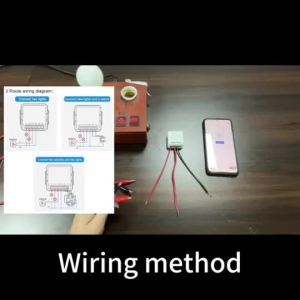
(HD1)Matter WiFi Smart Switch 16A Smart Home Light Switch Relay Module Voice Control Work with Alexa Homekit Smartthings Tuya