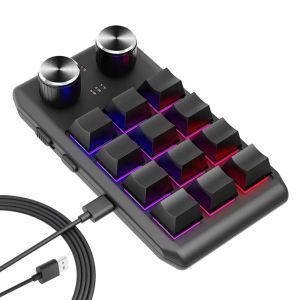
Programming Macro Custom 2 Knob Bluetooth Keyboard RGB 12 Key Mini Button Gaming Keypad Mechanical Hotswap Macropad Ultra-thin
• Bluetooth Wireless Connectivity :Experience seamless typing with the ammtoo Bluetooth wireless keyboard, perfect for tablet use. • MULTICOLOR Backlight :Add a stylish touch to your gaming or working experience with the vibrant MULTICOLOR backlight option. • Mechanical Operation Style :Get the best of both worlds with the mechanical operation style, offering precise key presses for optimal performance. • Custom Macro Programming :Customize your gaming or working experience with the custom macro programming feature, allowing for quick and efficient operation. • 2 Knob Design :The 2 knob design provides additional control and functionality, enhancing your gaming or working experience. • Compact Mini Keyboard :Ideal for portable use, the compact mini keyboard design fits easily into any bag, making it perfect for on-the-go use. Software download link:https://drive.google.com/drive/folders/16QgfaZ2z-0nCRmhwbc3WshUxUPLLtAmB?usp=sharing Feature:1. The toggle switch function is to turn on and off the Bluetooth function; 2. Equipped with two USB ports, horizontal and vertical, to meet different usage and placement requirements; (use either one, not at the same time) 3. A total of 12 keys and two knobs; the functions of each button and knob can be customized by pressing the clockwise or counterclockwise knob; 4. Various LED light effect settings; 5. Divided into three layers (LED indication), it can meet different usage needs, avoid multiple settings, improve work efficiency, and enhance entertainment and leisure experience; 6. It has an ultra-thin design and is equipped with a silicone anti-slip pad at the bottom. It has a grand appearance and is easy and stable to use; 7. Set up on the WIN computer first, and then use it on other systems;you can set combination shortcut keys,could enter max 18 characters one key, the keyboard has It has a storage function.8.if need to use bluetooth function,please first setup when wired, then connect via bluetooth,un-wired,software will show:disconnect but the keyboard will remember your setup,you can keep to use. In Bluetooth mode, keyboard will turn off the lights to work longer. Package includes1Keyboard1usb data cableCommon faults 1. Opening the software does not define key functions. Solution: Check whether the USB data line is connected. If the data cable is connected, but the software does not show that the connection is successful, please try to replace the data. 2. Press the keyboard keys the computer has no key function output. Solution: Please check whether the cable is plugged in or not, or replace the computer interface and try again. Please check whether the keyboard is working and whether the computer is connected to the keyboard. 3. can not connect bluetooth. Solution: Please check whether the keyboard is powered on or whether the battery is charged. Try charging for half an hour before trying to connect. Or whether the keyboard is already connected to another device. The current device cannot be detected. This keyboard can also be used to achieve complex operations, and is a good helper for office, games, music, media.no driver required, plug and playPlease note: Keyboard setting is only supported on Windows systems. Please use a Windows computer to set up first, and then use it on other computers.Make design faster and more efficientAll keys are programmableCompatible with various design softwareDetailed design for easy use.The software is only compatible with the Windows system. After successful setup, it can be connected to devices such as MAC/IPAD/Android for use. This setting file is 100% secure. Please release the antivirus software to run.Instructions: 1. Copy our software link and enter the download page. 2. After downloading the folder successfully, open the software 3. Connect the computer and our keyboard with the USB cable 4. Start setting, each button can be set. The knob contains 3 functions, turning left, turning right, and pressing, so each knob can be set to 3 functions. 5. If you need to use the Bluetooth function, first connect to the computer for settings. After the settings are completed, unplug the cord and continue to use the set shortcut keys. However, when connected to Bluetooth, the backlight will be turned off, and the options F13-F24 cannot be used. 6. Backlight settings, multiple backlight colors and modes can be selected. If you don't like the backlight, please select model0 so that the backlight can be turned off. 7. The keyboard has 3 layers, and the settings of each layer are independent. Please remember which layer you are setting on, so as not to forget. Connect setting steps: Software download link: https://drive.google.com/drive/folders/16QgfaZ2z-0nCRmhwbc3WshUxUPLLtAmB?usp=sharing12 keys in total, two knobs; Each button and knob's clockwise, counterclockwise knob, and knob can be customized when pressedNotice:1. Software download link:https://drive.google.com/drive/folders/16QgfaZ2z-0nCRmhwbc3WshUxUPLLtAmB?usp=sharing2. Need to use windows system for custom settings3. support hot swap4.Another thing to note about BT Version is that the keyboard cannot be connected when it enters standby sleep mode. Press button 1 to wake up the keyboard first.5.The battery is durable and fully charged. It can normally be used for about one month. When charging, the indicator light is "red", and when fully charged, the indicator light is "green".6.To switch layer functions, press a lower layer key to switch to a layer, and the current layer will be automatically memorized after power failure.7,F13-F24 ,cannot use during bluetooth connect. Common troubleshooting:Question 1: There is no response when the keyboard is connected to the computer, or the device is prompted abnormally.Solution: Check whether the cable and interface have been connected, and re-plug; replace the USB on the computerPlug the interface back in.Question 2: After downloading the custom software, it cannot be opened.Solution: Check whether the anti-virus software is blocking the operation, and set it as a trusted file.

GlobalTechMart
Ulasan

Anda mungkin menyukai
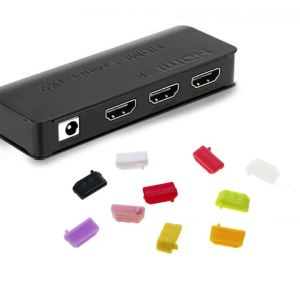
JCD | JCD 10pcs Silicone Anti Dust Plug Stopper Universal Dustproof USB Port HDMI Interface Cover Black for Laptop PC Computer
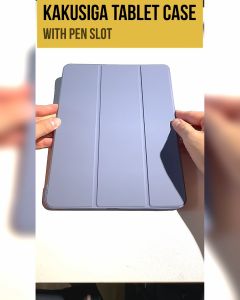
Kakusiga iPad 10th Gen 10.9-inch Air 11 M2 Mini 7 Pro 13 M4 Unbreakable TPU Pencil Holder Smart Auto Sleep Wake-up Cover

CRK5-11 ✅ REAL PRO GAMING MECHANICAL KEYBOARD GAMING KEYBOARD BLUE SWITCH COLOURFUL RAINBOW BACKLIGHT MULTI COLOUR USB WIRED MECHANICAL GAMING KEYBOARD MECHANICAL KEYBOARD for PC Desktop Laptop
![Folding Back Clip Power Bank Compact Wireless Stand for Mobile Power[Ready stock/Limited stock/Preferential price]](https://img.lazcdn.com/g/p/afbad47405d9c7716dfca605703cd5cf.jpg_300x300q80.jpg)
Folding Back Clip Power Bank Compact Wireless Stand for Mobile Power[Ready stock/Limited stock/Preferential price]

Front Camera Flex Cable For iPhone 14 Plus 13 12 11 Pro MAX X XR XSMAX Front Camera Light Promixity Sensor Replacement Parts

AULA | Wired Mechanical Keyboard for Gaming and Office 87 Keys
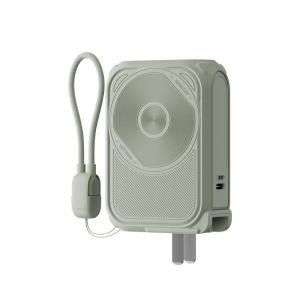
WPA | Certified Portable Power Bank 20000mAh

sinmaytai | AMOLED S25 Ultra 6.78For Samsung S25U S938B S938U S938N S938W S938E LCD Display Touch Screen Digitizer Assembly Replacement
![[2pcs] Amazfit T-Rex 2 / T Rex 2 Screen Protector HD Tempered Glass](https://img.lazcdn.com/g/ff/kf/Sc5ef14a9be964e9e9615334a58361ea2N.png_300x300q80.png)
[2pcs] Amazfit T-Rex 2 / T Rex 2 Screen Protector HD Tempered Glass
OPPO RENO 6 (5G) / RENO 6Z / RENO 7 (5G) / RENO 7PRO (5G) / RENO 7Z Camera Lens Glass Protector
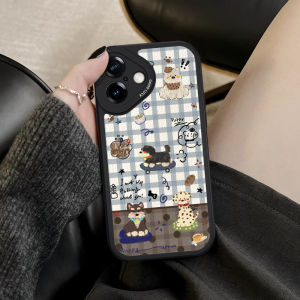
NAZHIMING | Elegant Retro Grid Design Soft Protective Phone Case for iPhone