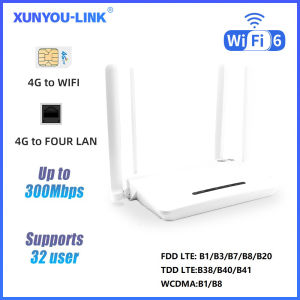
XUNYOU-LINK | XUNYOU-LINK 4G LTE WiFi Router WiFi 6 Modem 4 Antennas 300Mpbs High Speed SIM Routers Support 32 Device Wireless Modem Hotspots
Easy SetupEnjoy hassle-free setup with this SIM router, perfect for those who value convenience and quick deployment.Built-in FirewallRest assured with the built-in firewall, providing an additional layer of security to protect your network from potential threats.Multiple AntennasEquipped with 4 antennas, this router ensures robust signal coverage and enhanced connectivity in your home or office.Wide Frequency RangeWith support for 2.4G frequency, this router caters to a broad range of devices, ensuring compatibility and seamless integration.High-Speed 4G LTE WiFi RouterExperience seamless connectivity with the XUNYOU-LINK 4G LTE WiFi Router, offering a high-speed 300Mbps transmission rate for efficient data transfer.XUNYOU-LINK 4G LTE WiFi Router WiFi 6 Modem 4 Antennas 300Mpbs High Speed SIM Routers Support 32 Device Wireless Modem HotspotsEC21 is a 4G indoor customer indoor device with excellent wireless access performance and comprehensive routing capabilities, providing wireless broadband data to end-users. It converts high-speed TDD/FDD signals into WiFi signals on a local area network (LAN). Both wireless and wired devices can be accessed simultaneously.Product features4G to WIFI, 4G to LANFour LAN portsDL 300Mbps,UL 150MbpsSupports IPV4/IPV6WIFI 62.4G speed: 300MbpsUp to 32 devices can be accessedSSID broadcast function, supporting hidden WIFIPort filtering, port mapping, watchdogSupports locking frequency bandsSupport FOTA remote upgrade functionSupports TCP/UDP/PPP/HTTP/NITZ/NDIS/NTP/HTTPS/PING/PAP/CHAPSupporting frequency bands(Asia, Europe, Africa version)FDD LTE: B1/B3/B7/B8/B20TDD LTE:B38/B40/B41WCDMA:B1/B8What can you gain1Mobile WiFi router1Power adapter(EU)1Network cable(1M)1English manualFAQ:Q: What is the router’s maximum speed?A: The router’s maximum theoretical wireless WiFi speed is 300 Mbps.FDD-LTE (DL/UL): 150 Mbps / 50 MbpsHSPA+ (DL/UL): 21 Mbps / 5.76 MbpsNote:The router’s speed parameters are laboratory-tested theoretical values. Actual network speeds are not fixed and may vary every second. Internet distribution via the SIM card depends on environmental factors (e.g., signal strength, interference), causing significant speed differences. For real-time speed data, check the web management interface homepage.Q: How to set up internet quickly?A:Confirm SIM card validity (band compatibility & active data plan).Insert the SIM into the router's slot (ensure correct orientation).Connect the power supply and wait for system recognition (~1-2 minutes).Connect to the router's WiFi and enter the password (found on the router's bottom label).Verification method:Use a WiFi-connected device to log in to the router's web management interface.Check the status icon in the top-right corner:Red "X" = Network error. Red SIM icon = SIM not recognized. All blue = Normal operation.Note: The device MUST be connected to the router's WiFi to access the web interface. 90% of issues can be self-diagnosed via the interface. After configuration changes, reboot the router and reconnect to WiFi.Q: Is it compatible with any SIM card?A:The router supports full-frequency coverage in Europe/Asia/Africa and works with standard SIM cards from all carriers.Does NOT support contract-bound SIM cards (locked to specific devices or inactive).Verify band compatibility between the router and SIM card using the global frequency chart.Tip: Use mainstream SIM cards from large carriers to minimize manual configuration (some regional carriers update bands frequently).Q: What if I forgot the username and password? (How to reset the router?)A: If you forget your username/password or encounter errors preventing access to the web management interface, press and hold the reset button on the device for 10 seconds (while powered on). Release the button to restore the router to factory default settings.Q: Can’t find the router’s Wi-Fi signal?A:*Connect a computer to the LAN port via network cable.*Log in to the router’s management interface, navigate to Advanced Settings -> WLAN Settings -> WLAN Basic Setup, and ensure the WLAN function is enabled.*If no computer is available, reset the router (see previous question).Q: Router lights are on with data transmission, but the speed is slow?A:Network speed varies due to peak-hour congestion or signal interference in crowded areas.Optimize speed by:Placing the router near a window or in a strong signal area.Avoiding obstacles or interference sources (e.g., microwaves, refrigerators, thick walls).Reducing distance between devices and the router.Q: Can I modify the IMEI number?A: Support modifying IMEI numbers,1. Log in to the router backend (WEBUI)2. Enter in the browser address bar http://192.168.1.1/sid.html Press enter, enter the IMEI number to be changed, click SET to change, and if the change is successful, it will prompt OK.

Prime Supply_Play Life
Review

You May Also Like
![[Vktech] IP65 Waterproof Solar Panel Mount with 360 Degree Adjustable Bracket for EufyCam and Wyze Cam Outdoor Surveillance](https://img.lazcdn.com/g/ff/kf/S66a931dfe733431da6c49bb36fb6a924a.jpg_300x300q80.jpg)
[Vktech] IP65 Waterproof Solar Panel Mount with 360 Degree Adjustable Bracket for EufyCam and Wyze Cam Outdoor Surveillance
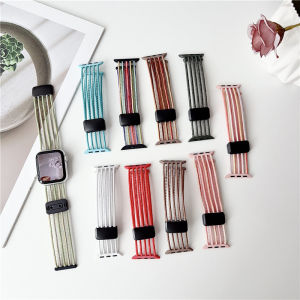
Nylon Magnet Band For Apple Watch 10/11 42/46mm 7/8/9 45/41mm 49mm 44mm 40mm 42mm Hollow Out Strap Bracelet For iWatch SE 6 5 4

Suitable For Redmi 9C 10A Phone Case New With Magnetic Suction U Shield Folding Bracket And Shockproof Large Frame Casing
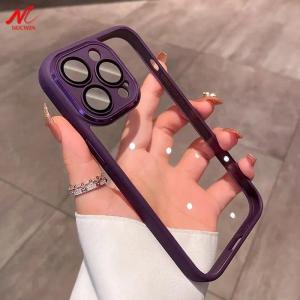
For iPhone 14 15 16 Pro Max Glass Camera Protector Case for iPhone 15 13 12 14 Pro Max Transparent PC Hybrid Shockproof Cover

Official Silicone+Nylon Band For Samsung Galaxy Watch Ultra Strap 47mm Functional Sport Belt Bracelet Galaxy Watch 7 Ultra 47 mm

FCAIE | Waterproof Dustproof Sunscreen Cover for 10kg Drum Washing Machine
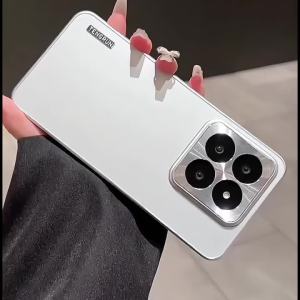
Applicable to Samsung S25UltraS25 UltraS24 UltraS24UltraS23 UltraS23Ultra Skin feel PC scrub Back plate Mobile phone case All inclusive Metal Anti-fingerprint Back cover shell Anti-fall Shockproof rear cover

Razer Orochi V2 Mobile Wireless Gaming Mouse | Ultra Lightweight | 2 Wireless Mode | 18K DPI | Up to 950hrs Battery Life

BESSGROUP | Adjustable Rotating TV Wall Mount
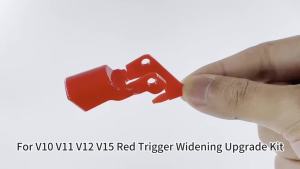
Trigger Power Button Switch Lever Part For Dyson V10 V11 SV12 SV14 Vacuum Cleaner Trigger Replacement Accessory Power Button

LeadJoy Tianjian Plus Gamepad New Launch FPS Dominance AI Custom Curve Ultra Comfort Grip Multi-Platform Wireless Controller for PC/Switch/iOS/Android#5