


Wireless Bluethooth Shipping Printer D450BT Thermal Label Printer for Small Business Package Label Maker for 100x150cm
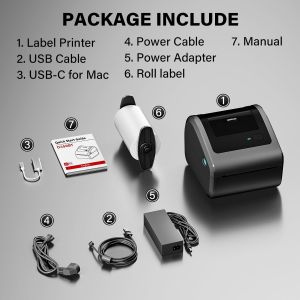
Product DescriptionD450 Thermal Lable PrinterSimplifies Your Work & Great shipping label printer for small businesses Support for Wireless Bluetooth and USB Cable Connection ModesAPP Bluetooth Connection USB Cable Connection PCHow to Print labels Via Bluetooth with WinStep1: Download "Labelife" APP on Official WebsiteStep2: Connect the Printer's Bluetooth in APP,instead of Setting It Up in the Bluetooth Included with the PC.Attention: D450BT label printer compatible with Windows7 and above operation syetemThe video showcases the product in use. The video guides you through product setup. The video compares multiple products. The video shows the product being unpacked.How to Print labels Via Bluetooth with MacStep1: Download "Labelife" APP on Official WebsiteStep2:Connect the Printer's Bluetooth in APP,instead of Setting It Up in the Bluetooth Included with the PC.Step3:Then enjoy your printing travel.The video showcases the product in use. The video guides you through product setup. The video compares multiple products. The video shows the product being unpacked.How to Print labels Via Bluetooth with Chrome OSPlease connect the printer's Bluetooth in Software - "Labelife", NOT in the Bluetooth settings included with the computer.The video showcases the product in use. The video guides you through product setup. The video compares multiple products. The video shows the product being unpacked.How to print labels Via USB with WindowsStep1: Connect the Printer & PC Simultaneously with the USB CableStep2: Download Driver On Official Website & Install It on the PCStep3: Open the file and enjoy printing travelThe video showcases the product in use. The video guides you through product setup. The video compares multiple products. The video shows the product being unpacked.How to Print labels Via USB with MacStep1: Connect the Printer & PC Simultaneously with the USB CableStep2: Download Driver On Official Website & Install It on the PCStep3: Open the file and enjoy printing travelThe video showcases the product in use. The video guides you through product setup. The video compares multiple products. The video shows the product being unpacked.How to Print labels Via USB with ChromeOSStep1: Connect the Printer & PC Simultaneously with the USB CableStep2: Download Driver On Official Website & Install It on the PCStep3: Open the file and enjoy printing travel Signal Light Parameter Guide to D450 Shipping Lable PrinterPlease note: The quantity of 4*6 thermal label up to 250 Labels/Roll

GlobalTechMart
Review

You May Also Like
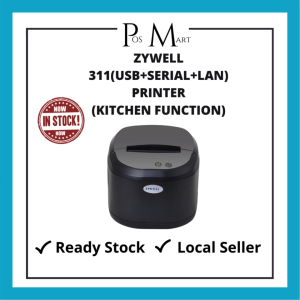
ZYWELL 311(USB+SERIAL+LAN)PRINTER(KITCHEN FUNCTION)
TPU Transparent Pink Flexible Filament 250g 500g 1Kg 3D Printer Filament Printing Roll FlexMaterials 1.75mm Vacuum Packaging
Compatible T6771 T6772 T6773 T6774 (677) Ink Cartridges Replacement for Epson WorkForce Pro WP-4011 WP-4511 WP-4521 WP-4531 WP-4592 Printers Black 70ML/Color 36ML
MeeGoo Portable A4 Printer Inkless High-Definition Printing 200DPI Multifunctional Thermal Printer

Jiaxun | Price Tagging Machine Date Printing Manual Auto
Niimbot | Bluetooth Thermal Label Printer
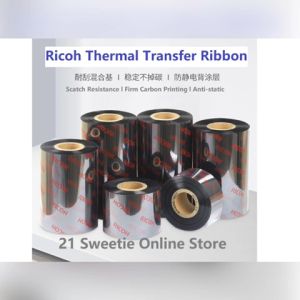
[1 roll] Ricoh Resin Ribbon 63mm x 70m Premium Thermal Transfer Ribbon 63x70 RC B110CR Japan Brand TTR 21SOS High Quality for Barcode Printer Label Sticker Print Half Inch Core Inked Side Face Wound Out ISO Quality Proven Carbon Ribbon 高级树脂基碳带
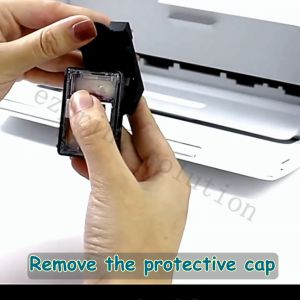
Compatible Canon PG 760XL CL 761XL Ink Cartridge Canon 760 Ink Canon 761 Ink PG-760 Black CL-761 Color for TS5370
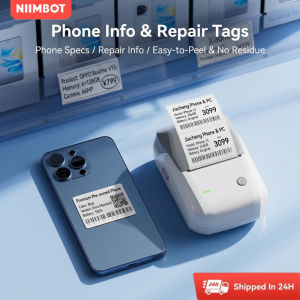
NIIMBOT B1/B1PRO Bluetooth Thermal Label Maker Portable Digital Phone Repair Tag Printer

A6 PeriPage Mini Portable Bluetooth Wireless Paper Photo Printer Pocket Thermal Printing USB Connection With Free Paper mobile printer home printer phone printer mini printer
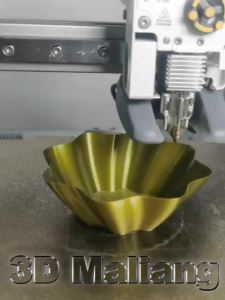
250g 500g 1Kg PLA silk red 3D Printer Filament 1.75mm red copper and purple copper bronze 3D Printing Material 250gx4