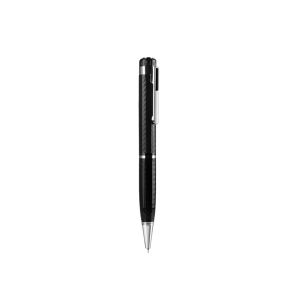
Digital Voice Recorder Pen Portable USB MP3 Playback Mini Voice Recording for Lectures Meetings Classes 8G 16G 32G
Digital Voice Recorder Pen Portable USB MP3 Playback Mini Voice Recording for Lectures Meetings Classes 8G 16G 32G Please note:<1GB means there is no memory and you need to insert your own TF card before you can use itAfter receiving the goods, please use our data cable to charge the device for 2 hours before using it.If you want to know more product information, you can go to the store homepage to follow the store and enjoy more discounts.PackageVoice recorde1Data cable1User Manual1Classroom learningThis recorder helps you get good gradesBusiness negotiationInterview with reportersRecord at any time, don't miss important contentHoliday giftThis is a high-end, decent giftHigh-end business voice recorder penSmooth writingHD recordingFlash drivePlay musicOne-button recordingRecording anytime, anywhere, easy to useThe pen is slender and comfortable to useSmall size:141.41.4cmLight weight:30gNon-slip and sweatproof designRefill can be replacedComputer connection and mobile phone connection (mobile phone connection only supports Android)Support Android mobile phone OTG connection, can play recordings on mobile phones, view upload management files at any time (only for Android phones)Save files automatically when power is lostWhen the system detects that the recorder is low, the recorder saves the file in advance, then automatically shuts down, and the recording file is safely saved.Automatic saveProduct informationON/OFFRecord indicator / reset holeMicrophone holeThe pen is slender and comfortable to useSmall size:141.41.4cmLight weight:about 25gNon-slip and sweatproof designRefill can be replacedQ&A1.The product cannot be recorded or connected to the computer?Solution:【Please check whether the product you purchased is ≤1GB, or the "0GB" option. These two options mean that the product has no memory and you need to insert a memory card before it can be used.】2. The computer cannot recognize the recorderSolution: 【 Some data cables can only be used for charging and cannot transmit data, so please useConnect the original data cable to the computer (or other data cable with data transmission functionFunction)】3. The computer suddenly cannot read the recorderSolution: 【Please turn off the power switch of the device before connecting.4. Can't change the time?Solution: [Connect the device to the computer, change the corresponding content in the "Time" file, save and exit, and then disconnect the device from the computer to set the time successfully]

GlobalTechMart
Review

You May Also Like

Samsung Galaxy Buds+ PLUS Buds Live BTS Edition R175 Bluetooth 5.0 Wireless Earbuds Sound By AKG
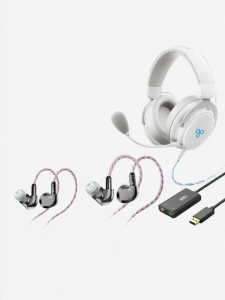
MISHENG | Virtual 7.1 FPS Gaming Headset
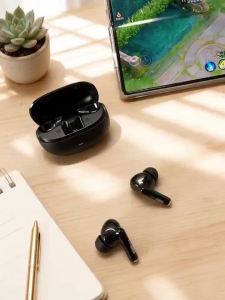
Lenovo | Lenovo LE257 TWS Wireless Bluetooth 6.0 Headphones HiFi Sound ENC Call Noise Reduction Earphone Gaming Sports Headset With Mic
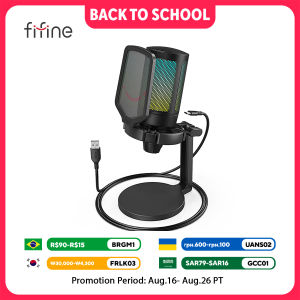
FIFINE AmpliGame Gaming Microphone with Shock MountGain KnobTouch-muteStreaming Podcast Condenser Mic for PCSwitchPS5-A6NEO

WALKIE TALKIE TUBE-EARPIECE FOR MOTOROLA For MT1500 MT2000 XTS2500
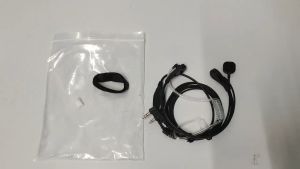
Motorcycle Riding /Cycling Walkie Talkie Handfree Finger PTT Button
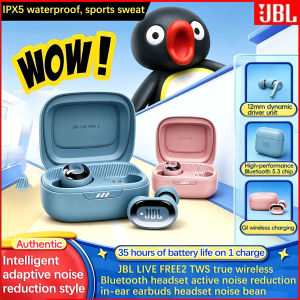
JBL LIVE FREE2 TWS true wireless Bluetooth headphones active noise reduction in-ear earbuds headset noise-reducing bean
JAZPIPER KARAOKE JAZPIPER MAX JP-1031
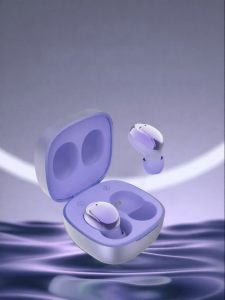
FEINITAI | Bluetooth Headphones For Oppo Reno8 7Pro Girls

(HD1)G37 Wireless Earhook Earbuds Bluetooth 5.3 IPX7 Waterproof Noise Reduction HiFi Audio Long-Lasting Battery G37 Fon Telinga Wayarles Kait Bluetooth 5.3 IPX7 Kalis Air Pengurangan Bunyi Audio HiFi Hayat Bateri Tahan Lama

BEIYIN Premium Acoustic Foam Soundproof Panels 120X60X5CM High Density Sound Absorption Foam Panels Wall Noise-Reducing Acoustic Treatment Panels for Recording Studio